LBL-01791 [B] Laborie alpHaONE User & Service Manual 69
5 Installation
Introduction
This chapter explains how to install the Laborie application and set up the alpHaONE measurement system. The end
of this chapter provides information to test whether the installation has been completed successfully.
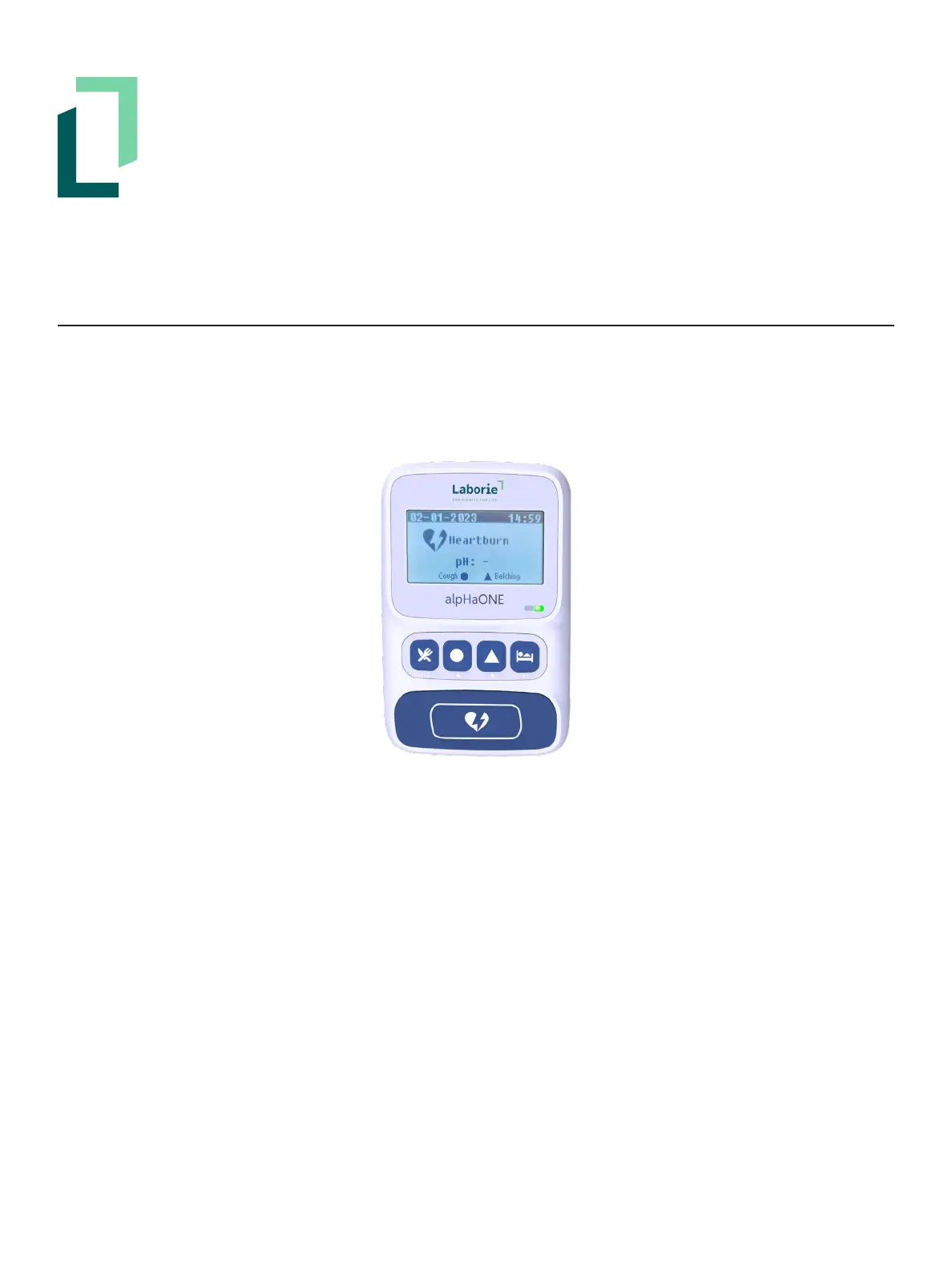
Figure5-1: The alpHaONE Recorder—Front View
The alpHaONE system is supplied with a USB interface cable for communication with the computer.
Installing the Laborie alpHaONE Application
The alpHaONE system ships with a USB thumb drive that contains the Laborie alpHaONE application needed for the
systemtofunction.Beforeyoucanworkwiththissystemyoumustinstalltheapplicationonthecomputer.
For information on installing the Laborie alpHaONE application, refer to the Laborie Software Installation Manual
(DocumentCode0075-MAN-092-EN).
Setting Up the alpHaONE Recorder
Installing the Batteries
ThealpHaONErequiresthreeAAAalkalinebatteries(1.5Volt).
OnthebackofthealpHaONErecorder,removethebatterycompartmentcoverandinsertthebatteries,orientedas
displayed at the bottom of the battery compartment.



 To Next Page