44 Laborie alpHaONE User & Service Manual LBL-01791 [B]
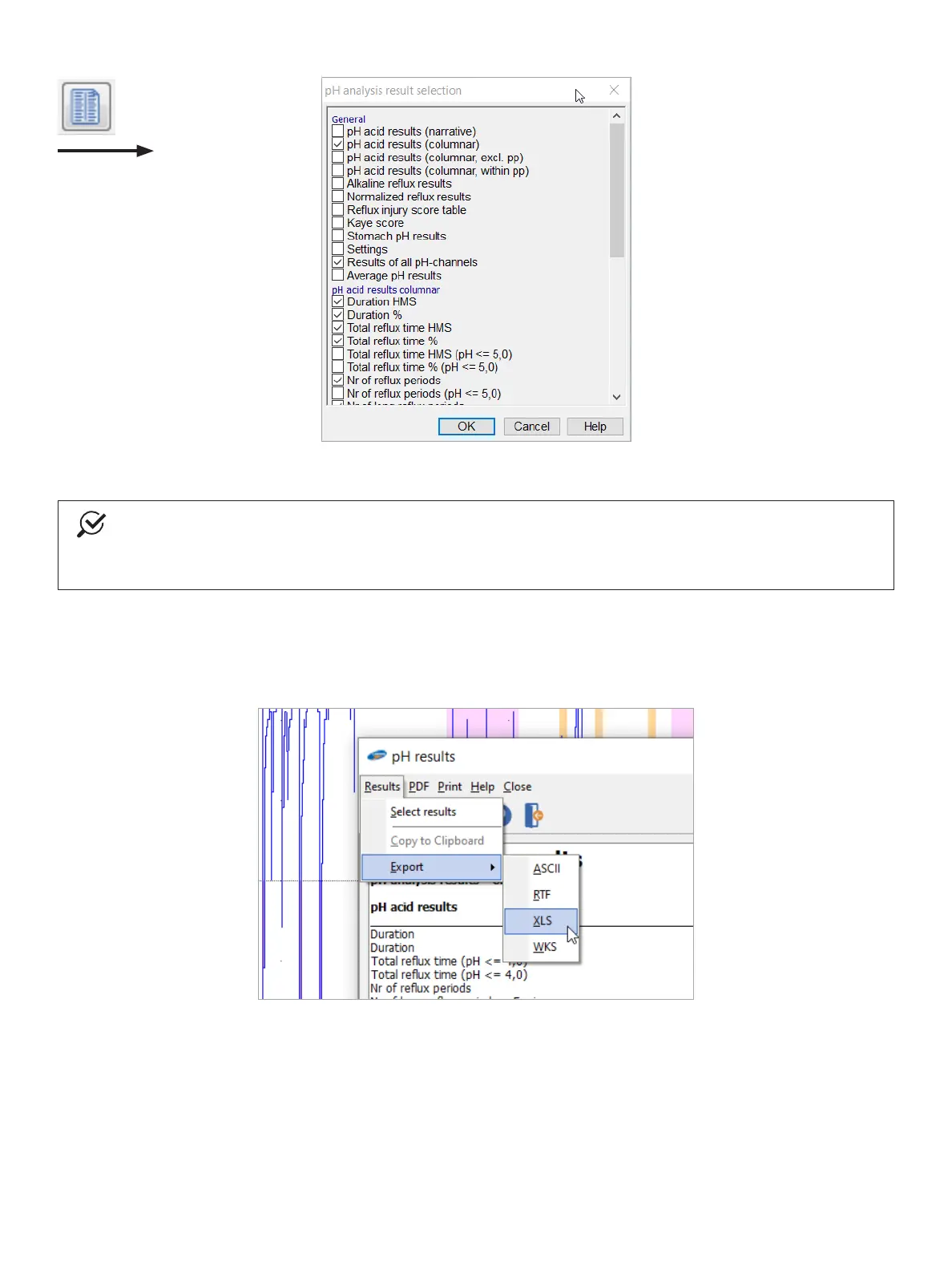
Figure4-6: SelectingSpecicResults
NOTE
Toselecttheresultsthatyouwouldliketoincludeinareport,youmustgotothetheReportermodule.
YoucanndmoreinformationintheseparateReportermanual,inPDFformat,whichyoucanopenviathe
Manuals menu in the Database module.
Exporting Results
In the pHanalysis and Symptom results dialog boxes, choose Results > ExporttoexporttheresultstoaleinASCII,
RTF,XLS,orWKS(Lotus123compatible)format,asdepictedinFigure4-7.
Figure4-7: Export Results
pH Analysis Results
On the menu bar, choose Results > pHanalysisresultstodisplayparameterssuchasthenumberofreuxperiods,
reuxtime,andtheDeMeesterscore,asillustratedinFigure4-8.



 To Next Page