Chapter 4 TheAnalysisModule 53
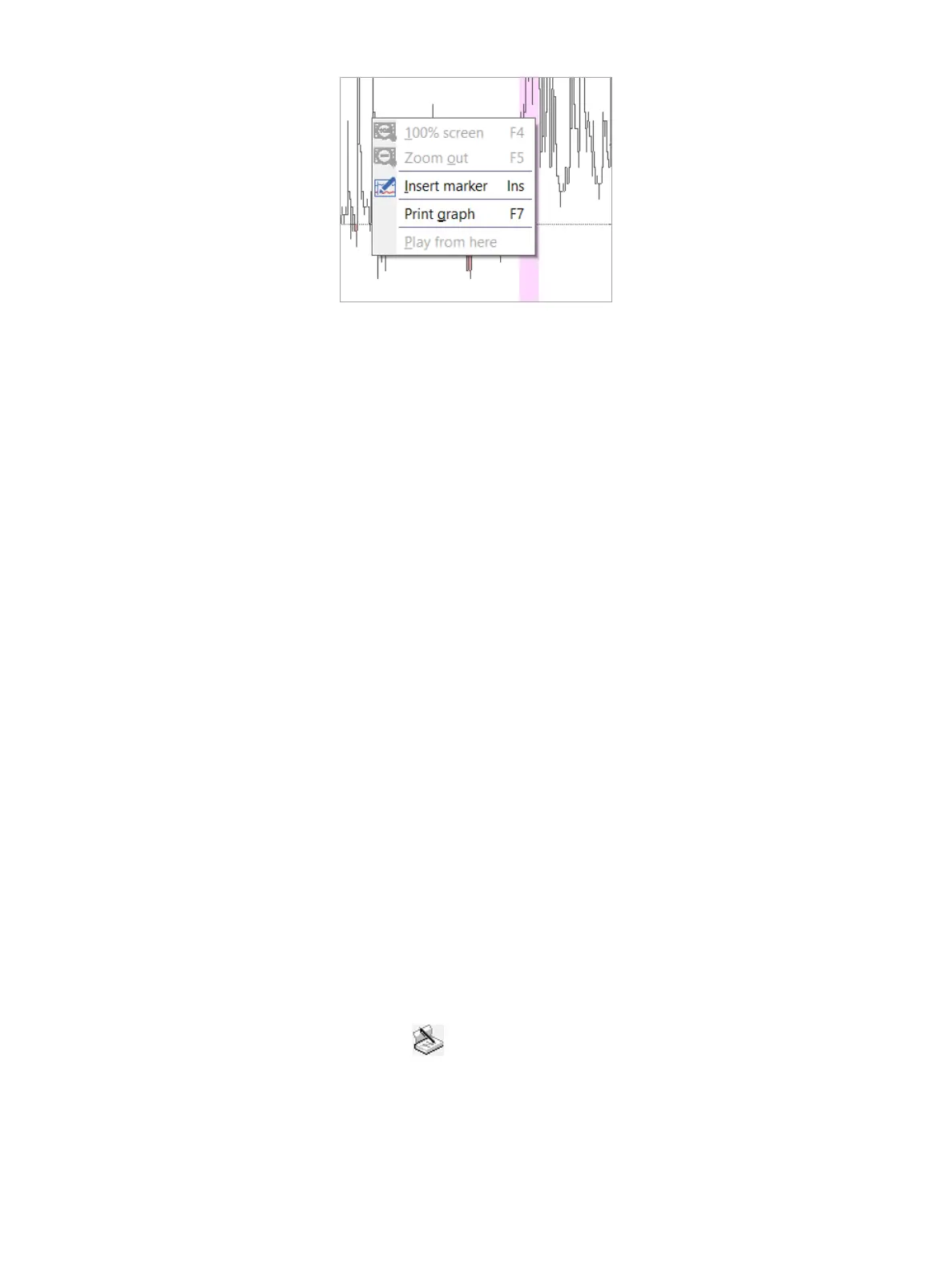
Figure4-15: InsertingaMarker
Canceling marker insertion
Afterthemarkertobeinsertedhasbeenselected,youstillhavetheoptiontocancelmarkerinsertionbypressingESC
onthekeyboard.
Moving a Marker
Tomoveamarker,clickandholdthemarkerlabel,dragthemarkertoitsnewlocation.Releasethemousebutton
whenyouhavethemarkerwhereyouwantit.
Deleting a Marker
Todeleteareuxmarker,dothefollowing
1. SelectthereuxmarkerbyjumpingtoitusingtheTabkeyorbyclickingonit.Thebackgroundcolorofthereux
changestothebackgroundcolorofaselectedmarker.
2. Movethemousepointeroverareuxchannel.Thecolorofthechannelchanges.
3. Onthekeyboard,pressD or the Deletekey(youalsocanright-clickthechannelmarkerlabelandthenselect
Delete).
Deleting All Markers of a Category
On the menu bar, choose Marker > Delete allandthenselectacategorytodeleteallmarkerswithinthatcategory.
Marker Overview
Todisplayalistofallmarkersinsertedduringtheinvestigation,chooseMarker > Markeroverview.
Diary
Whenthedataisreviewedforthersttime,thesoftwareautomaticallyshowsallthediaryeventsthepatientindicated
via the buttons on the alpHaONE recorder.
If you want to edit it again, on the menu bar, choose Diary > Editdiary to open the Editdiary dialog box. for more
detailed information, see the section “EditingthePatientDiary” on page 34. You also can edit the diary in the
Analysismodule.
1. Enable the edit diary function by moving the mouse pointer to the diary graph panel (on the left of the screen).
The mouse pointer changes to a diary icon ( ).
2. Clickthediarygraphpanel.Thebackgroundwillturndarkgray,asillustratedinFigure4-16 (you can deselect it
byclickingthepanelagainorbyclickingelsewhereontheleftgraphspanel).



 To Next Page