54 Laborie alpHaONE User & Service Manual LBL-01791 [B]
Figure4-16: ClickingontheDiaryGraphPanel
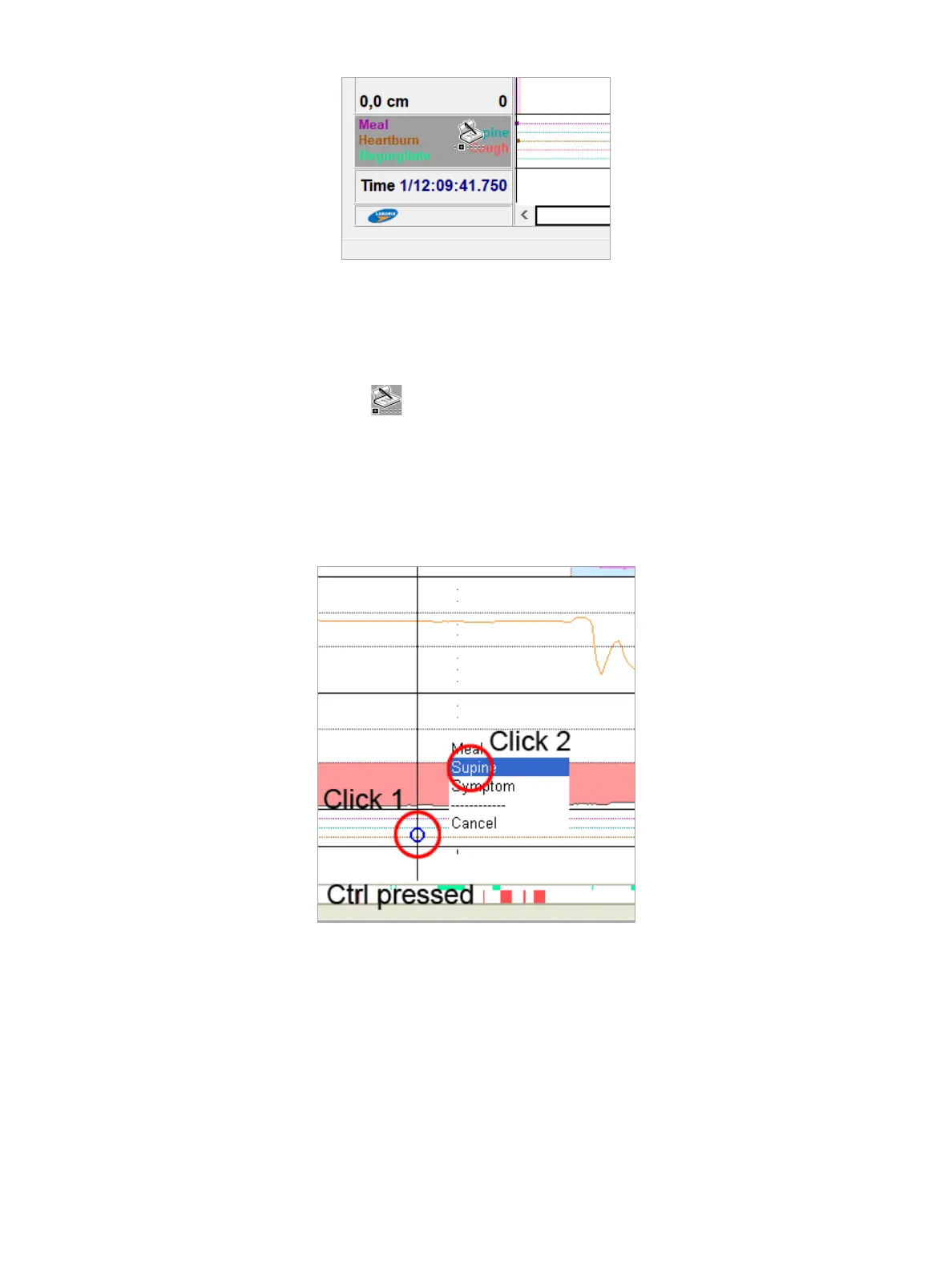
Adding a Diary Event
1. Afterselectingthediarygraph,onthekeyboard,pressandholddowntheCtrlkey.Movethemousepointerto
the position at which you want to add an event.
Themousepointerchangestoapen( ).
2. WhilekeepingtheCtrlkeypressed,clickatthepositioninthediarybarwhereyouwanttoaddtheevent(see
Figure4-17, Click 1).Amenuopensonwhichyoucanselecttheeventtypethatyouwanttoadd(Figure4-19,
Click 2). Releasing Ctrlbeforeclickingthesecondtimewillcanceltheoperation;likewiseifyouclickCancel or
clickoutsidethepop-upmenu.
Mealandsupineperiodsareaddedwithaxedtime.Afterinsertingthemarkeryoucanchangethebeginandend
times, as described in the next subsection.
Figure4-17: ThePop-UpMenutoAddaDiaryEvent
Deleting, Repositioning, or Changing a Diary Event
Selectthediarygraphandthenselectthediaryeventthatyouwanttoeditbyclickingontheevent.Theselectedevent
ismarkedbyaredrectangle,asdepictedinFigure4-18.



 To Next Page