Chapter 2 Performing an Investigation 19
In the patient database, by default patient and study information are not shown for privacy reasons. You can either
clickNewPatient, to enter a new patient or select a patient via the Search Patient text box. Begin typing any part
ofthepatientidenticationinthesearchbox(e.g.,patientname,dateofbirth,orpatientID).Alternatively,youcan
entertheasteriskcharacter(
*
) to view all patients in the database. You can narrow the search until only the patient
you’relookingforisselected.Allofthestudiesperformedontheselectedpatientaredisplayedintheinvestigation
list. When you select the investigation, you will see a preview of the investigation graph (when analysis has been
performed).
Entering Patient Data and Selecting the Patient
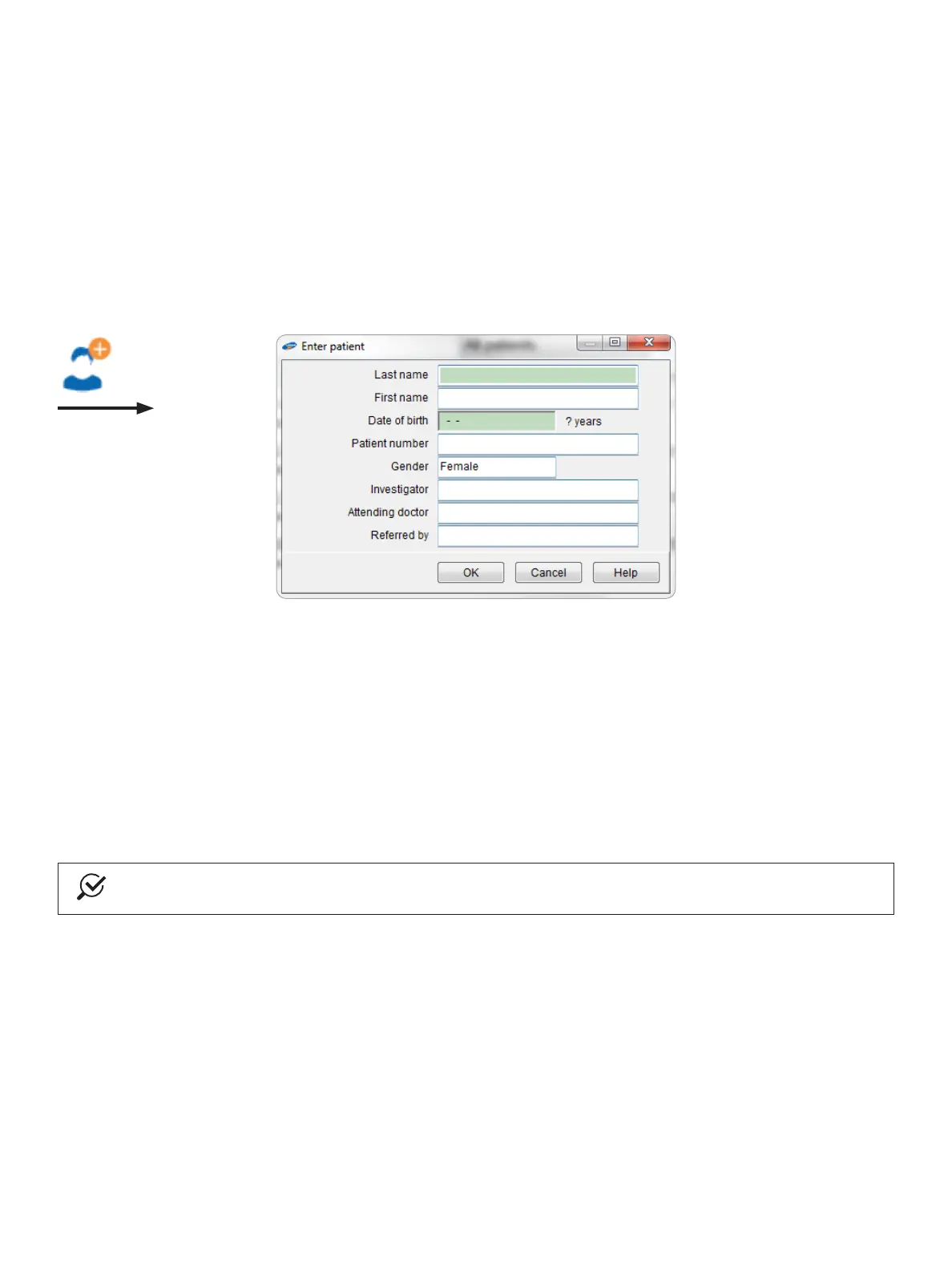
Toaddanewpatienttothedatabase,clicktheNewPatient button. In the Enter patient dialog box that opens
(Figure2-2), enter the patient information before starting a new investigation.
Figure2-2: Entering Information for a New Patient
You can move from one text box to the next text box by pressing the Tabkeyonyourkeyboard,oryoucandirectly
clickinanytextboxtoenterinformation.
ClicktheOKbuttontosavetheinformationforthenewpatient.Todiscardthenewpatientinformation,clickthe
Cancelbutton.Amessageboxwillopen,askingifyouwanttosavethemodieddata.
IfyouclickOK and save the data, the patient will then be displayed and selected in the patient list.
Bydefault,youmustenterattheveryleastthepatient’slastnameanddateofbirth.Onthetoolbar,clickSettings >
System settingsandthen,inthedialogboxthatopens,clicktheCongurepatiententry tab. Select the Patient
number and Date of birth of the patient.
NOTE
Before starting a new investigation, you must select the name of the patient from the patient list.
Starting the Measurement Module
TostarttheMeasurementmodule,intheDatabasemoduleclicktheNewinvestigation button. When more than one
systemisinstalled,youneedtoselectthespecicmeasurementsystem(seeFigure2-3).



 To Next Page