6-16 LeeBoy Model 8510B Conveyor Paver
Operation
Setting Screed Extensions
NOTE: Used when paving over 8 ft. (2.4 m).
The screed extensions should be heated with initial
heating cycle before making adjustments. Use the
wrench provided to make adjustments. If correct
adjustment is made, the pressure on the rear edge of
extended screed is the same as on the rear edge of
main screed. The result of making this adjustment will be
a smooth mat the length of the screed.
NOTE: Make adjustments only while paving.
1. Heat the screed extension before making
adjustment to extended width.
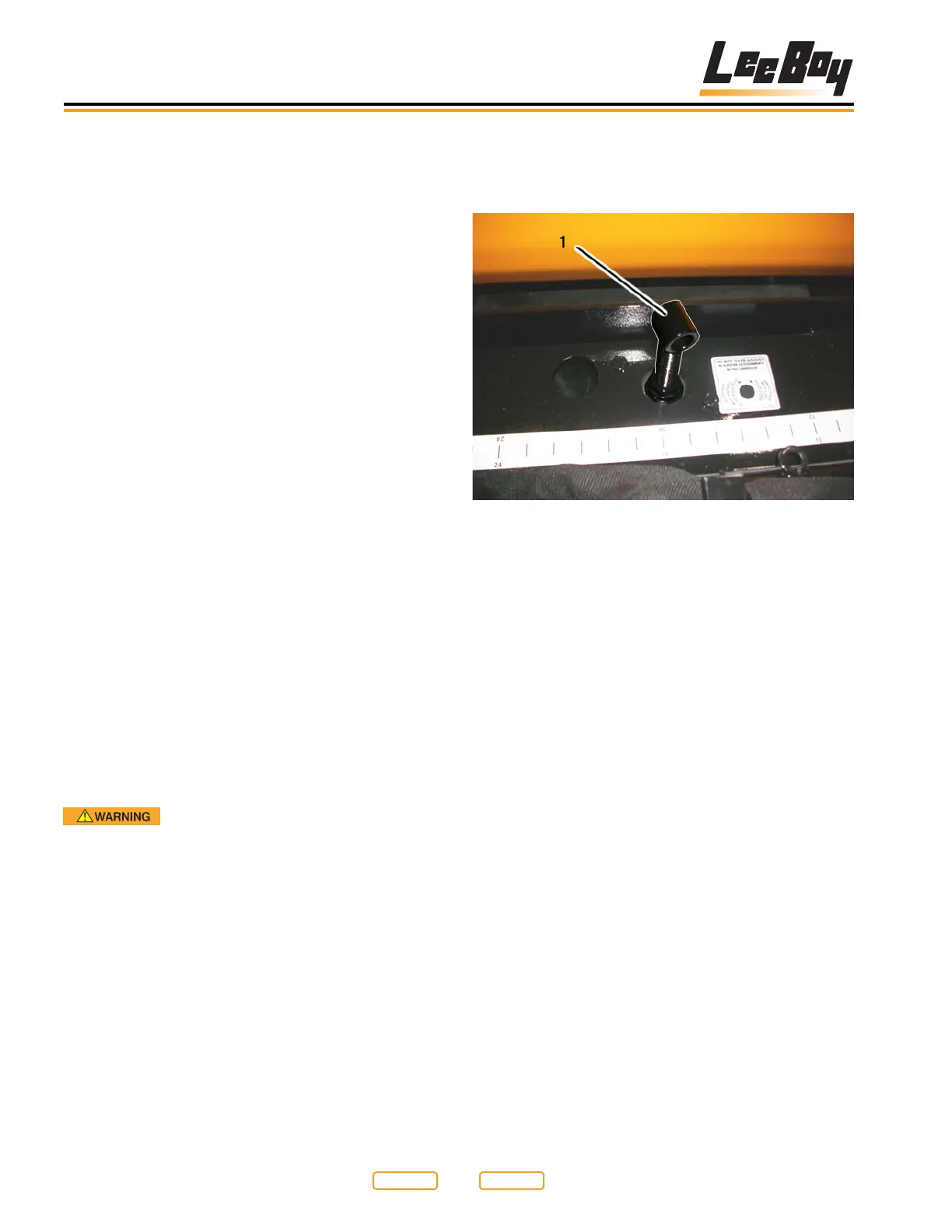
2. Adjust tilt on the rear edge of the extension by
turning adjustment (Figure 6-15,1; Figure 6-16,2)
counterclockwise. This is done to give the same
amount of compaction and slickness on the
extension and main screed.
3. If drag occurs in center of the screed, then too
much pressure is on the screed extension and the
extension is carrying all the weight. Correct this
by turning the adjustment clockwise until both the
screed and the screed extension produce the same
mat texture.
Mat Texture Adjustment
The screed should be hot before making any
adjustments. The screed can be adjusted for a
smoother or coarser mat texture by using the mat
texture adjusting screws (Figure 6-15; Figure 6-16).
Make sure the bottom of the screed is sprayed down
before making any texture adjustments (see Spray
Down in Section 6).
Fire Hazard! Never spray cleaning
solvent or release agent on or near a screed heating
element that is hot or being heated or on or near any
open ame or ignition source. Cleaning solvent and
release agent could ignite causing serious personal
injury.
NOTE: When using spray down, consider the
environment and do not allow cleaning solvent to
run onto the ground.
Screed extension single adjustment:
1. Locate single adjuster near the middle of the
extension (Figure 6-15,1).
Mat Texture Single Adjusters
Figure 6-15
1 – Extension Angle of Attack (AOA) Adjuster
2. Turning the AOA adjuster (Figure 6-15,1) clockwise
(CW) will increase the pressure on the back of the
screed. Turning the adjuster counterclockwise
(CCW) will decrease the pressure on the back of the
screed.
NOTE: Increasing the pressure on the back of the
extension will give you a smoother, slicker nish.
Decreasing the pressure will give you a coarser
nish. Putting too much pressure on the back
of the extension will take the weight off of the
screed wearplate and will cause poor material
compacting, resulting in a poor nish in the
middle of the main screed.
Return to
Last Viewed
Return to
Thumb Index



 To Next Page