272
HC4608
HD4608
L4608
HS4608
N4608
NT4608
5739 46 (White)
5739 47 (Magnesium)067507
Conguration
The activator with display must be congured by assigning a zone address (Z), indicating
the activator group it belongs to, and a progressive number (N) within the group.
To congure it as belonging to the activators group, no value must be entered in Z.
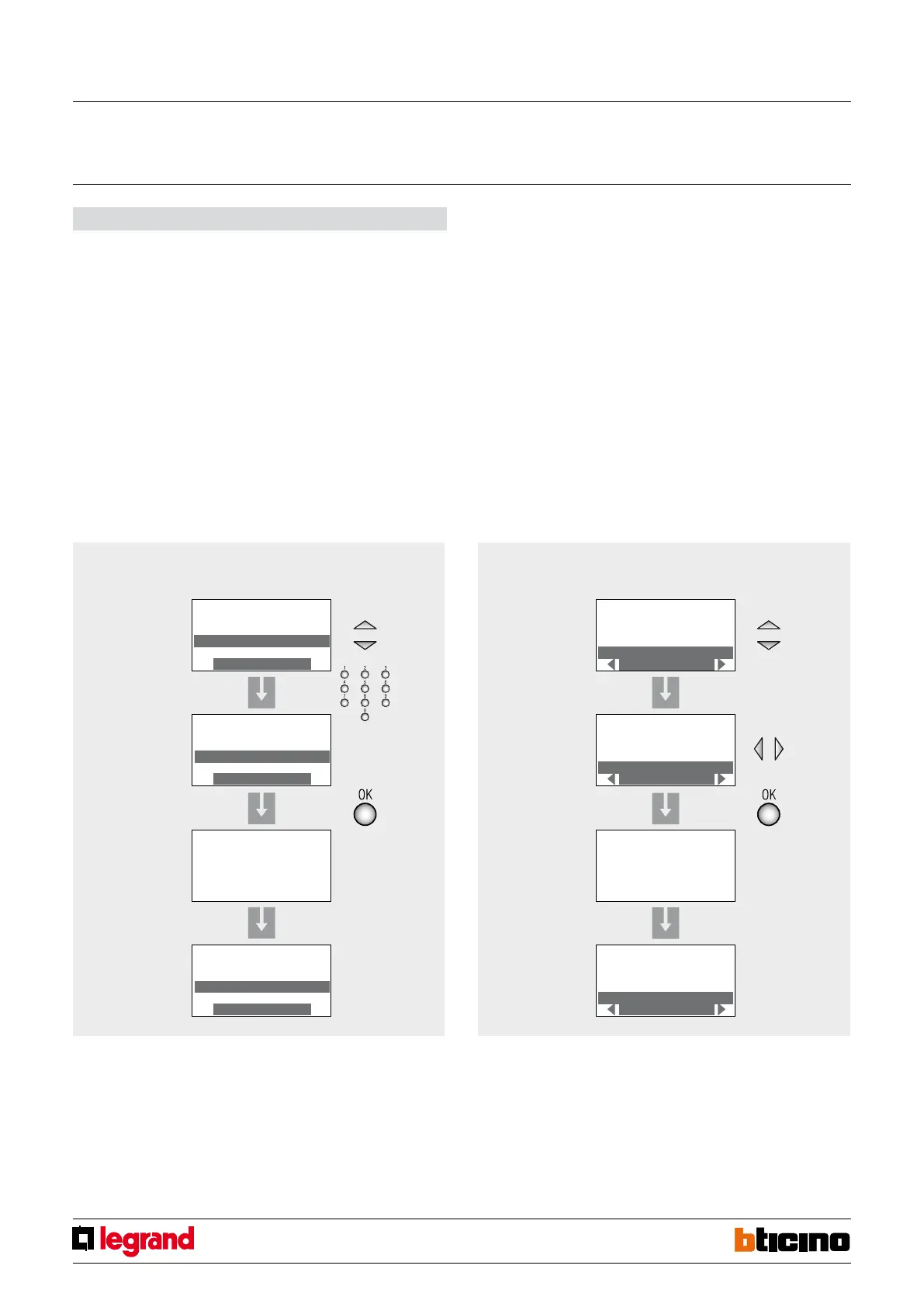
The conguration is performed using a specic menu shown on the display, following
the procedure below:
1. Ensure that the system is in “maintenance” mode.
2. Upon switching on the activator, the “SETTING” screen appears in Italian language.
3. Select “Address” (address).
4. Enter the Z and N address to assign to the activato and press OK to conrm.
5. Enter the other settings or return to the main page, and start the learning procedure
on the central unit.
Selecting the central unit installed in the system
1. Select “type of central unit”.
2. Select the type of burglar-alarm central unit installed:
- “Display” for central unit item 3486, item 3485/B, 573935, 573934, 067520 and
item HC/HD/HS/L/N/NT4601 -
“No display” for central unit item L/N/NT4600/4 and AM5780/4.
3. Press OK to conrm.
4. Enter the other settings or return to the main page, and start the learning procedure
on the central unit.
For further device customisation procedures refer to the information on the CD supplied
with the product.
Address conguration menu
SETTINGS
Language
Address
Central unit type
Address--
SETTINGS
Language
Address
Central unit type
Address 12
SETTINGS
Language
Address
Central unit type
Address12
WARNING
Modified address
run system
learning
Address conguration menu
SETTINGS
Language
Address
Central unit type
Display
SETTINGS
Language
Address
Central unit type
No display
SETTINGS
Language
Address
Central unit type
No display
in progress...
Display keypad
MQ00025-c-EN 28/10/2013



 To Next Page