499
HD4891
L4891
HC4891
N4891
HS4891
NT4891
067271
573716
067272
573717
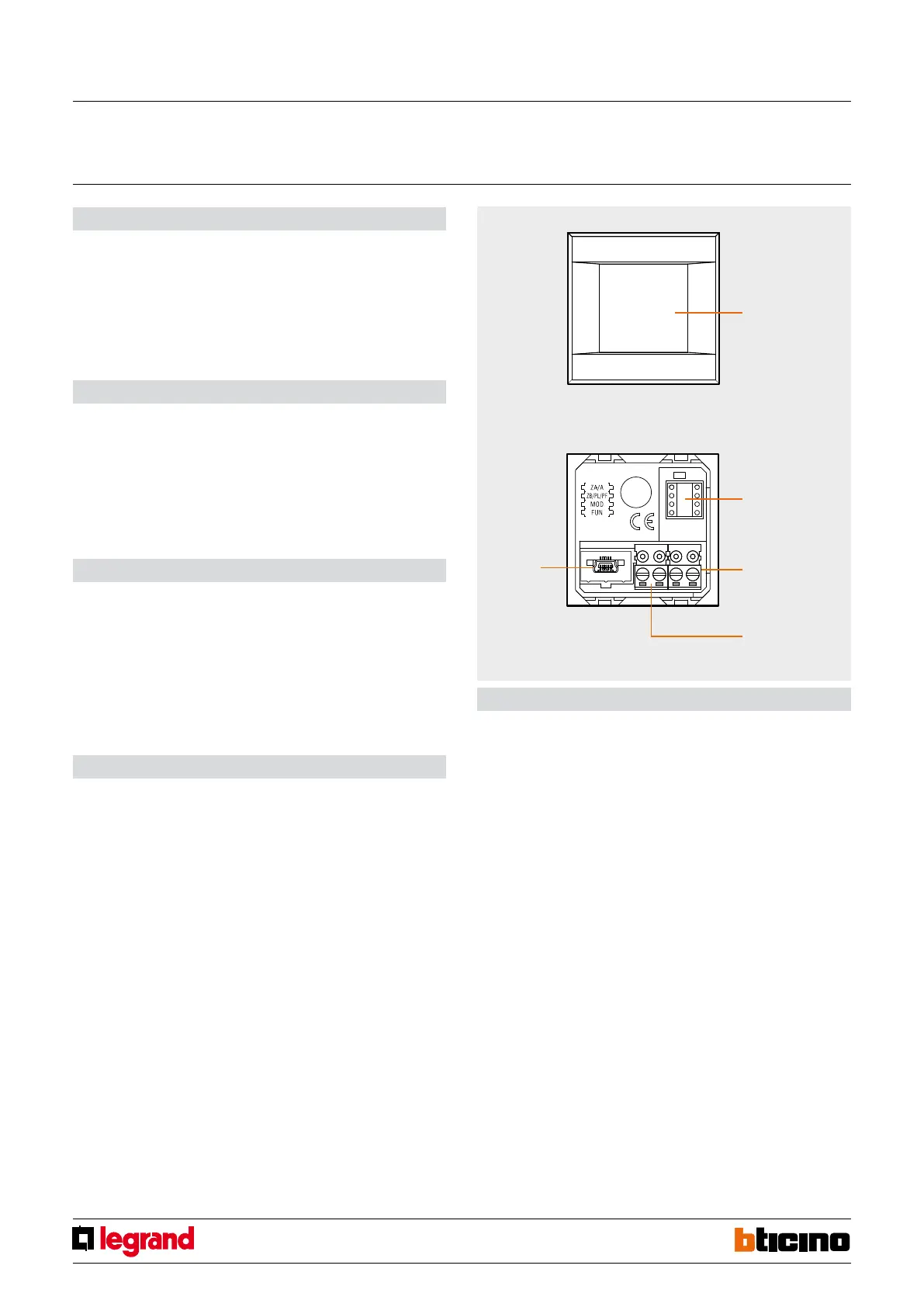
1
2
3
4
5
Conguration
Local Display may be configured in two ways:
- physical conguration, by connecting the congurators to the appropriate sockets.
This mode gives the possibility of configuring with basic parameters only 1 function
to manage, among the ones listed below. For the configuration of the advanced
parameters use the software.
- from the PC, using the dedicated software. This mode gives the possibility of
configuring all the parameters, for the management of 1 to 4 functions listed
below.
Avaible functions
- Scenario control
- Temperature control with external probe
- Temperature control with probe
- Sound system
- Consumption display
- Load management
- Advances scenario (with scenario programmer installed in the system), to be
configured using the software only
Legend
1. OLED technology Touch Screen
2. Congurator socket
3. BUS clamp
4. Clamp for the connection of the external temperature probe
5. USB connector
Description
Local Display is a device that gives the possibility of 4 home automation functions by
means of simple and intuitive icons displayed on a 1.2” OLED display with touch screen
technology.
It can be used to manage the temperature control, sound system, energy management,
and scenario functions.
The back of Local Display has a USB socket, which can be used to connect the device
to a PC, to update the configuration, the set of characters, and the icon, as well as the
firmware.
Technical data
- Power supply from BUS: 18 – 27 Vdc
- Stand-by Absorption: max 10 mA @ 27 Vdc
max 15 mA @ 18 Vdc
- Operating absorption: max 50 mA @ 27 Vdc
max 70 mA @ 18 Vdc
- Operating temperature: 5 – 35 °C
- Size: 2 ush mounted modules
Front view
Rear view
Local display
MQ00692-b-EN 17/04/2014



 To Next Page