506
1 2 1
1
6
5
4
2
3
3
MH200N
Description
This device can be used to manage up to 300 simple and advanced scenarios.
Thanks to the scenario programmer, the MY HOME system can perform certain actions,
not only following a command from the user, but also when external events occur, such
as the opening of a door, or a signal generated by light or temperature sensors.
The execution of an advanced scenario based on a set time and date, or the arming/
disarming of the burglar alarm system, may initiate, for example, the simulation of a
presence inside the home, by automatically activating the rolling shutters or the lights
at certain preset times, when no one is in fact at home.
The scenarios are programmed on the device using the TiMH200N software that can be
found in the CD supplied. The installation of the scenario programmer, item MH200N
only requires the connection to the power supply and to the MY HOME automation BUS.
Thanks to the possibility of connection to the Ethernet network, the device is also
suitable for advanced applications, like:
- Use as SCS/LAN Gateway device for:
- Managing or configuring the MY HOME system with the MHVisual program and
Virtual Configurator respectively, installed on PCs connected to the network;
- Displaying the status of a scenario through web pages (enabled/disabled);
- Managing new functions relating to the 4 zone temperature control system and
current sound system and automation devices (new F503 amplifier, 100 level
dimmer, lighting sensor);
- Managing the burglar alarm system (arming and disarming) based on events.
Technical data
Power supply: 27 Vdc
Power supply from SCS BUS: 18-27 Vdc
Max. absorption: 200 mA
Operating temperature: 5 – 40 °C
Related items
Power supply 27 Vdc 346020
Dimensional data
6 DIN modules
Front view
Top view
Bottom view
Legend
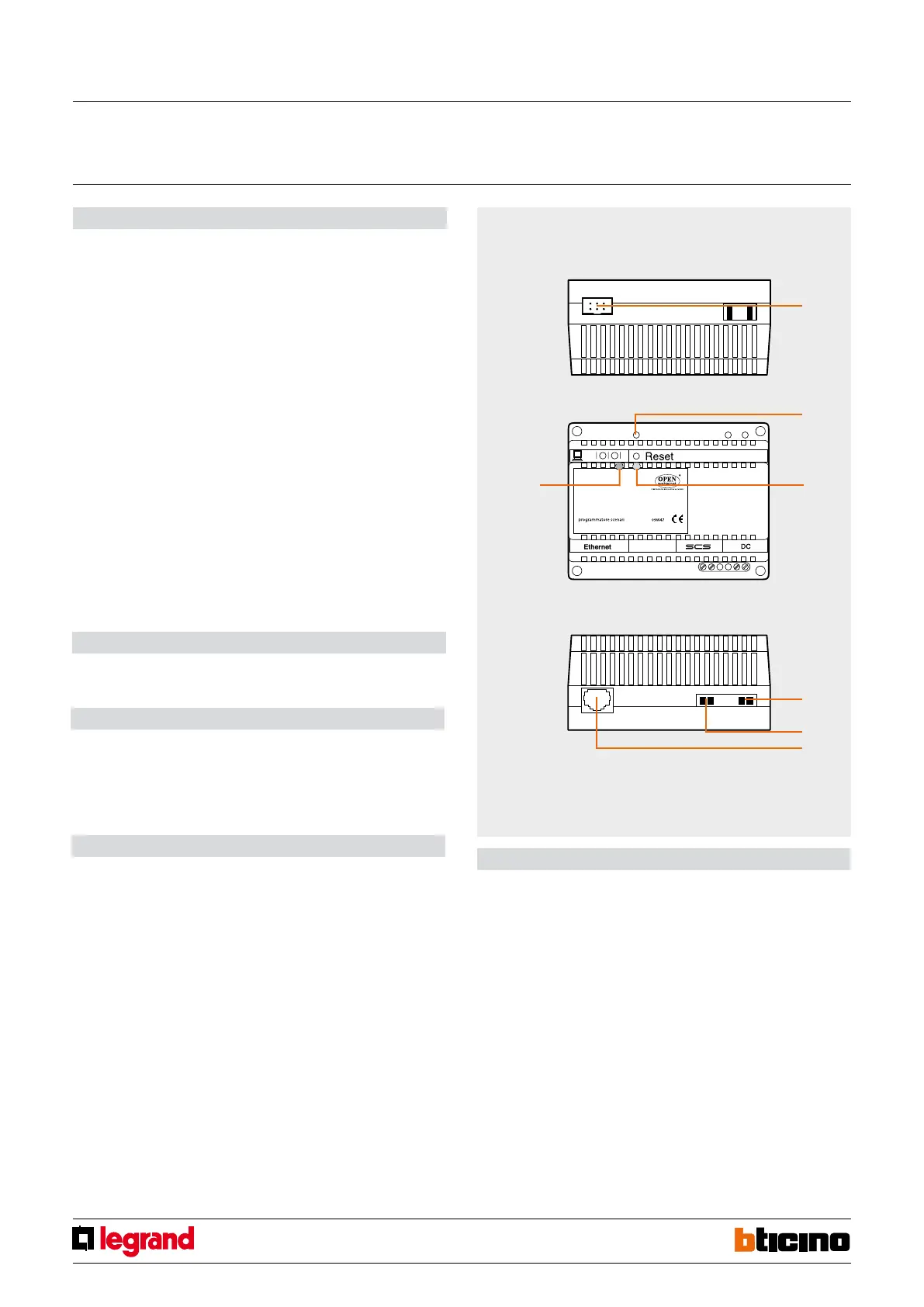
1. Connection to the PC serial port
2. Reset key
3. Status LED
4. Power supply (Item 346020)
5. BUS
6. Ethernet network RJ45 connector
Scenario programmer
MQ00319-b-EN 22/04/2014



 To Next Page