505
HD4891
L4891
HC4891
N4891
HS4891
NT4891
067271
573716
067272
573717
1 2
3 4
6
Oven
ON
1
1
2
3
4
- Load Management Mode
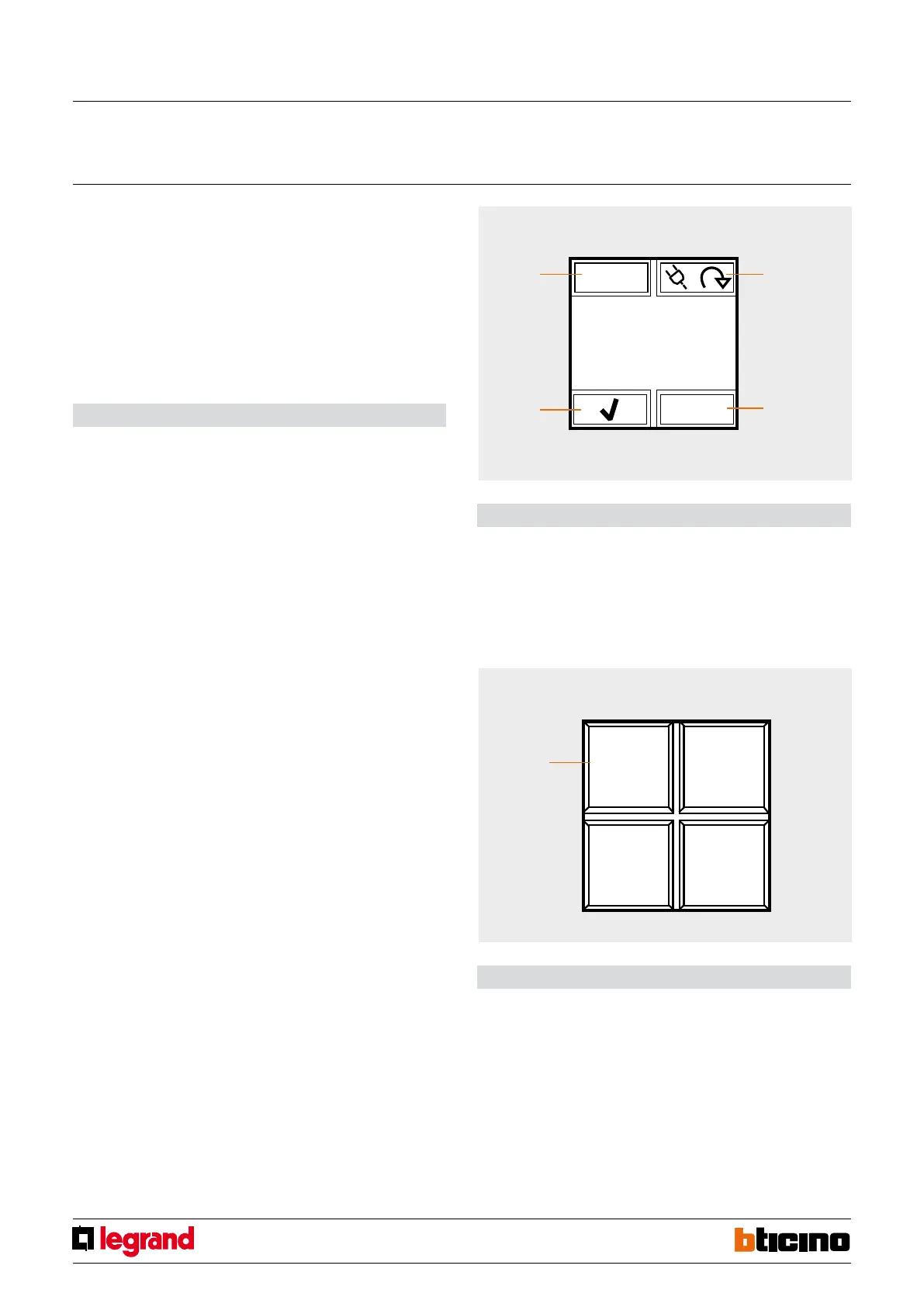
This mode, only available if Local Display is congured using the software, gives the
possibility of displaying loads, with their priority levels, and force their activation. The
device can manage up to 20 loads; if these are connected to actuators with current
sensor it will be possible to display other load information, like the instantaneous power
consumption.
When the central unit for load management intervenes on a load, the device (if enabled
during the conguration) noties the event with an indication on the display and an
audible notication.
Functions
After the conguration of the device it will be possible to select the various loads using
icon 1.
Icon 4 is disabled until the moment the central unit disables the load; when this happens,
the icon becomes active, and can be selected to force the activation of the load.
In this condition, icon 3, used to intervene on the status of the load, is disabled.
However, if icon 4 is disabled, it will be possible to select icon 3 to pre-force the load,
and avoid disconnection in case of intervention of the central unit when consumptions
are exceeded.
If the loads are connected to actuators with current sensor, use icon 2 to access a
submenu that can be used to display the instantaneous power consumption, as well as
information form the line total consumption meters. While in this submenu, you can use
the RESET icon to reset the meters. Press key 2 for 3 seconds to access the menu used for
setting the time, the date, and the sound notication (beep).
Legend
1. selection of the load to control
2. display of consumption data and device setup
3. activation/deactivation of the load
4. forced activation of the load disconnected by the energy management central unit,
due to consumptions being exceeded.
- Advanced CEN Scenario mode
For systems with scenario programmers, Local Display can be used to enable 1 of the 4
scenarios displayed. This is done using the associated icons.
This function is only available if Local Display has been congured using the software.
Legend
1. scenario indication icon
Local display
MQ00692-b-EN 17/04/2014



 To Next Page