504
HD4891
L4891
HC4891
N4891
HS4891
NT4891
067271
573716
067272
573717
kwh
115.4
Total
D/M/Y
m
3
Kw
$
D
1
2
3
4
- Energy Management Mode – consumption display FUN=5
It is possible to display the consumptions and the production of several energies of the
system, with monitoring of up to a maximum of ten lines.
Warning: with physical conguration, only the consumptions of one line can be
displayed.
For each line, the consumptions and the instantaneous, daily, monthly, and annual
economic evaluation are displayed.
It will be possible to set two maximum consumption values, with the device emitting
visual and sound notications if these are exceeded. In this case, the displayed value will
be green when below both limits, yellow when one has been exceeded, and red when
both have been exceeded.
Functions
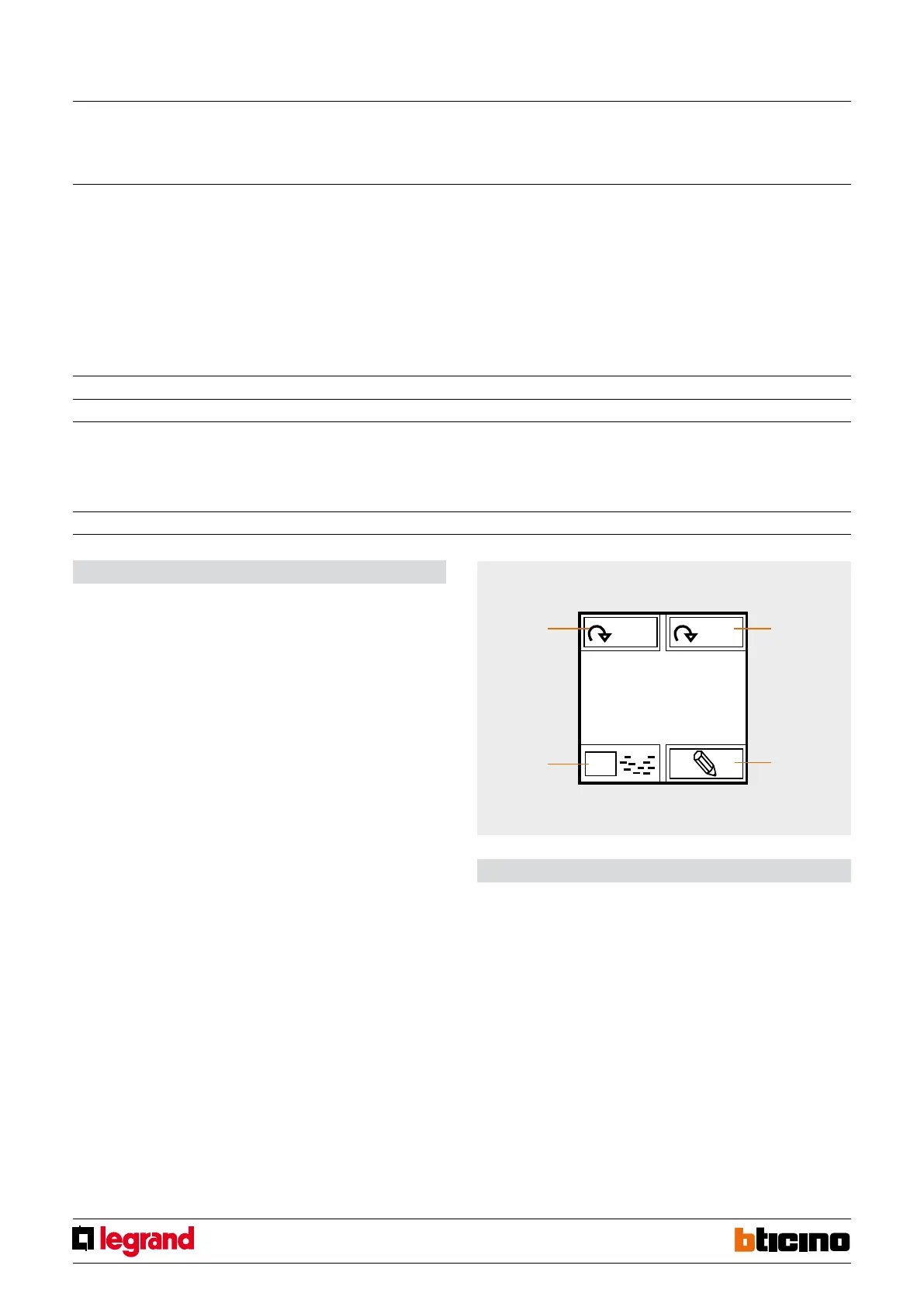
Once the device has been congured, it will be possible to scroll through the various lines
using icon 4. For each measurement interface, by pressing briey icon 3 it will then be
possible to display the consumptions or the economic evaluation.
Press and hold down icon 3 to access a submenu where it will be possible to change the
basic value of the economic evaluation.
Consumption and economic evaluations are themselves split into: instantaneous, daily
(D), monthly (M), annual (Y). It is possible to scroll through these settings using icon 1.
Press and release icon 2 to access a submenu that can be used to set the time, the date,
the threshold levels (if enabled), and the possibility of enabling or disabling the beep
emitted when the threshold is exceeded.
Legend
1. selection of display times
2. setting of the functions (time, date, max. power, etc.)
3. economic display of the consumptions
4. selection of the lines to display
ZA Line address 0 – 9
ZB Line address 1 – 9
MOD Type 0 = ELECTRICITY
1 = WATER
2 = GAS
3 = DHW
4 = HEATING/COOLING
FUN Function 5
Local display
MQ00692-b-EN 17/04/2014



 To Next Page