EasyManua.ls Logo

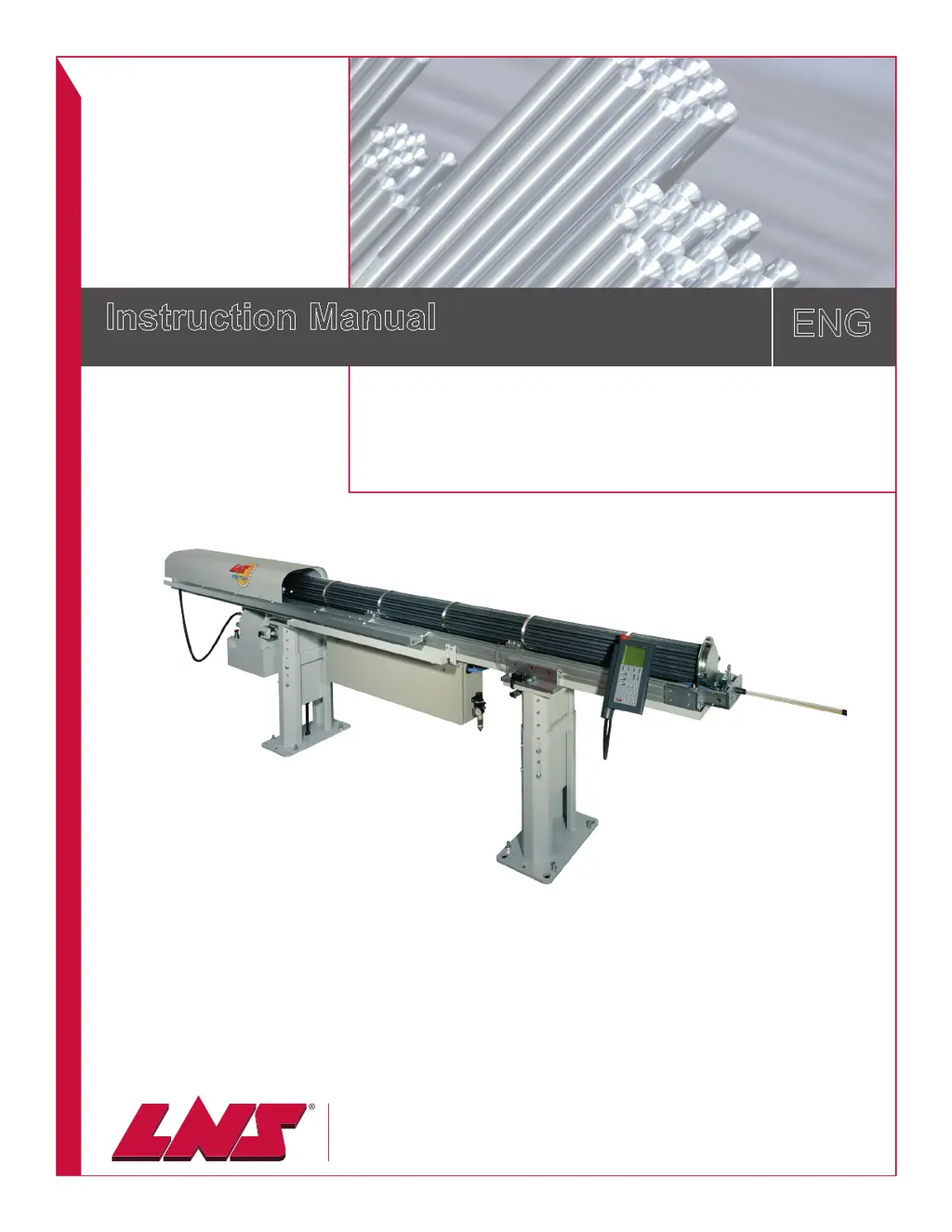
LNS TRYTON 107 - User Manual

LNS TRYTON 107
111 pages
Print Icon
To Next Page IconTo Next Page
Loading...
Instruction Manual
ENG
LNS America
4621 East Tech Drive
Cincinnati, Ohio 45245
9.112.03.US
TRYTON 107 / 112

Questions and Answers

  • C
    Christopher NguyenSep 8, 2025
    What causes barrel indexing signal SQ2 missing error on LNS TRYTON 107 Industrial Equipment?
    • C
      christopher92Sep 8, 2025
      If your LNS Industrial Equipment is showing 'AL08 – BARREL INDEXING SIGNAL SQ2 MISSING !', the suggested solutions are: * Adjust or replace switch SQ2. * Adjust the barrel locking assembly. * Press the STOP key on the remote control to reset the alarm.
  • A
    alexandervargasSep 7, 2025
    What to do when transfer device back position signal SQ6 is always present on LNS TRYTON 107 Industrial Equipment?
    • R
      Richard PenaSep 7, 2025
      If your LNS Industrial Equipment displays 'AL16 - TRANSFER DEVICE BACK POSITION SIGNAL SQ6 ALWAYS PRESENT!', you can: * Adjust or replace switch SQ6. * Remove the obstruction keeping the transfer device from reversing to the home position. * Press STOP key on the remote control to reset the alarm.
  • A
    Aaron GarzaAug 22, 2025
    How to fix AL01 emergency stop line open error on LNS Industrial Equipment?
    • H
      hscottAug 22, 2025
      If the LNS Industrial Equipment displays the error 'AL01 – EMERGENCY STOP LINE OPEN !', you should: * Check the states of the emergency stop buttons of barfeed and lathe. * Check the wiring according to the Electrical drawings. * Check the PLC connection. * Press the STOP key on the remote control to reset the alarm.
  • J
    Jeremy ChungSep 4, 2025
    What to do if transfer device back position signal SQ6 is missing on LNS TRYTON 107?
    • N
      natalie27Sep 4, 2025
      If your LNS Industrial Equipment displays 'AL15 - TRANSFER DEVICE BACK POSITION SIGNAL SQ6 MISSING!', you can: * Adjust or replace switch SQ6. * Remove the obstruction keeping the transfer device from reversing to the home position. * Press STOP key on the remote control to reset the alarm.
  • C
    Christopher WilsonSep 3, 2025
    What to do if transfer device front position signal SQ5 is missing on LNS Industrial Equipment?
    • R
      Richard RasmussenSep 3, 2025
      If your LNS Industrial Equipment shows 'AL13 – TRANSFER DEVICE FRONT POSITION SIGNAL SQ5 MISSING !', you can: * Adjust or replace switch SQ5. * Remove the obstruction keeping the transfer device from advancing all the way forward. * Press STOP key on the remote control to reset the alarm.
  • S
    Sarah GraySep 1, 2025
    What to do if bar stock is not extracted from the collet on LNS TRYTON 107 Industrial Equipment?
    • P
      Philip JenkinsSep 2, 2025
      To fix the 'AL32 – BAR STOCK NOT EXTRACTED FROM THE COLLET !' error on your LNS Industrial Equipment, you can: * Remove any obstruction from the proximity switch SQ4 detection range. * Check the correct functionning of the remnant extraction device. * Check the collet function and state. * Check the function of proximity switch SQ4. * Adjust or replace switch SQ4.
  • L
    Lauren LewisAug 31, 2025
    What happens if the PLC battery is low on LNS Industrial Equipment?
    • C
      Christina AustinAug 31, 2025
      To resolve the 'AL43 – PLC BATTERY LOW !' error on your LNS Industrial Equipment, replace the battery as soon as possible. Note: do not power down the bar feeder until the battery has been replaced, as failure to do so will result in loss of PLC program.
  • M
    Michelle CamachoAug 30, 2025
    What to do if the pusher lost the bar stock while moving back to home position on LNS TRYTON 107?
    • G
      gmillerAug 30, 2025
      If your LNS Industrial Equipment displays 'AL30 – PUSHER LOST THE BAR STOCK WHILE MOVING BACK TO HOME POSITION !', the suggested solutions are: * Check the collet function and state. * Make sure the collet internal diameter is the right size for bar stock. * Remove any excess burrs on the bar before loading.
  • A
    Alexandra Dominguez MDAug 29, 2025
    How to fix bar feeder retracted error on LNS TRYTON 107 Industrial Equipment?
    • M
      Mary WashingtonAug 29, 2025
      If the 'AL04 – BAR FEEDER RETRACTED OR NOT LOCKED IN ITS WORKING POSITION' error appears on your LNS Industrial Equipment, you can: * Put the bar feed back into working position and tighten down the locking screw so that the bar feed cannot move out of its working position. * Adjust or replace switch SQ10. * Press the STOP key on the remote control to reset the alarm.
  • B
    Bonnie GarciaAug 27, 2025
    How to resolve bar magazine empty error on LNS TRYTON 107 Industrial Equipment?
    • C
      Carl NobleAug 27, 2025
      If the LNS Industrial Equipment displays the error 'AL35 – BAR MAGAZIN EMPTY !', load bar stock into the barrel.

Summary

CHAPTER 1: BASIC NOTIONS

1. STRUCTURE

Details manual organization: page numbers, chapter titles, and model identification.

2. RIGHTS

Covers copyright, liability disclaimers, and trademark information.

3. EC DECLARATION OF CONFORMITY

Manufacturer's declaration of compliance with EU directives and harmonized standards.

4. SAFETY INSTRUCTIONS

Essential safety guidelines for installation, operation, and maintenance of the bar feeder.

5. SAFETY DEVICES

Description of safety mechanisms like covers, switches, and emergency stop, including layout.

CHAPTER 2: TECHNICAL DATA

1. INTRODUCTION

Introduction to the TRYTON 107/112 bar loader and its features.

2. CHARACTERISTICS

Technical specifications and dimensions for various models like Tryton 112 CNC and 107 CAMES/CNC.

3. FLOOR PLAN

Diagrams showing space requirements for installing the bar feed system.

4. LAYOUT OF THE ELEMENTS

Diagram identifying all major components of the bar feed system.

CHAPTER 3: SETTING INTO OPERATION

1. TRANSPORTATION

Covers delivery, packaging, and unpacking procedures, including safety warnings.

1.3. Preparation for mounting

Guidance on lifting the bar feeder with a hoist or forklift, including essential safety measures.

2. MOUNTING

Procedure for aligning and mounting the bar feeder, including leveling and anchoring.

3. ANCHORING TO THE GROUND

Instructions for securing the bar feed system to the ground using anchor points.

4. CONNECTING

Steps for connecting the bar feeder to the lathe and compressed air.

CHAPTER 4: ELECTRICS

1. ELECTRICAL EQUIPMENT

Overview of electrical components and safety precautions for handling electrical parts.

1.2. Layout of the electrical elements

Diagram identifying electrical components: remote control, cabinet, motors, switches, detectors.

2. STATIONARY CONTROL

Description of the stationary control for manual adjustments and its functions.

3. PUMP MOTOR

Information on wiring the hydraulic pump motor according to supply voltage.

4. ELECTRICAL CONTROL CABINET

Layout and description of components within the electrical control cabinet.

5. INTERFACE

Details on interface connections, power supply, and signals between lathe and bar feeder.

6. ELECTRICAL DIAGRAMS

Schematic diagrams illustrating the electrical circuits of the bar feed system.

CHAPTER 5: PNEUMATIC

1. PNEUMATICAL EQUIPMENT

Overview of pneumatic elements and their functions in the bar feeder system.

2. AIR FILTERING UNIT

Description, layout, connection, and settings of the air filtering and pressure regulation unit.

3. PNEUMATIC VALVE

Description, layout, manual operation, and air pressure switch for the pneumatic system.

4. PNEUMATIC DIAGRAM

Schematic diagram of the pneumatic system, showing valves and air flow.

CHAPTER 6: HYDRAULIC

1. HYDRAULIC EQUIPMENT

Description and layout of hydraulic components for creating an oil film for bar guidance.

2. FILTER

Information on the hydraulic filter, including part numbers and assembly details.

CHAPTER 7: GENERAL DESCRIPTION

1. BARREL

Description and layout of the barrel, including options like the hybrid barrel.

2. CONNECTOR

Description and layout of the connector, which lodges the pusher and feeds hydraulic fluid.

3. PUSHER

Description and layout of the pusher, its components, and article numbers for different diameters.

4. MOVABLE VISE

Description and layout of the movable vise, used for inserting and extracting material.

5. LATERAL PIVOTING DEVICE; LOADING ARM (OPTION)

Description and procedure for using the optional loading arm to move the bar feeder.

6. CABLE DRIVE ASSEMBLY

Diagram and parts list for the cable drive assembly used for bar advancement.

CHAPTER 8: OPERATION

1. POWERING UP

Procedure for powering the bar feed system on and off, including safety precautions.

2. REMOTE CONTROL

Description of the remote control interface, its segments, and functions.

3. SET UP

Steps for setting up the bar feeder, including adjusting bar stock diameter, shape, and part length.

4. MECHANICAL ADJUSTMENTS

Procedures for making mechanical adjustments like changing collets, setting jaws, and end-of-bar position.

5. HYBRID BARREL (OPTION)

Procedure for changing collets and capacities for the hybrid barrel option.

7. SETTINGS

Accessing and configuring parameters like language, setup functions, position, application, and misc. functions.

7.6. Service

Accessing service parameters for configuring the bar feed system and interface, protected by password.

8. CYCLE AUTOMATIC

Description of the automatic production cycle and its steps.

CHAPTER 9: TROUBLESHOOTING;MAINTENANCE

1. FACTORS AFFECTING PERFORMANCE

Analysis of factors influencing bar feeder performance, including installation, alignment, and bar quality.

2. ALARMS

List of PLC alarms, their descriptions, and troubleshooting solutions.

3. MAINTENANCE

Procedures for maintaining hydraulics, pneumatics, battery, mechanics, and cleaning the bar feed system.

CHAPTER 10: APPENDICES

1. ORDERING FORM

Form for ordering spare parts or additional equipment for the bar feeder.

2. PROGRAMMING EXAMPLE

Example of CNC programming code for operating the bar feeder with a lathe.

3. LNS ADDRESSES & CONTACTS

Contact information and website links for LNS support in different regions.

LNS TRYTON 107 Specifications

General IconGeneral
BrandLNS
ModelTRYTON 107
CategoryIndustrial Equipment
LanguageEnglish

Related product manuals