and then click .
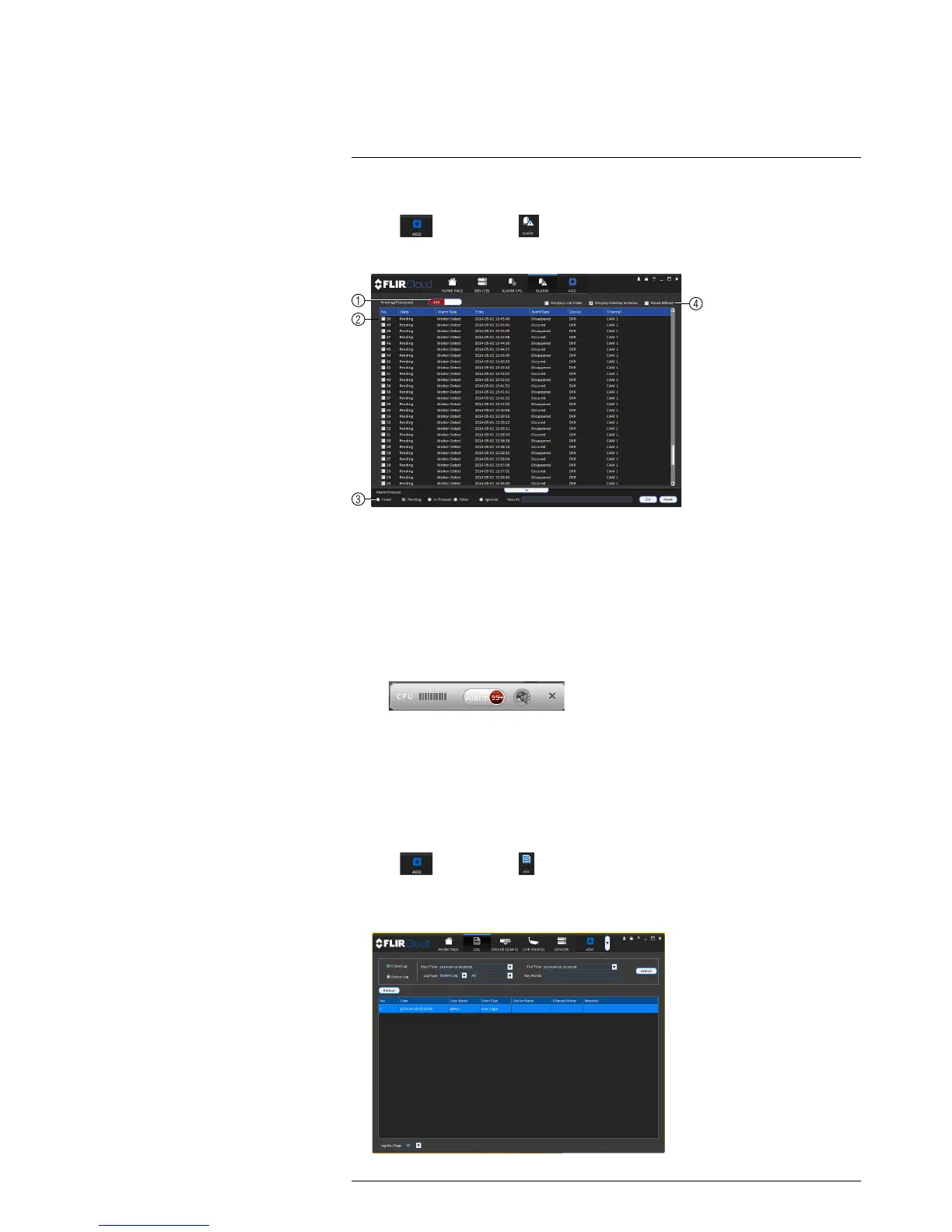
Alarm menu overview:
1. Number of alarms: Shows the number of open alarms.
2. Alarm list: Shows the list of alarms and information on when they occurred and
which systems and channels triggered them.
3. Alarm Process: You can close alarms by selecting one of the options and clicking
OK.
4. Options: Check to enable the following:
• Display Link Video: Open live video to monitor alarms on a continuous basis.
• Display Overlay Window: Show the overlay controls. They allow you to enable/
disable sound alerts and quickly jump back to the Alarm menu from another tab.
• Pause Refresh: Stop refreshing the live video in the video popup.
18.8 Log
The Log menu allows you to view logs for the client software or to view logs for con-
nected systems.
To access logs:
• Click
and then click .
To view client logs:
1. Click Client Log to view logs for the client software.
#LX400021; r. 4.0/30344/30494; en-US
93


 To Next Page
 Loading...