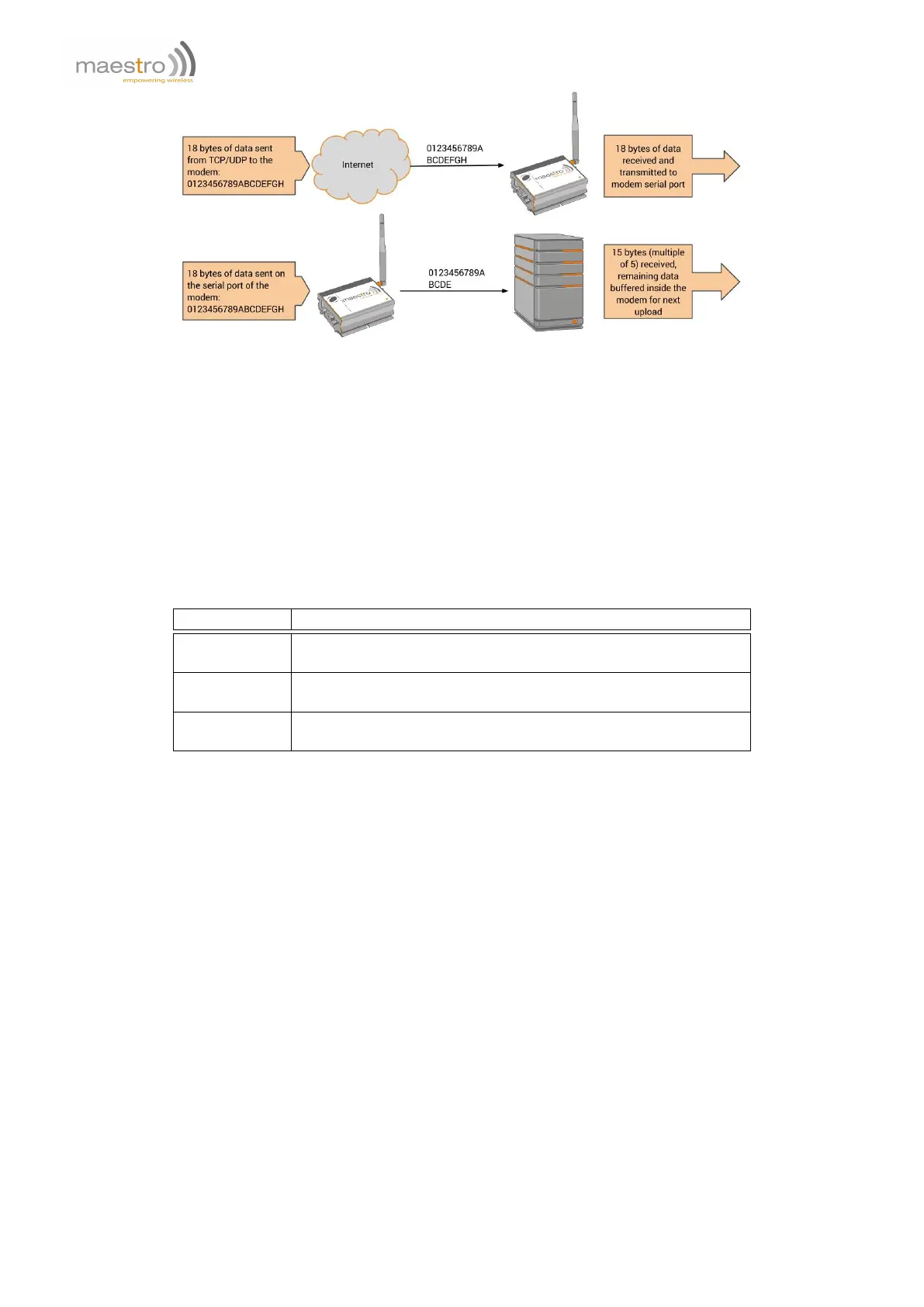
Figure 2.2.1: "AT+IPBUFF=15" example
Syntax: AT+IPBUFF=<buff>
Response: +IPBUFF: <buff>
Defined Values:
<buff> the number of bytes of data to be buffered. Default value is 0 (i.e. no buffering). Valid range is 0 to 100.
Example:
Command Response
AT+IPBUFF=? +IPBUFF: (0-100)
OK
AT+IPBUFF? +IPBUFF: 0
OK
AT+IPBUFF=5 OK
Note: Set IPBUFF value to 5.
Note:
– If the TCP or UDP socket connection is broken, buffered data will be lost.
– Applies only when using automatic or AT command driven TCP/UDP connection.
2.3 Extra TCP/UDP Parameters Setup
Set additional parameters for the TCP/UDP connection, including "keep alive" packet, maximum packet size, TTL
and periodic ping action to monitor the Internet connection status.
AT+IPOPT
Syntax: AT+IPOPT=<CMDType>,<parameter>[,<action>,<con_str>]
Response: +IPOPT: <CMDType>,<parameter>[,<action>,<con_str>]
Defined Values:
<CMDType> 1 DEPRECATED as of R7.52 firmware. "keep alive" packet feature; an empty "keep alive"
packet will be sent out from the modem to avoid socket being closed because of cellular idle
22 Confidential, the whole document is the sole property of Maestro Wireless Solutions ltd.
support@maestro-wireless.com



 To Next Page