Chapter 6
Dynamic DNS
To use this feature, we are strongly suggesting to get a special cellular plan from your network operator, with the
following features:
1. network will assign a true public IP address to the modem upon cellular activations, and
2. that cellular connection allows incoming access from public Internet to the modem.
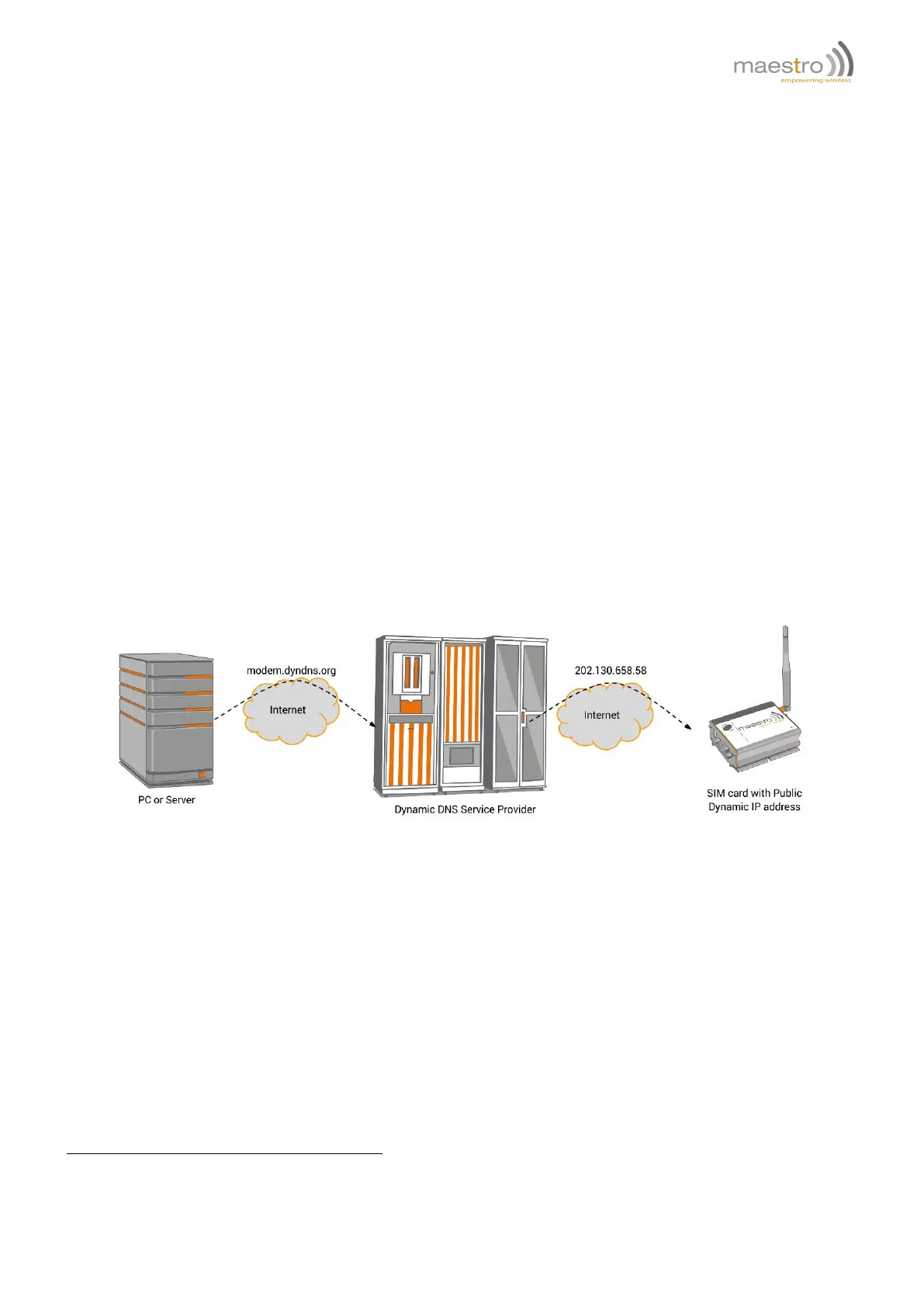
This feature lets the Maestro modem to log in Dynamic DNS service providers
1
, update the host name with Maestro
modem current IP address. So user can access modem with preregistered host name. User can use this function
together with "TCP Terminal" (see section 7.2) and can use Telnet to access modem and send AT command over
Internet.
6.1 Description of operation
1. User need to create an account on DDNS service providers and register a host name. Following providers are
tested working correctly: www.dyndns.com, www.no-ip.com
2. Use AT+IPDDNSSERV command to enter DDNS update server URL and port number. Use AT+IPDDNSACCT
to enter own account login, password and host name.
3. When IPCONNECT is ready, use AT+IPDDNSUPD command to update the above host name with modem’s
current IP address.
4. User can also use AT+IPDDNSUPD command to configure automatic DDNS update upon each time of IPCON-
NECT established
1
Maestro Wireless Solution Ltd does not have affinity with any Dynamic DNS service providers. Maestro Wireless Solution Ltd does not
guarantee any service provided by DDNS service providers and not liable to any loss or damage caused by such service.
Confidential, the whole document is the sole property of Maestro Wireless Solutions ltd.
support@maestro-wireless.com
39



 To Next Page