Chapter 7
TCP terminal
To use this feature, we are strongly suggesting to get a special cellular plan from your network operator, with the
following features:
– network will assign a public IP address to the modem upon cellular activation,
– cellular connection allows incoming access from public Internet to the modem.
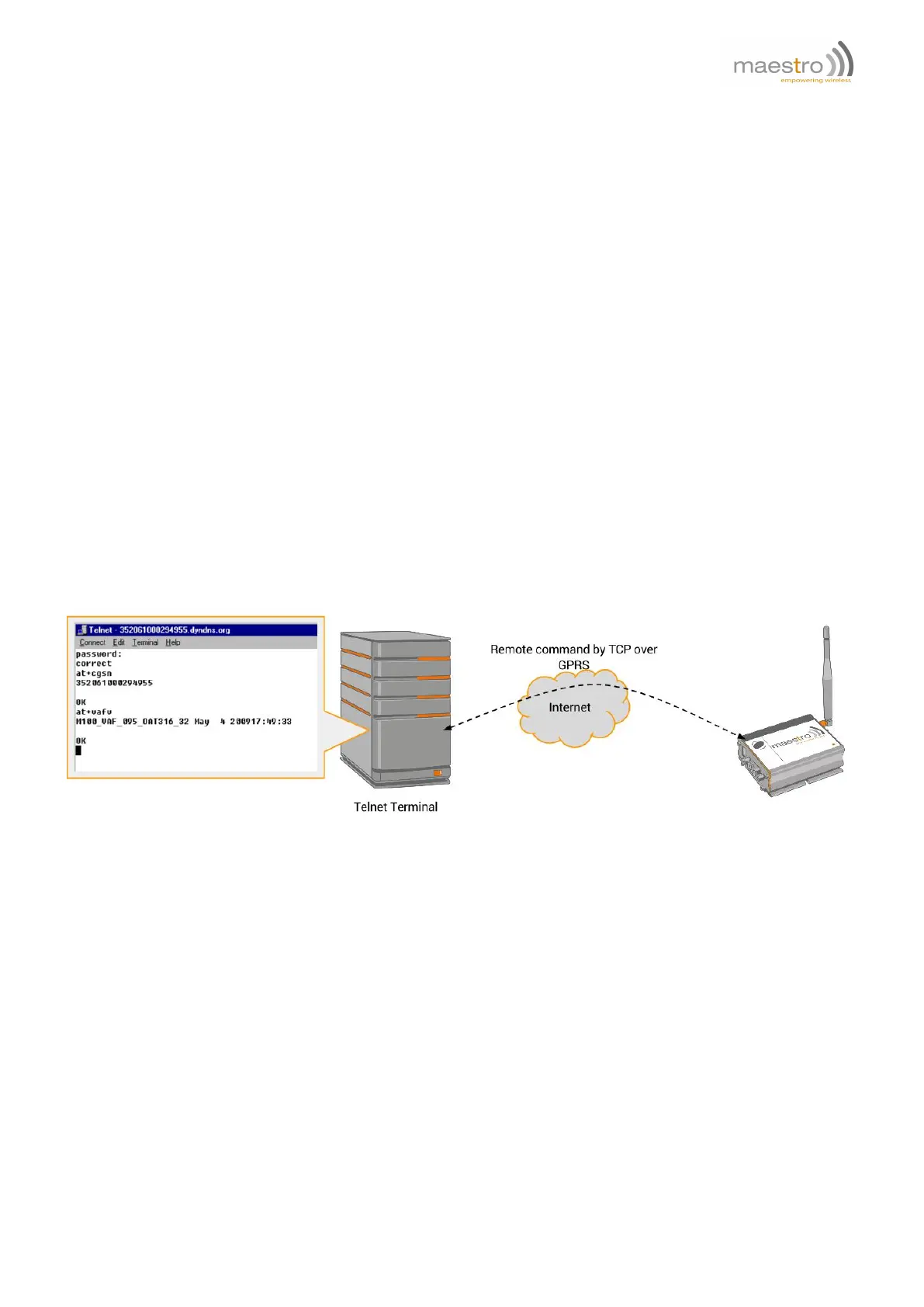
This feature enables sending AT commands to the modem remotely through a TCP channel. User can use Telnet
type terminal to connect to the modem and control it by sending AT commands.
7.1 Description of the Operation
Figure 7.1.1: Example of TCP Terminal using Telnet
1. Uses AT+TCPTERM command to configure password port for the TCP terminal, and enable TCP terminal
function.
2. After about 20 seconds modem will connect to the Internet automatically. And then will wait for connection on
the TCP port specified.
3. User from Internet can use Telnet application to connect the port sets for TCP terminal. User need to know the
IP address of the modem. Or with the aid of Dynamic DNS (Chapter 6) user can use the host name associated
to the modem.
4. Once connected modem will prompt for a password. If password is correctly entered, user can send AT com-
mand to the modem.
Confidential, the whole document is the sole property of Maestro Wireless Solutions ltd.
support@maestro-wireless.com
43



 To Next Page