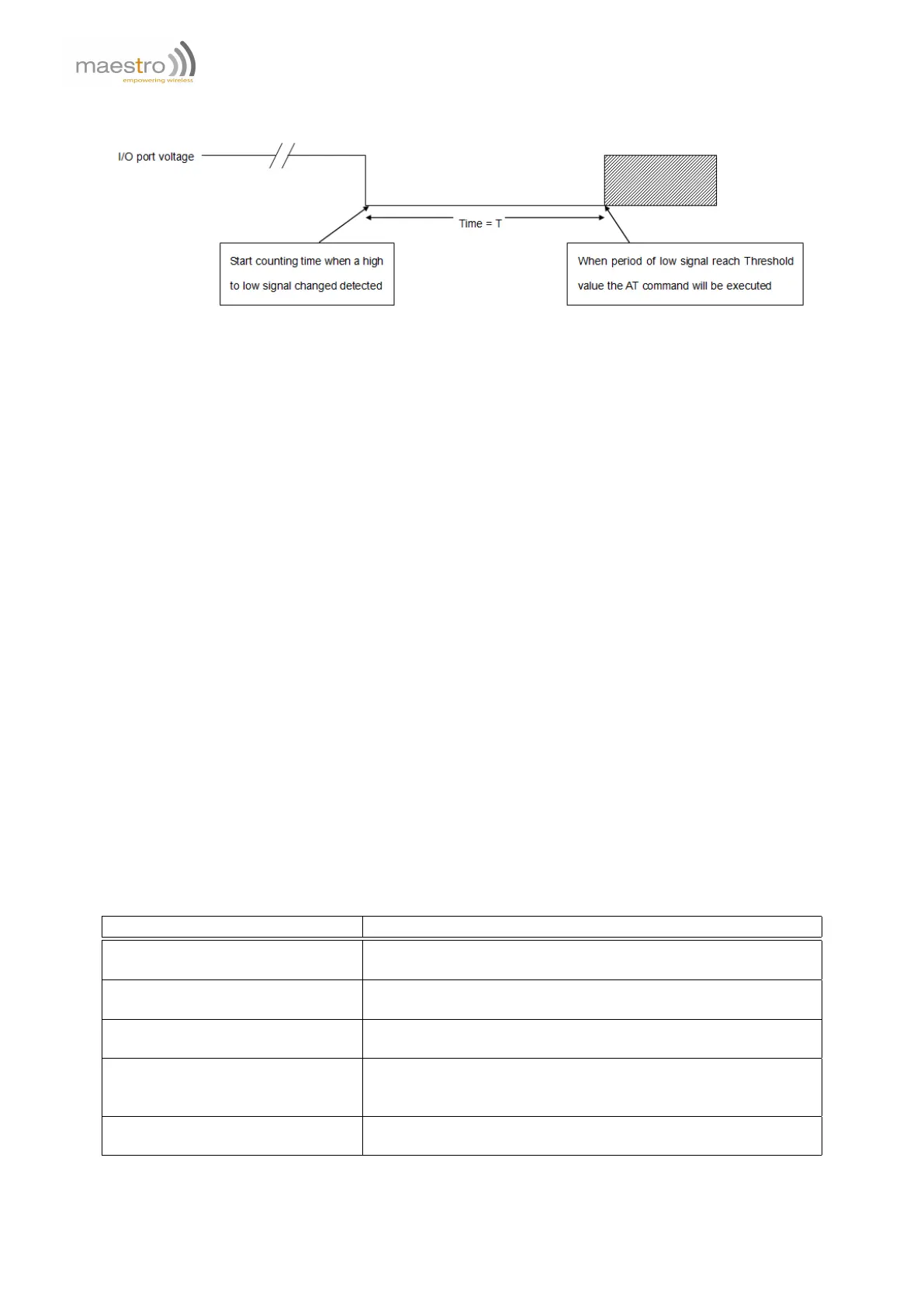
When set as high-to-low triggering:
12.2 Activating I/O triggered AT command
AT+IOAT
Syntax: AT+IOAT=<mode>(,<dir>,<threshold>,<cmd>)
Response: +IOAT: <mode>,<dir>,<threshold>,<cmd>
Defined Values:
<mode> is the configuration mode:
0 disable I/O triggered AT command.
1 enable I/O triggered AT command.
2 configure I/O triggered AT command parameters.
<dir> is the triggering condition:
0 configure as low-to-high condition
1 configure as high-to-low condition
<threshold> is the time required, after the condition is reached, before triggering the AT command. Unit is hundred
of millisecond from 0 to 50.
<cmd> is the AT command to be executed when the condition and threshold are met. Maximum length of the
AT command is 128 characters.
Example:
Command Response
AT+IOAT=0 OK
Note: disable I/O triggered AT command
AT+IOAT=1 OK
Note: enable I/O triggered AT command
AT+IOAT? +IOAT: 1,1,10,""
OK
AT+IOAT=2,1,10,"AT+IPR=115200" OK
Note: set I/O triggered AT command parameters to trigger the
specified AT command after 1 second from low-to-high.
AT+IOAT=? +IOAT: (0-2),(0-1),(1-50),(128)
OK
64 Confidential, the whole document is the sole property of Maestro Wireless Solutions ltd.
support@maestro-wireless.com



 To Next Page