104 Appendix F: The Matrox Iris GTR breakout board
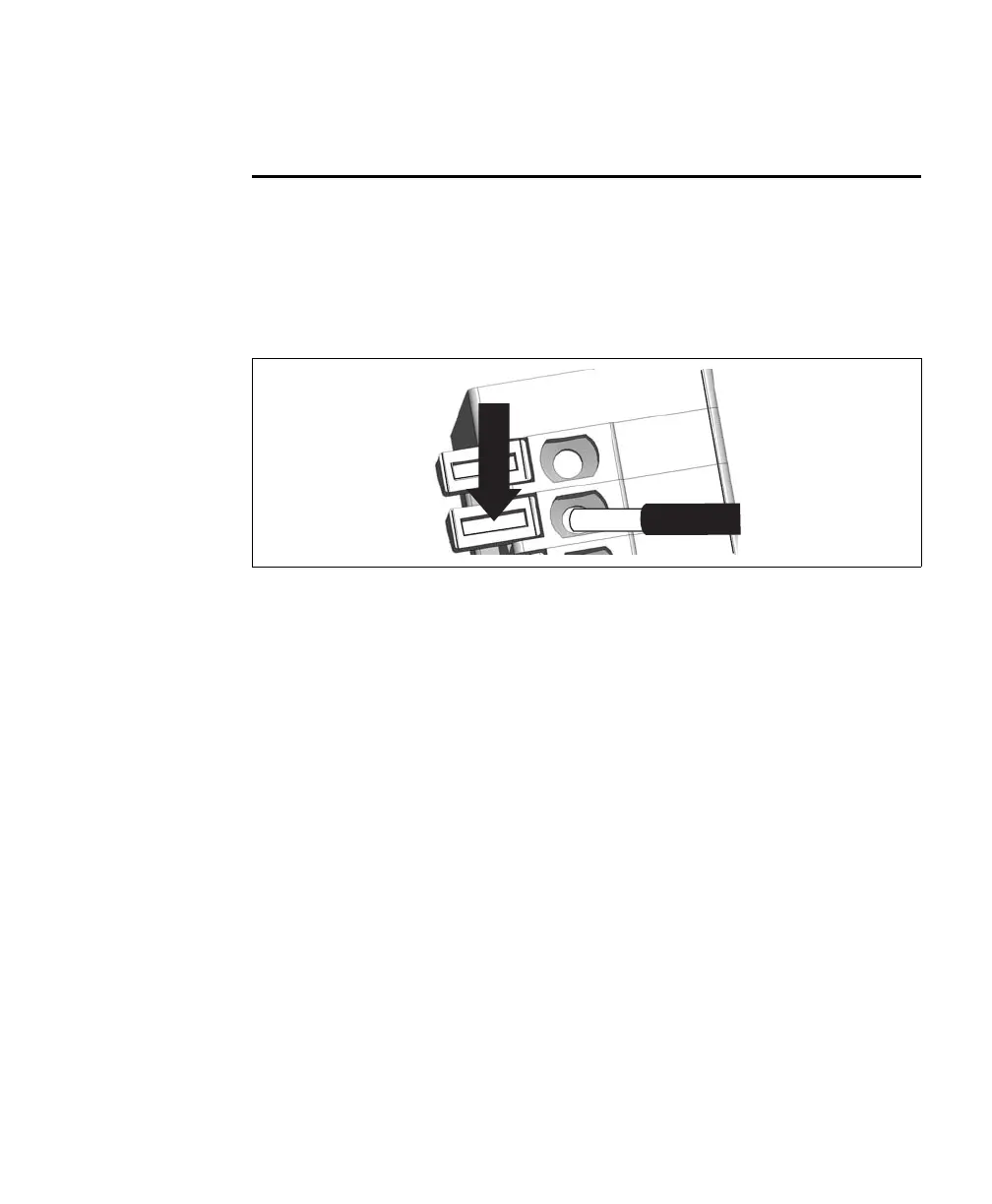
Connecting an open-wire to a spring
wire-terminal
Most connectors on your Matrox Iris GTR breakout board are spring terminal
block connectors; they have wire-terminals instead of pins. To connect an
open-wire to a wire-terminal, perform the following:
1. Press down on the orange flange (the spring) with a small tool or pen.
2. Insert the un-insulated and tinned wire tip into the hole before releasing the orange
flange.
The wire is now attached to the terminal block connector on the Matrox Iris GTR
breakout board.



 To Next Page