26 Chapter 2: Powering and connecting to your Matrox Iris GTR
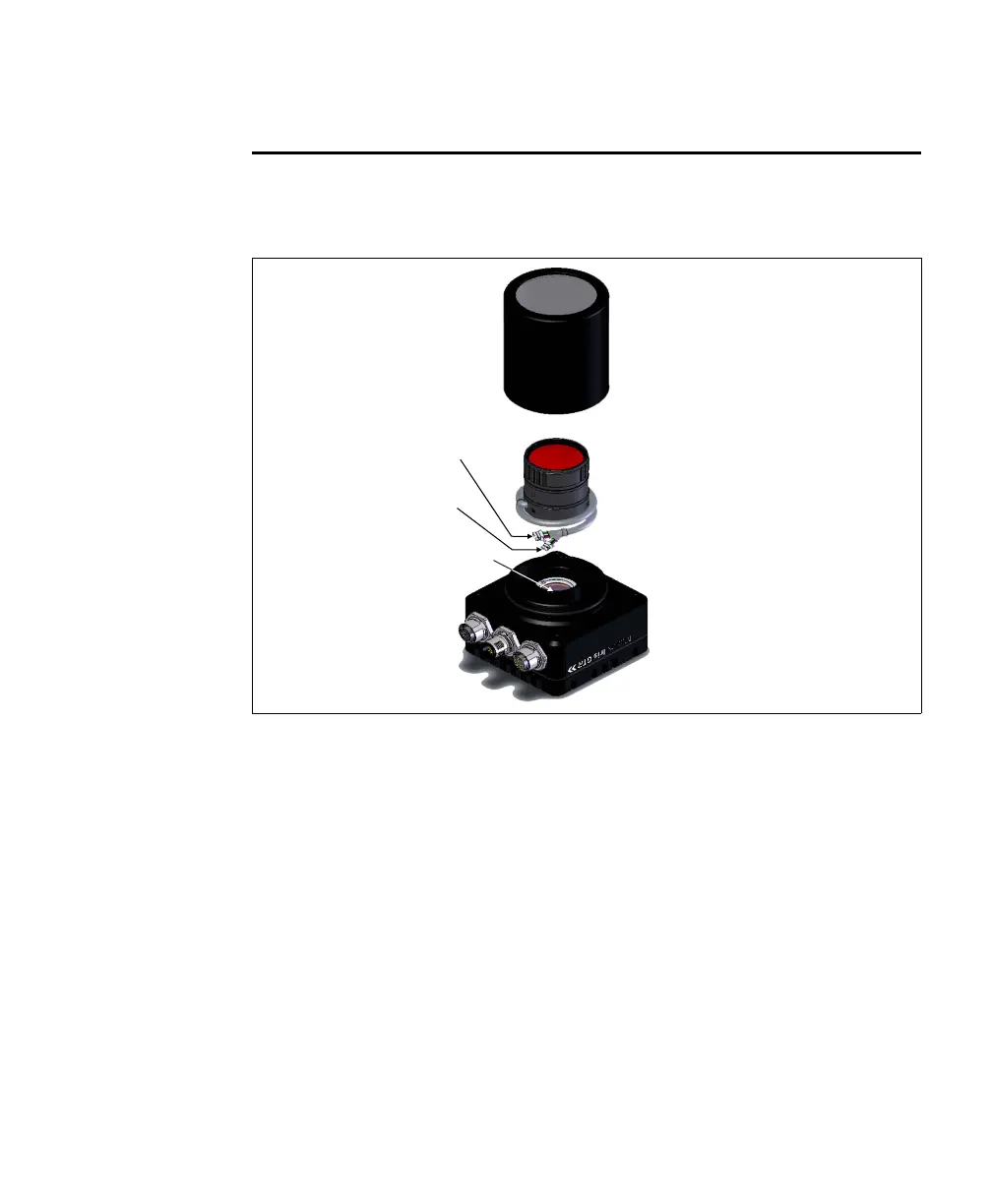
Optionally connecting a liquid lens
If using a Varioptic Caspian C-39N0-160-I2C or C-39N0-250-I2C lens, it must
be connected to your Matrox Iris GTR’s liquid lens connector.
To do so, perform the following steps:
1. Disconnect the power from your Matrox Iris GTR.
2. If in place, unscrew the IP lens case from your Matrox Iris GTR.
IP lens case
Varioptic
Caspian lens
Matrox Iris GTR
Liquid lens
connector
Liquid lens
cable
Unused
cable



 To Next Page