83
Selecting your MPEG-2 IBP settings
Selecting your MPEG-2 IBP settings
When capturing video to a Matrox .m2v file using Adobe Premiere Pro, the codec
is set to Matrox MPEG-2 IBP. You can specify various settings for the MPEG-2
IBP compression.
°To select your MPEG-2 IBP settings:
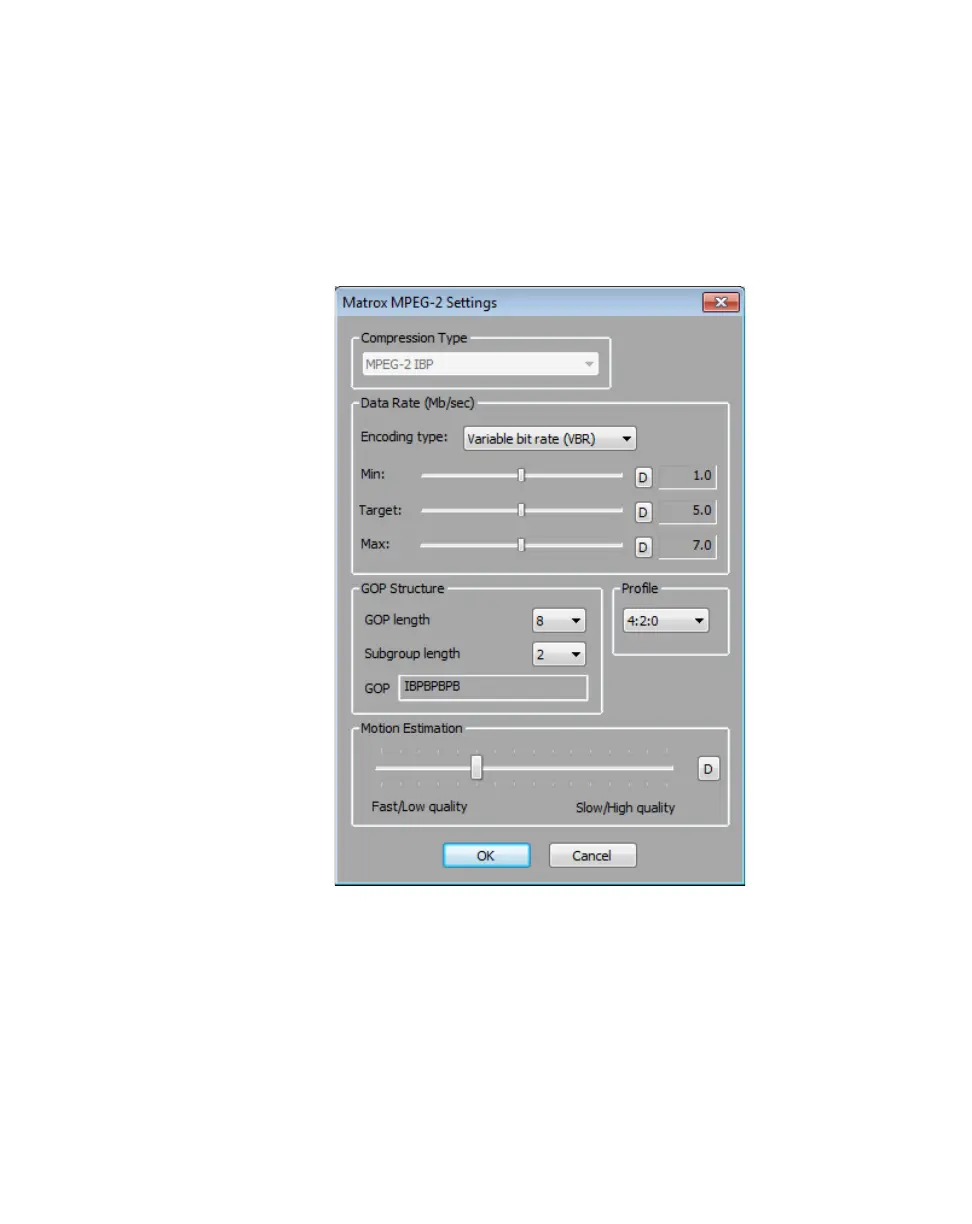
1 Click the Configure button. This displays a dialog box similar to the
following:
2 Under Data Rate (Mb/sec), you can select the encoding type and data rate
for the MPEG-2 IBP compression.
$ Encoding type From this list, select one of the following:
• Constant bit rate (CBR) Video is compressed at your selected
target data rate, which is useful when you need to limit or predict the
size of your .m2v file. However, if your video is very complex (such as
scenes with many colors or sharp edges), you’ll need to select a high
data rate to avoid having frames of very blocky video in your file.



 To Next Page