69
Defining your video preview settings
Defining your video preview settings
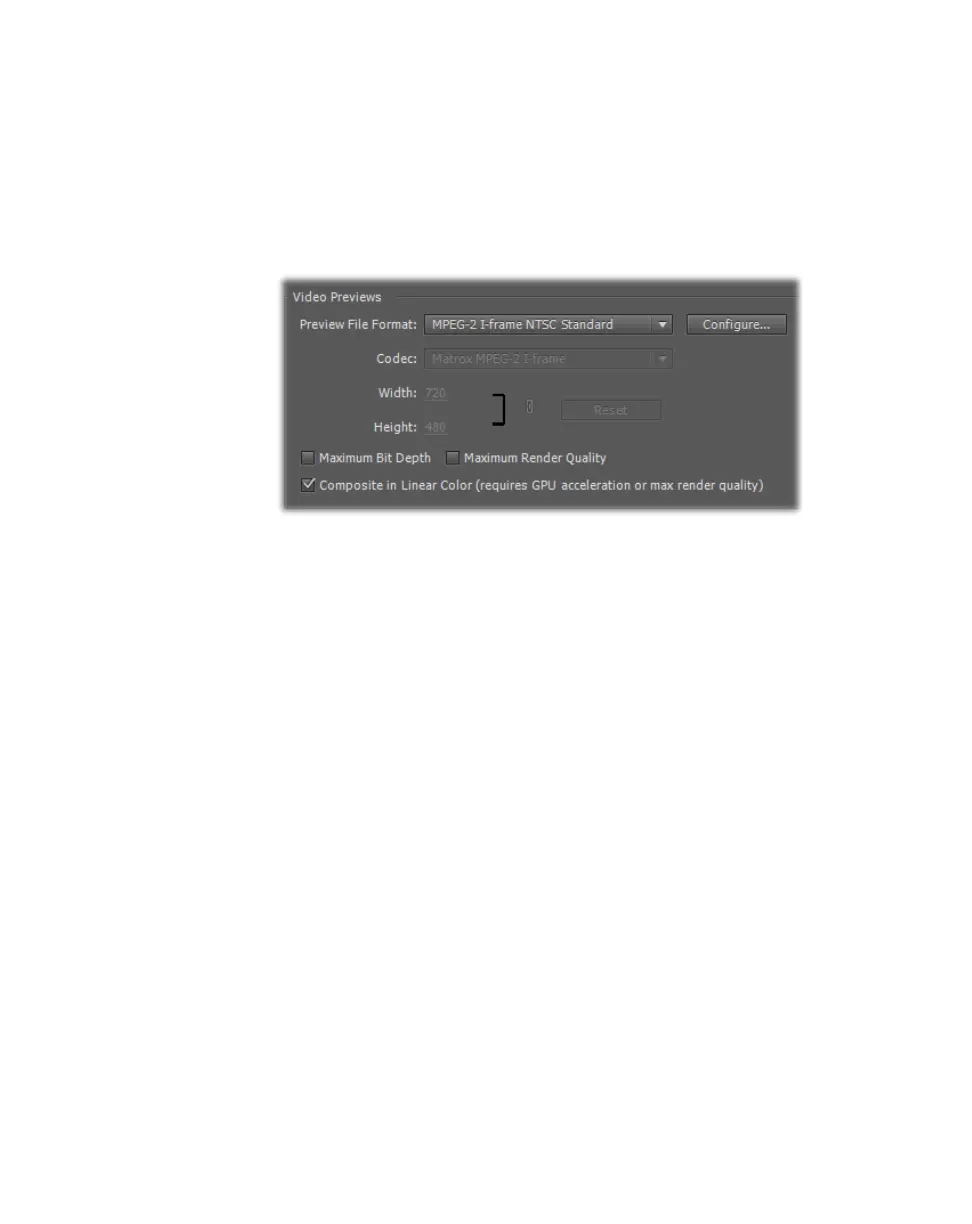
When you select an MPEG-2 I-frame, uncompressed 10-bit, or uncompressed
8-bit sequence preset, an appropriate Matrox preview file format and codec are
automatically set for rendering your video previews on MXO2. When you create
a custom preset using a Matrox codec editing mode, you can specify the Matrox
codec that you want to use to render your video previews. To check your video
preview settings, choose
Sequence > Sequence Settings.
Depending on your sequence’s video format, you can select a different preview
file format or Matrox codec to render your video previews. For details on
configuring the Matrox MPEG-2 I-frame codec settings, see “Selecting your
MPEG-2 I-frame settings” on page 81.
Remarks
• For an SD sequence, make sure that the preview file format matches your
sequence’s format (standard or widescreen).
• To use the Matrox MPEG-2 I-frame codec for rendering video previews in
an NTSC or 486p sequence, select the appropriate MPEG-2 I-frame preview
file format, such as
MPEG-2 I-frame NTSC Standard for a Matrox NTSC
standard sequence.
• If you set the bit depth for your video output on MXO2 to 10-bit, you must
use the Matrox 10-bit uncompressed codec for rendering video previews.
You must also select
Maximum Bit Depth in order to output 10-bit video
when the playback is paused. For more information, see “About the Matrox
10-bit editing workflow” on page 55.
For details on specifying additional settings for your video previews, see your
Adobe Premiere Pro documentation.



 To Next Page