138
Chapter 9, Setting Up Matrox Effects with Adobe Premiere Pro
Overview of the Matrox luma key effect
You can apply a Matrox luma key to make certain areas of a foreground image
transparent based on the luminance in that image, so that an underlying image
can show through.
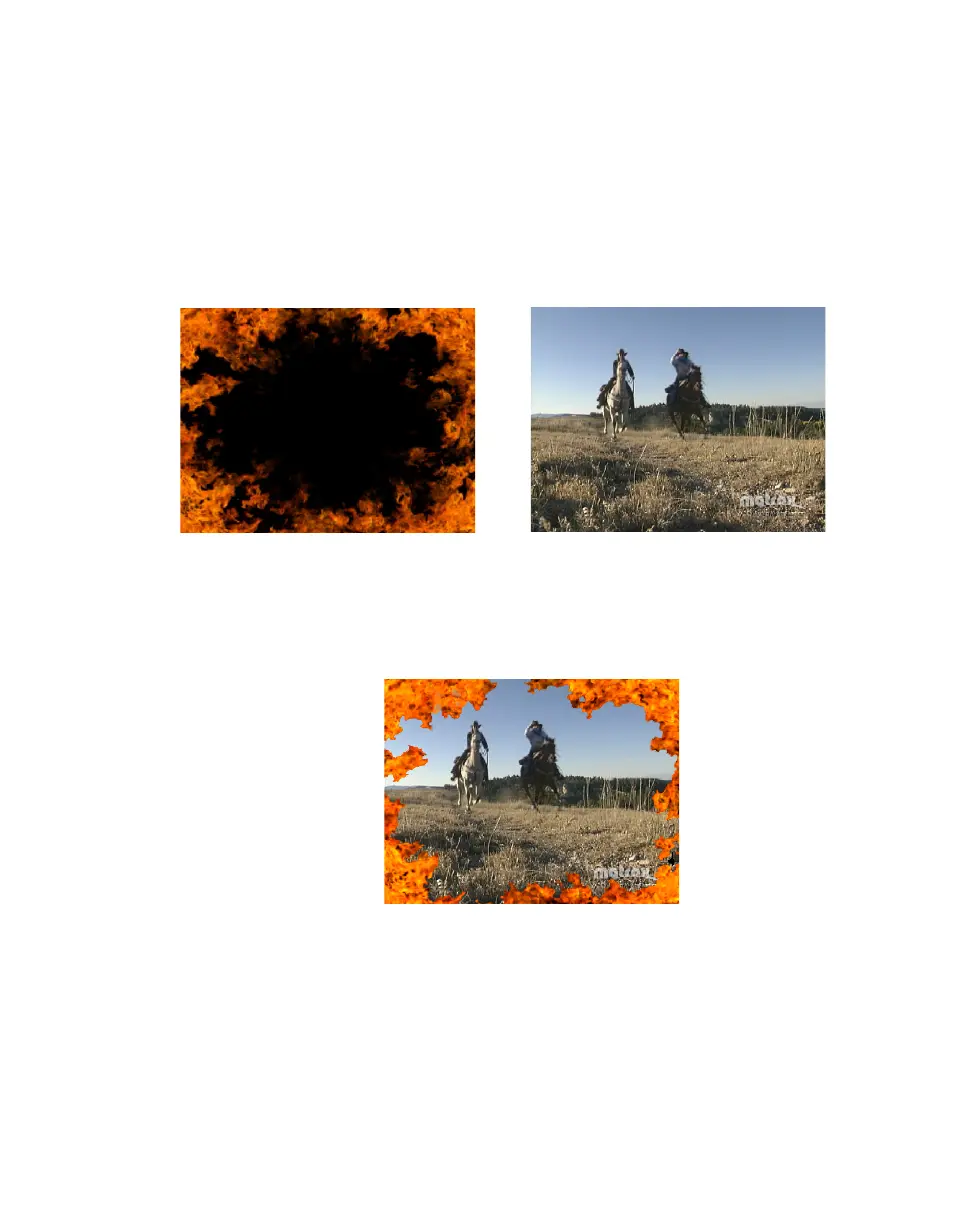
In the following example of a luma key effect, two video clips are combined to
produce the effect of two cowboys riding through fire. Our foreground image is a
video clip of a ring of fire against a black background, and our underlying image
is a video clip of two men riding horses:
By luma keying on the particular luminance (brightness) of the black areas in the
foreground clip, these areas become transparent and the corresponding areas of
the underlying image show through in the composite image as follows:
Foreground image
Underlying image
+



 To Next Page