46
Chapter 6, Connecting External Devices to Matrox MXO2 Mini
HDMI video connections
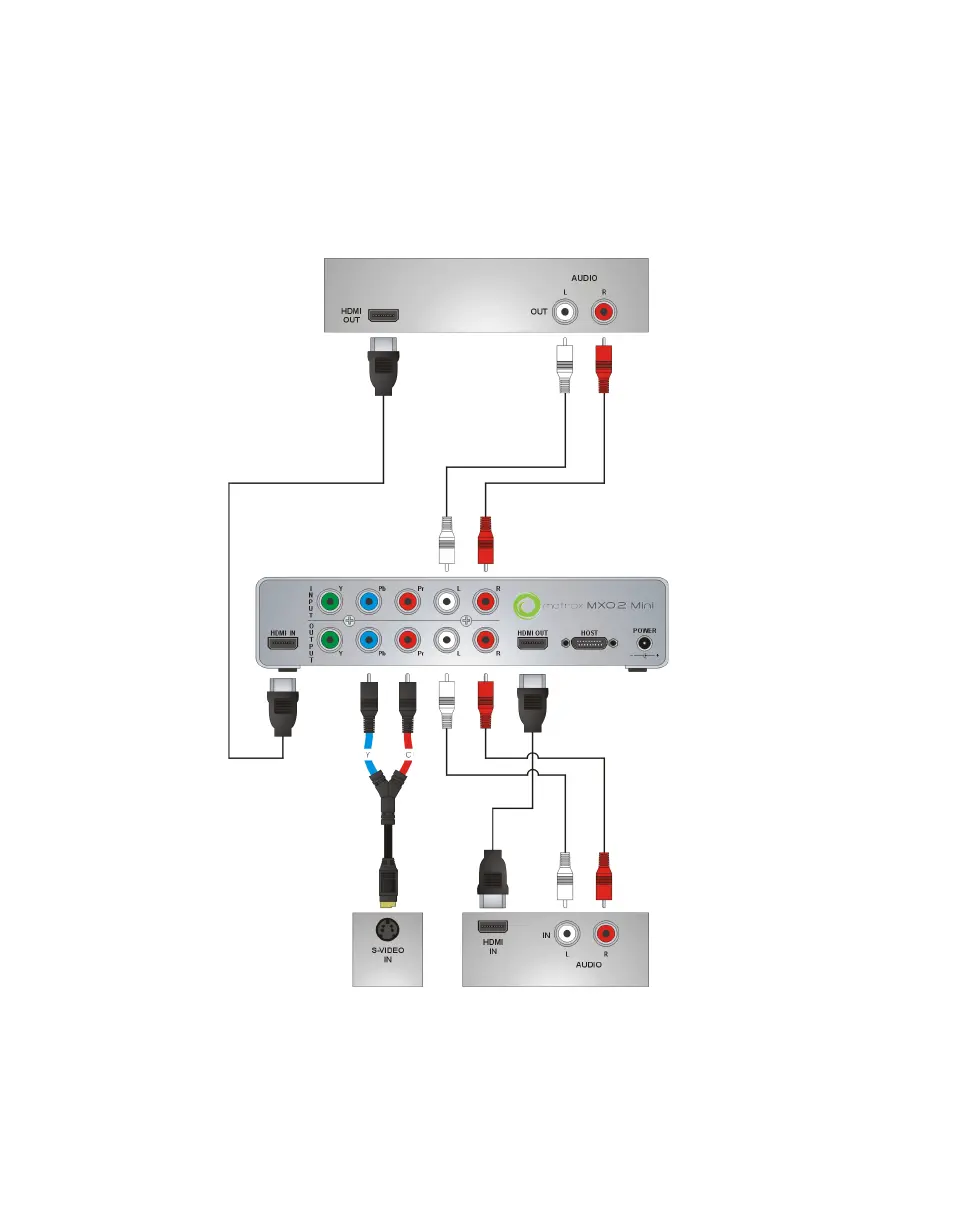
In this illustration, we’re using HDMI for video, RCA connectors for audio, and
S-Video for video monitoring. The video is genlocked to the input source using
MXO2 Mini’s built-in genlock.
When using HDMI connections, the embedded uncompressed HDMI audio is
also available.
Recorder
(Deck 2)
Source
(Deck 1)
MXO2 Mini
S-Video
monitor



 To Next Page