85
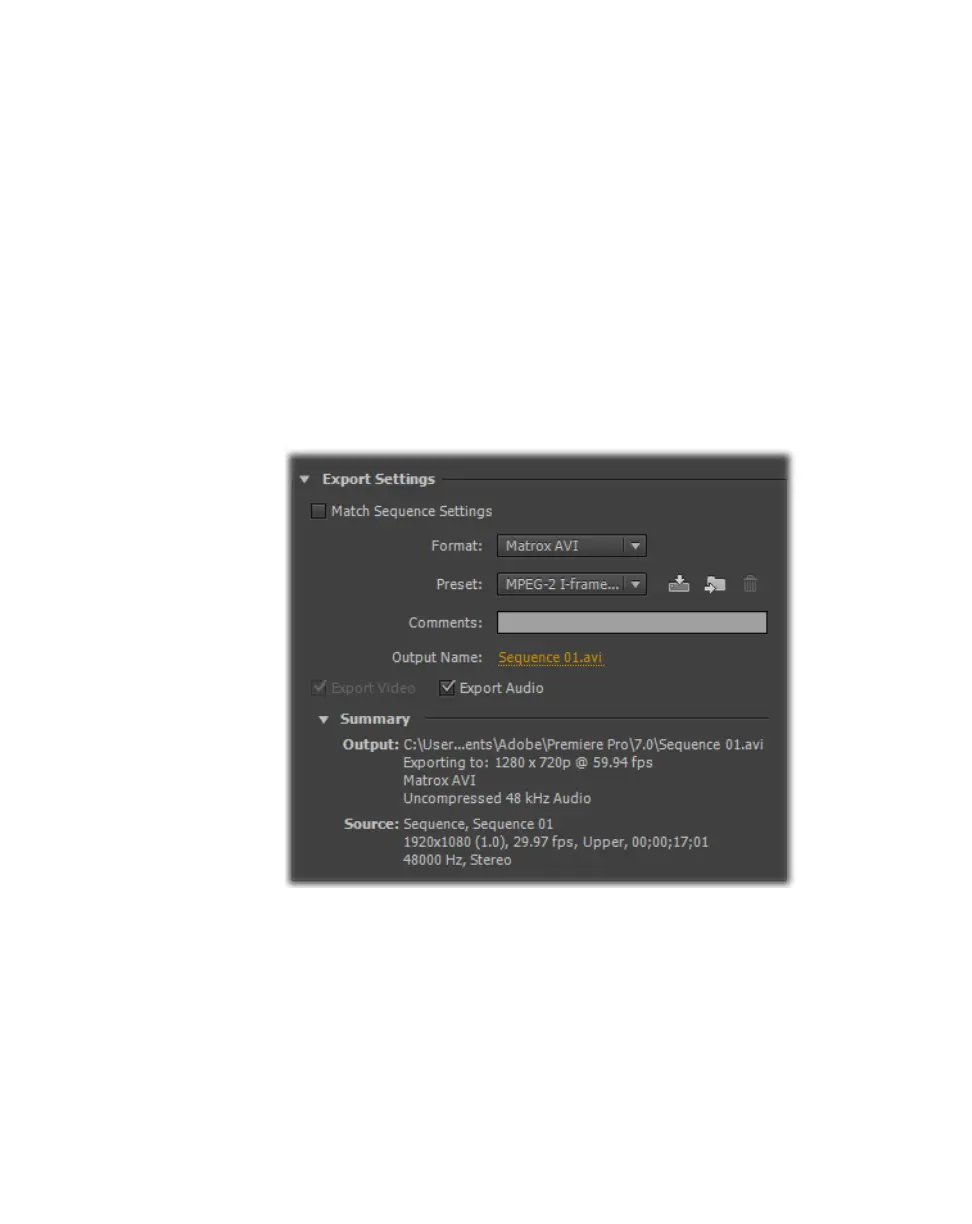
Exporting to a Matrox .avi file
Exporting to a Matrox .avi file
Several software codecs are included with Adobe Premiere Pro so that you can
export your video to different formats. Your Matrox MXO2 system adds several
Matrox codecs to the ones included with Premiere Pro to allow you to export
your sequence to a Matrox .avi file.
If you have a Matrox MXO2 product with MAX technology, you can also export
your sequence to a Matrox MAX H.264 file as explained in Chapter 20, “Using
the Matrox MAX H.264 Codec with Adobe Software.”
°To export your sequence to a Matrox .avi file:
1 Unless you want to export your entire sequence, position the work area bar
over the section of the sequence you want to export.
2 Choose File > Export > Media. This opens the Export Settings dialog
box.
3 From the Format list, select Matrox AVI.
¦NoteAlthough the AVI format also lets you export your sequence to a
Matrox .avi file using Matrox codecs, it uses Video for Windows (VFW)
codecs only. To obtain the best performance when exporting material from
Adobe Premiere Pro to a Matrox .avi file, you must select the
Matrox AVI
format for your exports.
4 From the Preset list, select the video format you want for your exported file.
5 Select Export Audio if you want to export both video and audio (Export
Video
is always selected.)



 To Next Page