142
Chapter 9, Setting Up Matrox Effects with Adobe Premiere Pro
Creating a wipe transition
The Matrox wipe transitions support standard dissolves, SMPTE wipes, and
organic wipes with soft edges and color borders.
°To set up a Matrox wipe transition:
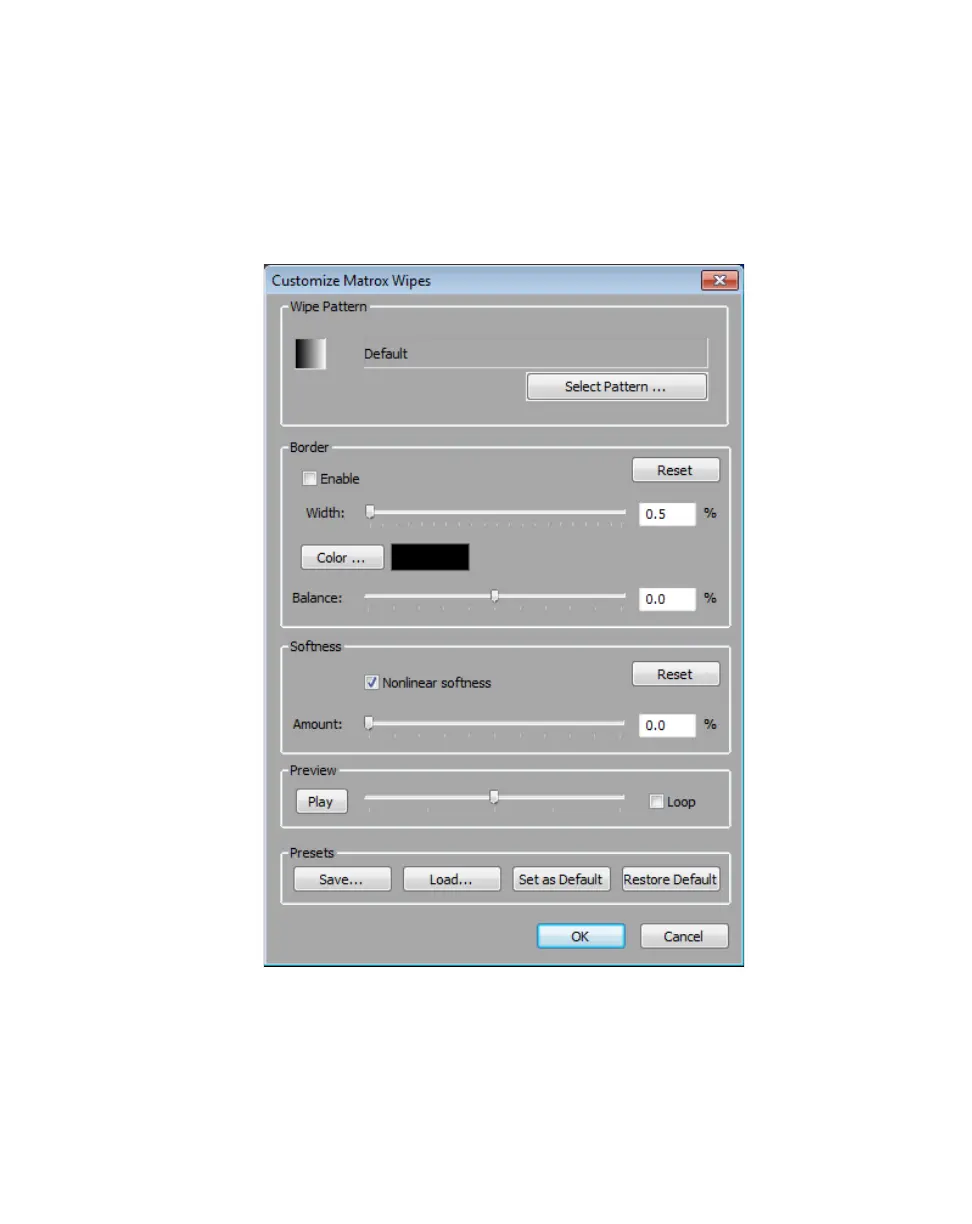
Click the transition’s icon in your sequence, then click the Custom button in the
Effect Controls panel. This opens the Customize Matrox Wipes dialog box:
1 Under Wipe Pattern, click the Select Pattern button and choose a pattern
for your wipe.
2 If you would like to add a border to your wipe, select Enable under Border.
$ Width Lets you adjust the width of your border by dragging the slider
or entering a percentage in the text box.



 To Next Page