171
Using the Matrox A/V Tools interface
Using the Matrox A/V Tools interface
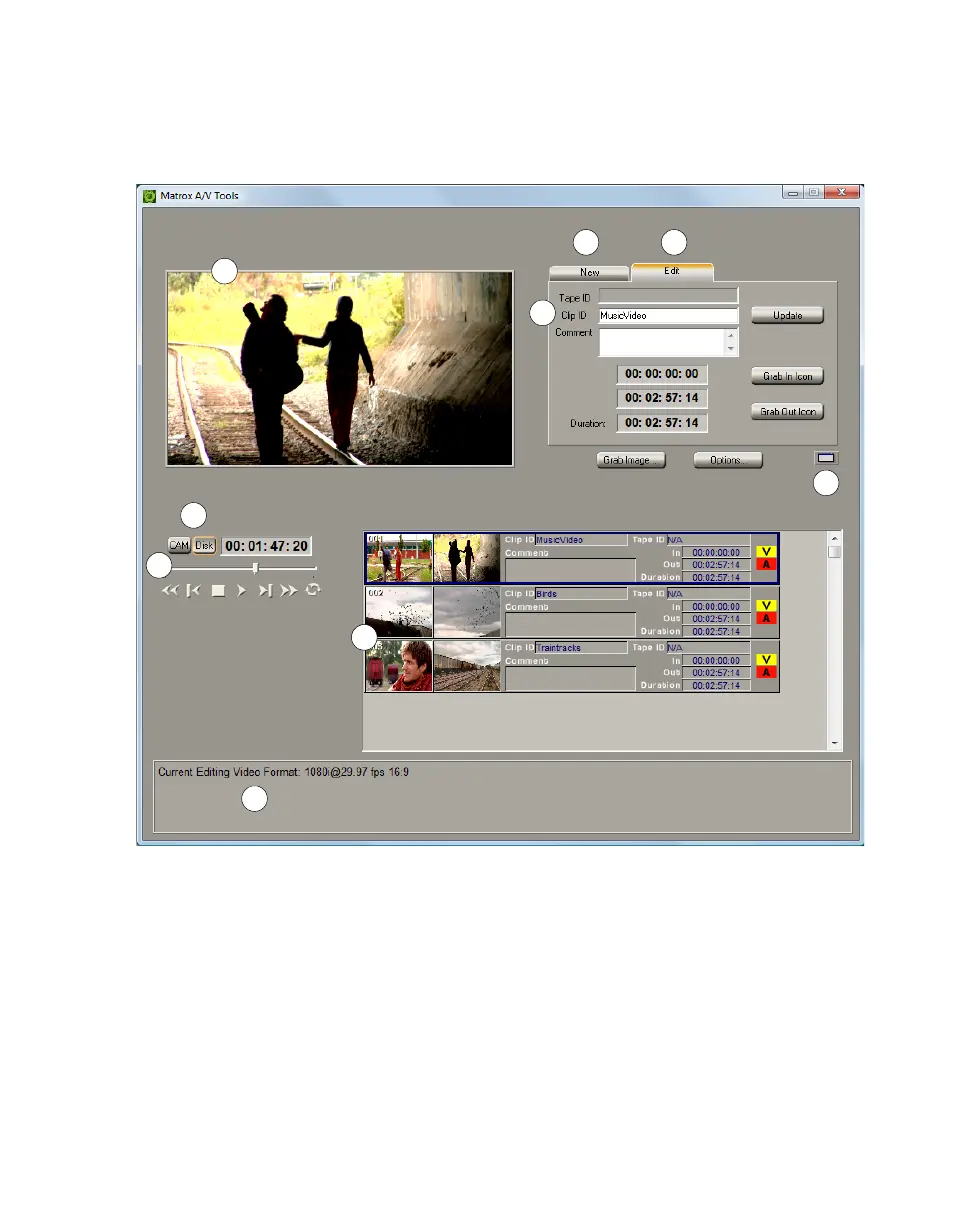
Once you’ve specified your A/V Tools options, a dialog box similar to the
following appears:
Here’s a brief description of the
A/V Tools dialog box:
0 New tab Use this tab to capture new clips to add to your clip list. See
“Capturing clips” on page 196.
1 Edit tab Use this tab to edit clips, and update clip information. For details,
see “Editing clips” on page 197.
2 Preview Window Allows you to preview video from your camera, VTR,
or clips on disk. The preview is also displayed on your video monitor.
3 CAM and Disk buttons These buttons let you switch between the
following modes:



 To Next Page