42
Chapter 6, Connecting External Devices to Matrox MXO2 Mini
Connecting MXO2 Mini to your computer
Connect MXO2 Mini to your computer using the Matrox PCIe cable and the
appropriate Matrox PCIe host adapter.
Ensuring proper PCIe cable connection
To ensure functionality and avoid damaging the PCIe cable or host connector
when connecting MXO2 Mini to your computer, the PCIe cable must be
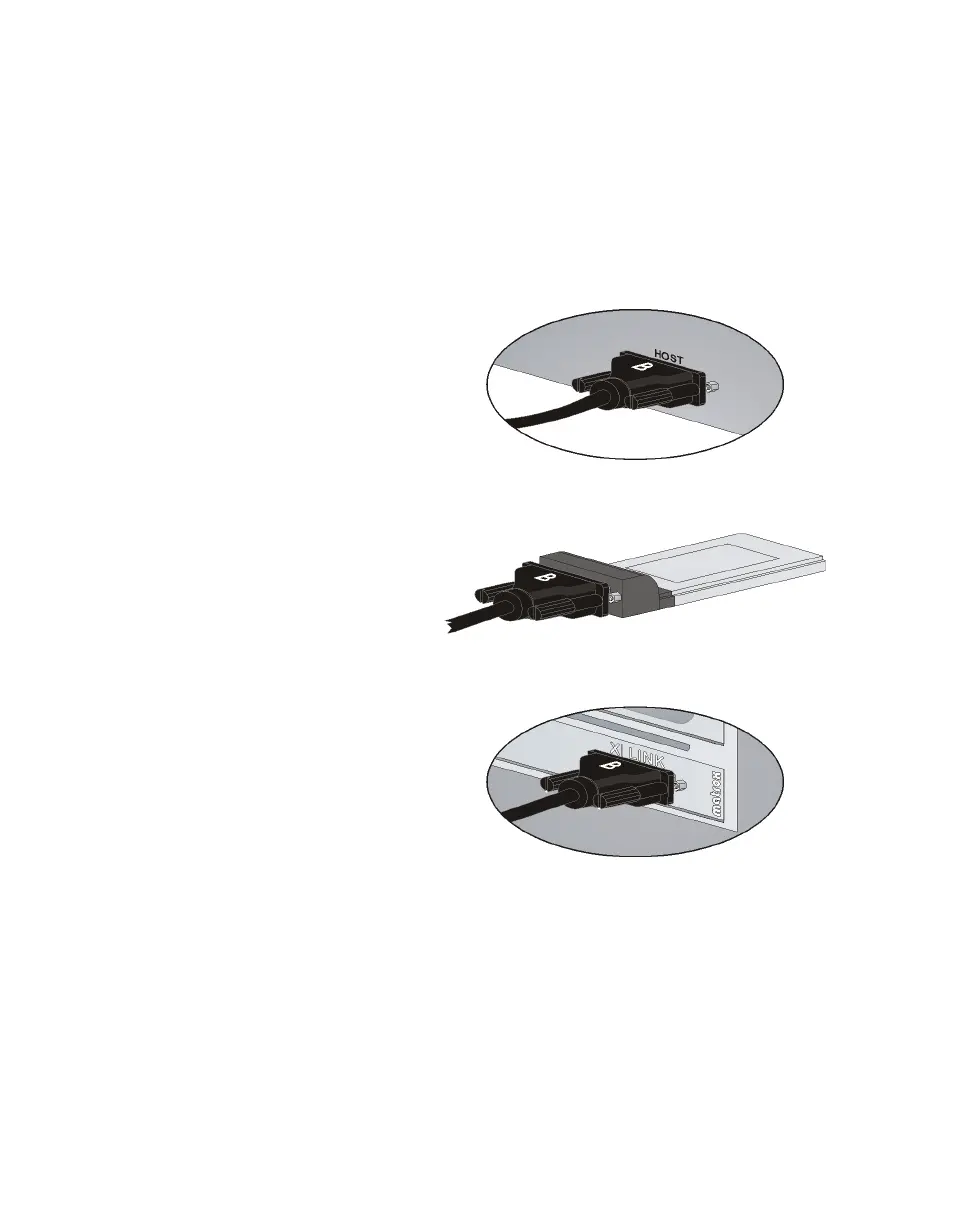
connected to your MXO2 Mini and host connector as shown below:
To Matrox PCIe ExpressCard/34 adapter
To Matrox PCIe host adapter
“B” side of PCIe cable must face the side
labeled “XI LINK” on the Matrox PCIe
host adapter.
“B” side of PCIe cable must face the
top of the Matrox PCIe
ExpressCard/34 adapter.
To Matrox MXO2 Mini
“B” side of PCIe cable must face the side
labeled “HOST” on MXO2 Mini.



 To Next Page