272
Chapter 21, Using Matrox MAX H.264 Capture
Specifying your capture format settings
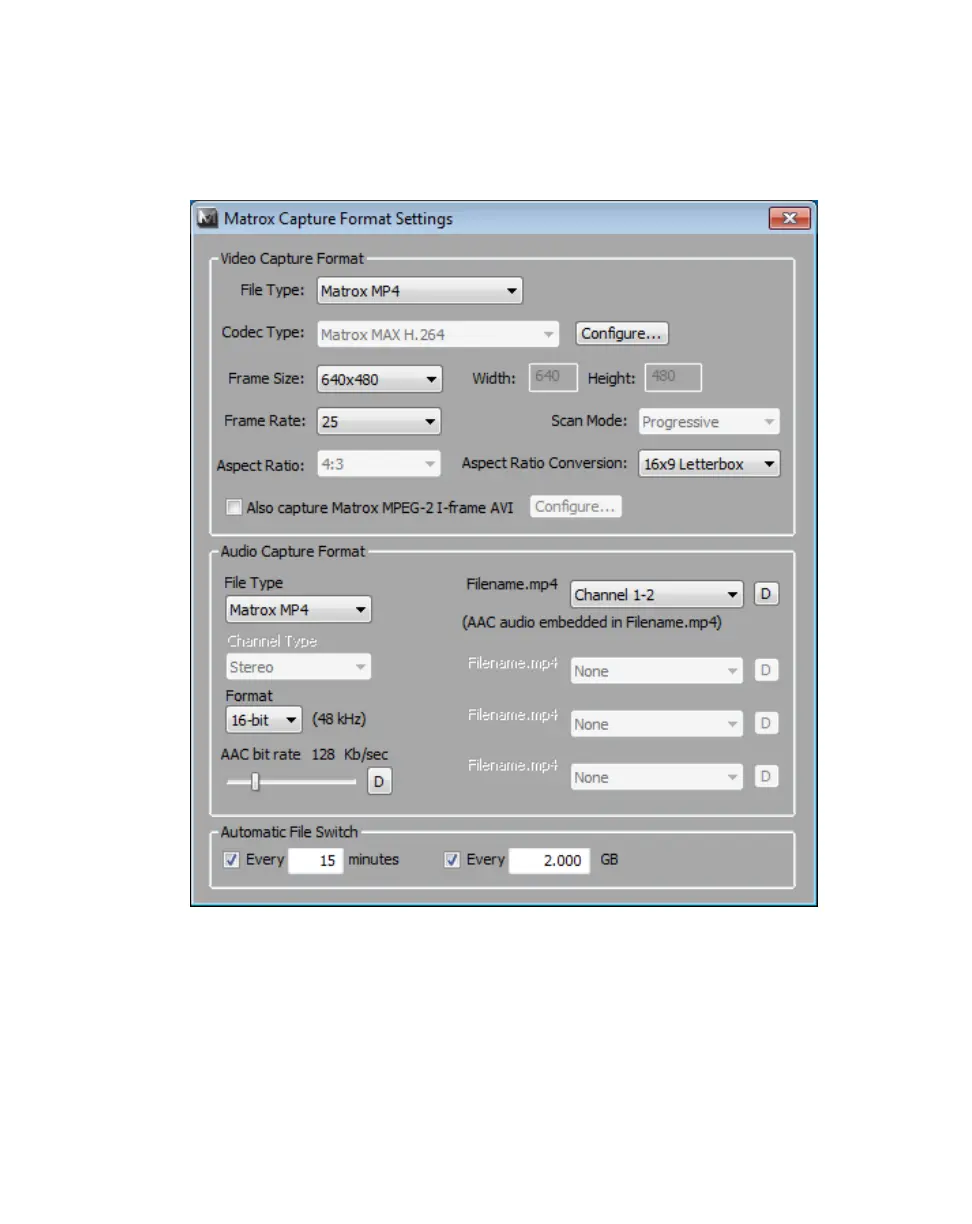
When you select a capture preset, appropriate capture format settings are
automatically applied for you. To review or change any of these settings, click the
Advanced button.
1 Under Video Capture Format, you can select the video format settings you
want for your captured clips. For a list of the supported capture formats
based on your selected video input format, see “Supported capture formats
for Matrox MAX H.264 Capture” on page 310.
$ File Type Select one of the following Matrox formats:
• Matrox 264 (Blu-ray) Creates a .264 elementary stream file, which
is supported for Blu-ray Disc authoring. Audio is captured as separate
mono or stereo .aac files (AAC audio) or .wav files (PCM audio).



 To Next Page