26
Chapter 4, Connecting External Devices to Matrox MXO2 Rack
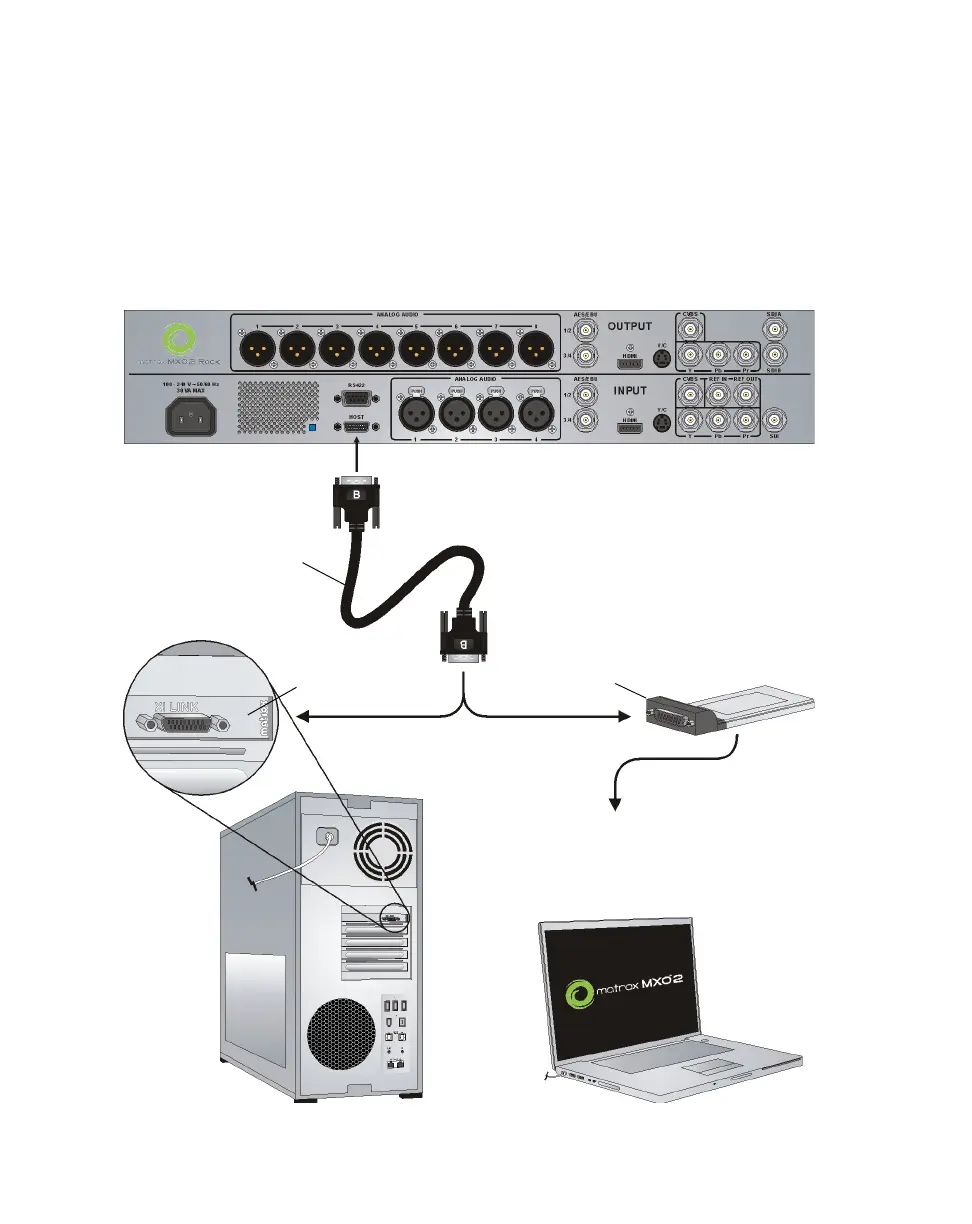
Using the Matrox PCIe host adapters
For MXO2 Rack to be detected on a desktop computer, power must be supplied
to MXO2 Rack (see “Powering MXO2 Rack” on page 24), and it must be
connected to your computer before starting up your system.
¡ Important Do not disconnect the Matrox PCIe cable from the adapter, or
MXO2 Rack, when your computer is running. To safely remove the Matrox PCIe
host ExpressCard/34 adapter from your laptop, see “Removing your PCIe host
ExpressCard/34 adapter” on page 8.
OR
Matrox PCIe host
ExpressCard/34
adapter
Matrox PCIe
host adapter
PCIe cable
²Caution To ensure functionality and
avoid damaging the PCIe cable or host
connector, you must connect the PCIe
cable as shown in “Ensuring proper PCIe
cable connection” on page 25.
To your laptop’s ExpressCard/34
slot (see “Installing your PCIe host
ExpressCard/34 adapter (for
laptops)” on page 7).
MXO2 Rack



 To Next Page