201
Grabbing a single-frame image
°To grab a single-frame image:
1 Play back your source video. If it is on disk, you can use the transport
controls to locate the clip
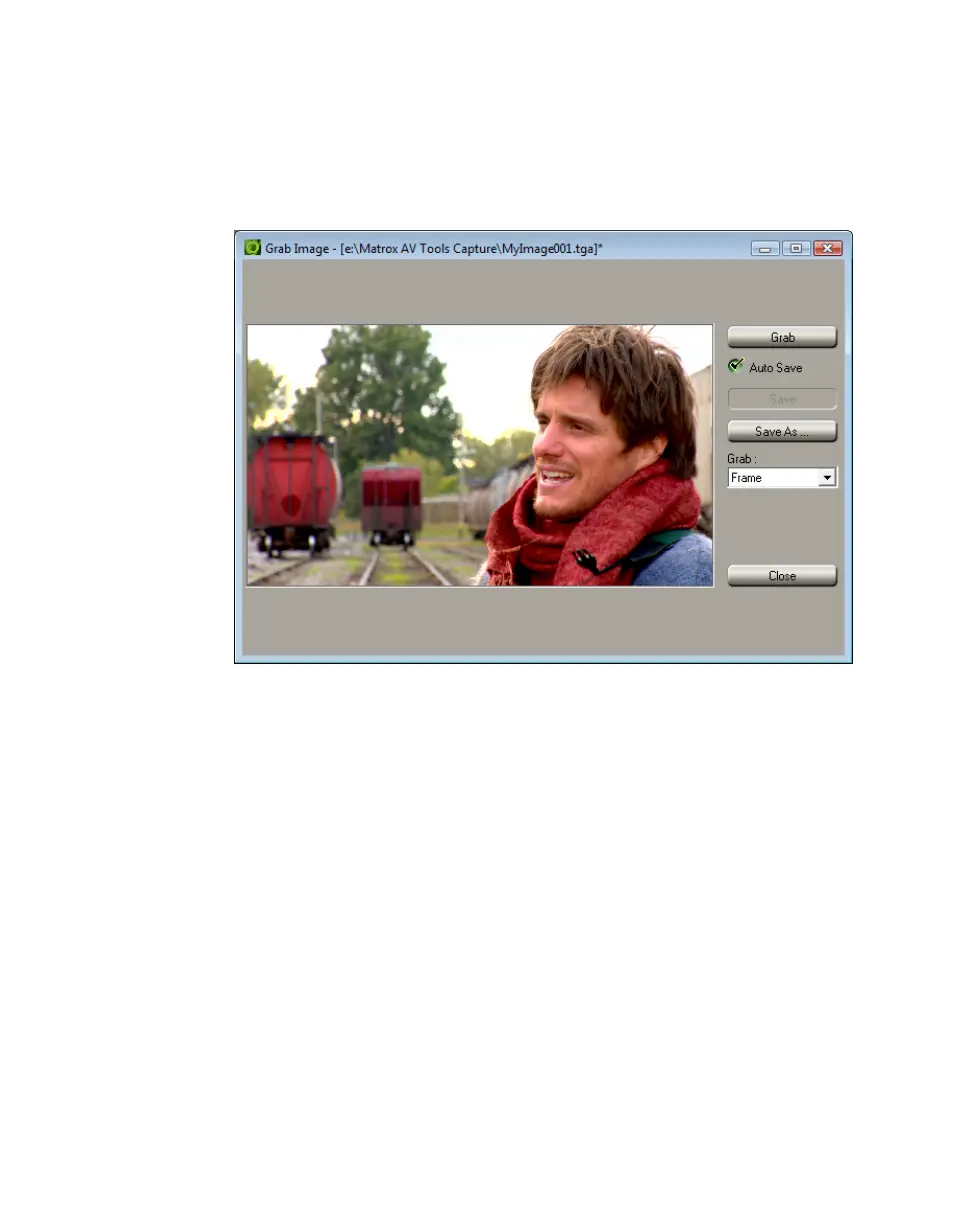
2 In the A/V Tools dialog box, click the Grab Image button to open the Grab
Image
dialog box.
3 When the frame you want is displayed in the Preview Window, click the
Grab button.
4 If you notice flickering in your image, you can choose to grab only one of
the fields. From the
Grab list, select Field 1 or Field 2. One field contains
the odd-numbered scan lines in the frame, and the other field contains the
even-numbered lines. Select the field that best displays your image. A/V
Tools interpolates between the two consecutive scan lines to create the
missing field.
5 Click Save or Save As to save the image.
6 Click the Close button to return to the Matrox A/V Tools dialog box.
¦NoteIf you do not specify a file name in the Save As text box, or if you select
Auto Save, A/V Tools will assign a default name to the first grabbed image
(such as MyImage01.tga or a name based on the last name you used) and
continue naming images sequentially.



 To Next Page