23
Rack mounting your MXO2 Rack
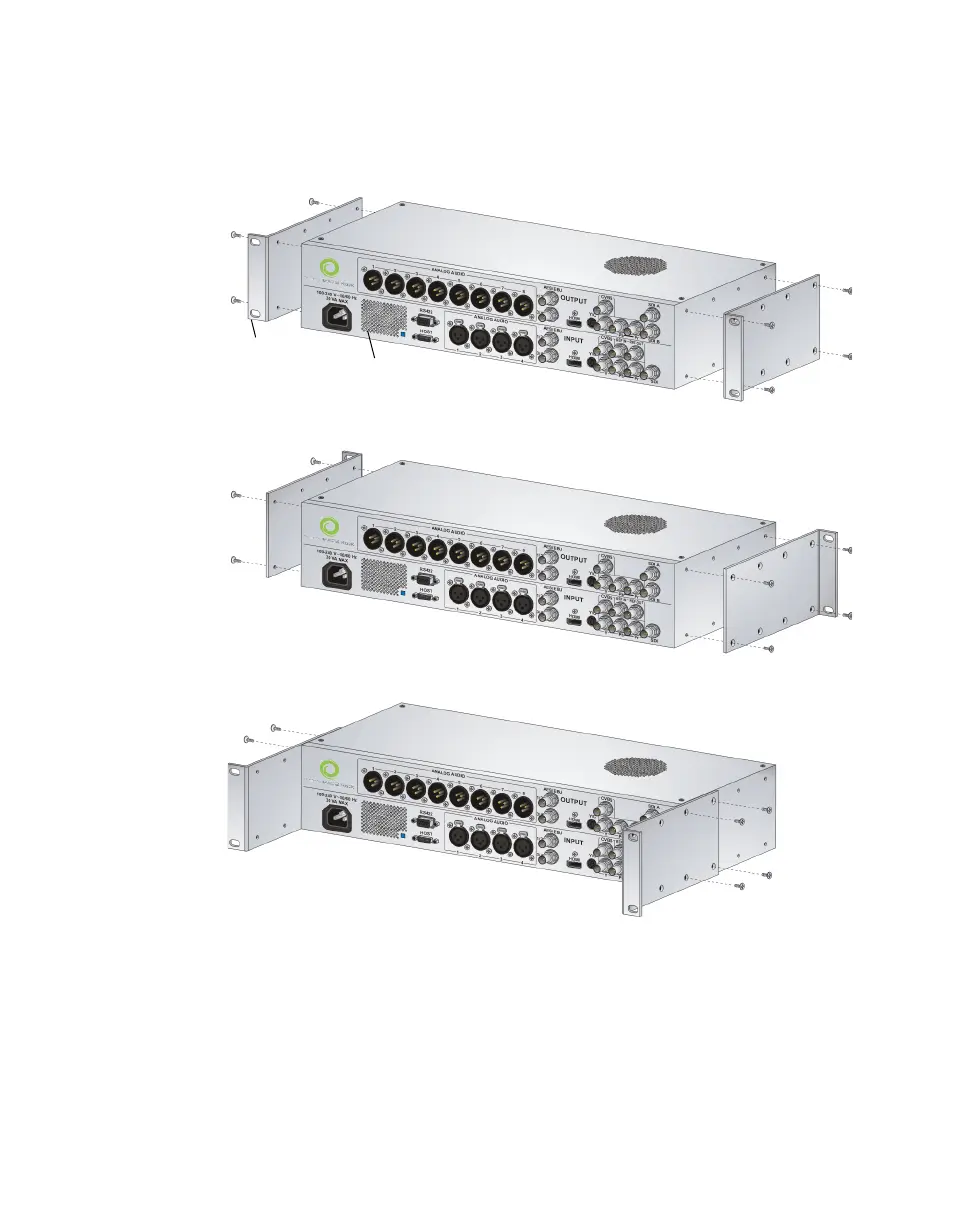
3 MXO2 Rack can be recess mounted to allow extra space for connectors and
cables. Depending on your mounting needs, align the screw holes on each
rackmount bracket with the desired screw holes on either side of the MXO2
Rack.
²Caution For stability and safety, whichever mounting method you choose,
make sure to fasten each rackmount bracket to MXO2 Rack using all four
supplied screws.
4 Using a hand screwdriver only (no power screwdrivers), carefully tighten
each screw until snug. Do not overtighten!
5 Fasten your MXO2 Rack to the standard 19-inch rack as per your rack’s
instructions.
Front rackmounting
Rear rackmounting
Recessed rackmounting
Rackmount
bracket
MXO2 Rack



 To Next Page