Operating Instructions – Labmaster
©
130 and MB20G Systems
Instruction Manual
Chapter 5: System Screens
© MBraun, Inc. Edition 1/2007 Page 5-3
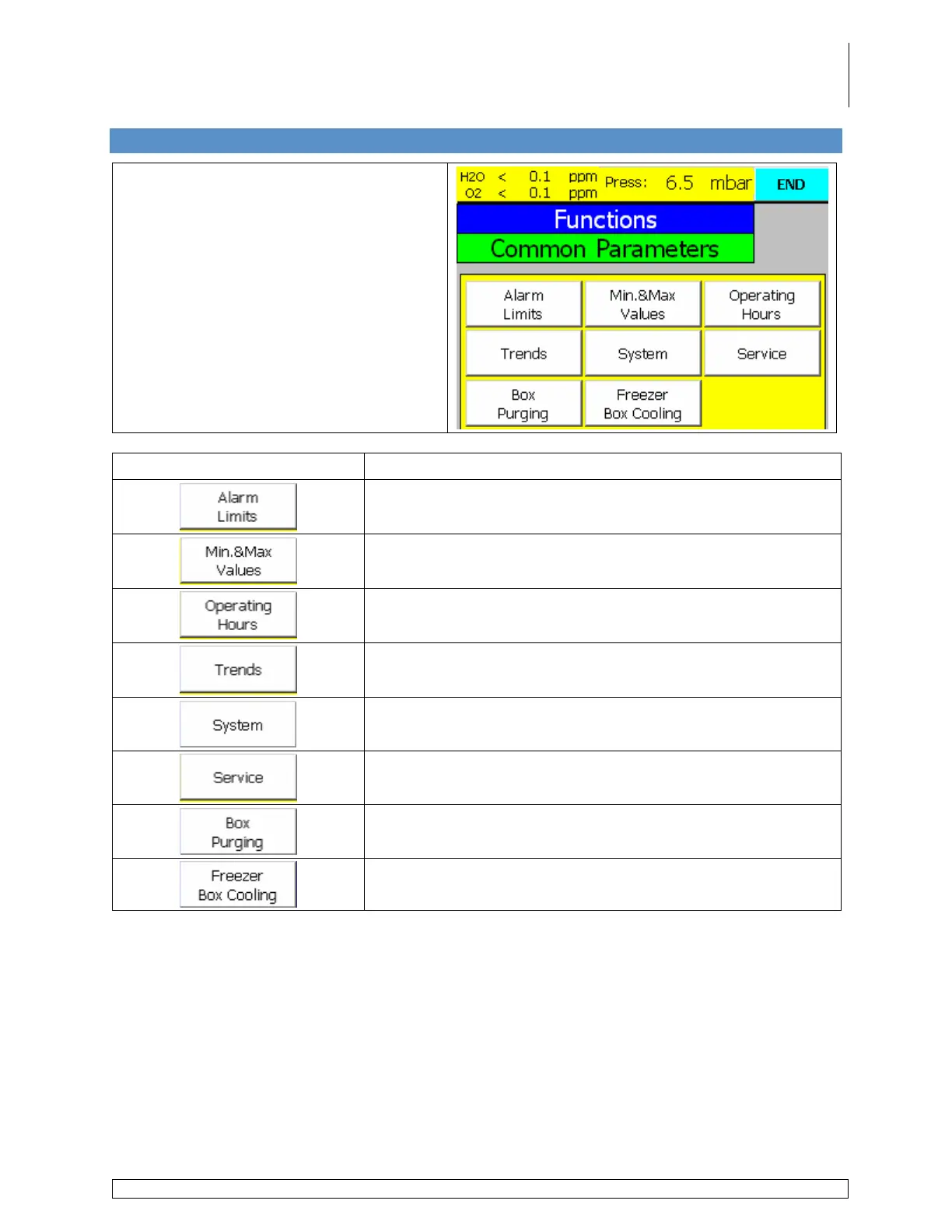
5.3 Common Parameters Screen
Accessed via the Start Screen by
touching the Common Parameters
button.
Button
Description
Displays the Alarm Setpoints screen.
Displays the analyzer Min./Max. Values screen.
Displays the Operating Hours screen.
Displays the Box Trends screen.
Displays the System information screen.
Displays the Service screen.
Displays the Box Purging Screen.
Displays the Freezer/Box Cooling parameters screen.



 To Next Page