Operating Instructions – Labmaster
©
130 and MB20G Systems
Instruction Manual
Chapter 5: System Screens
© MBraun, Inc. Edition 1/2007 Page 5-13
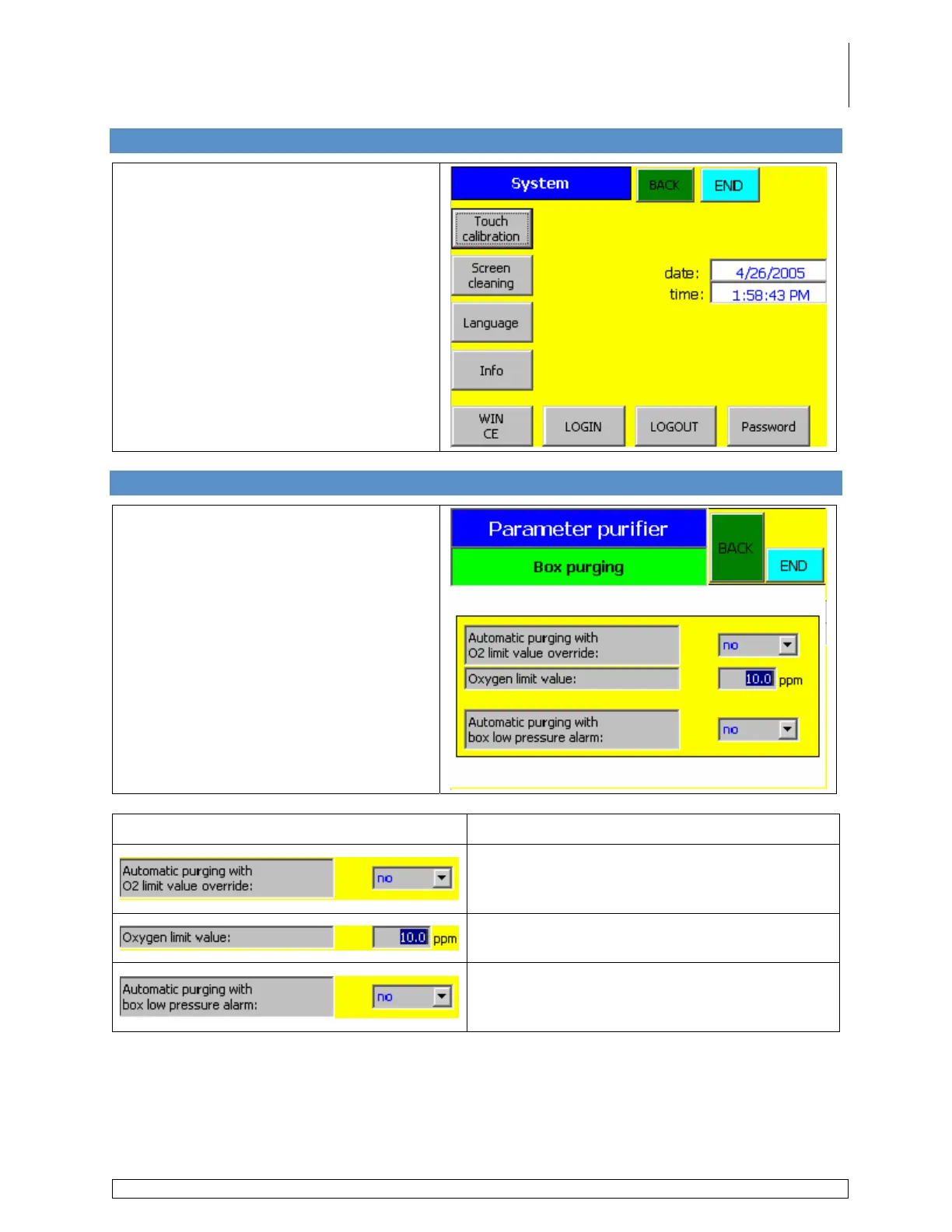
5.16 System Screen
Accessed via the Common Parameters
screen by touching the System button.
Used to display system information or
perform maintenance on the touch
screen.
5.17 Box Purging Screen
Accessed via the Common Parameters
screen by touching the Box Purging
button.
Information Field
Description
Used to automatically purge the glovebox
when the oxygen level reaches the Oxygen
Limit Value setpoint entered below.
Value at which the purging process will initiate
when the above field is set to Yes.
Used to automatically initiate the purge
procedure when the box pressure reaches the
factory established Lower Limit Setpoint.



 To Next Page