Operating Instructions – Labmaster
©
130 and MB20G Systems
Instruction Manual
Chapter 5: System Screens
© MBraun, Inc. Edition 1/2007 Page 5-4
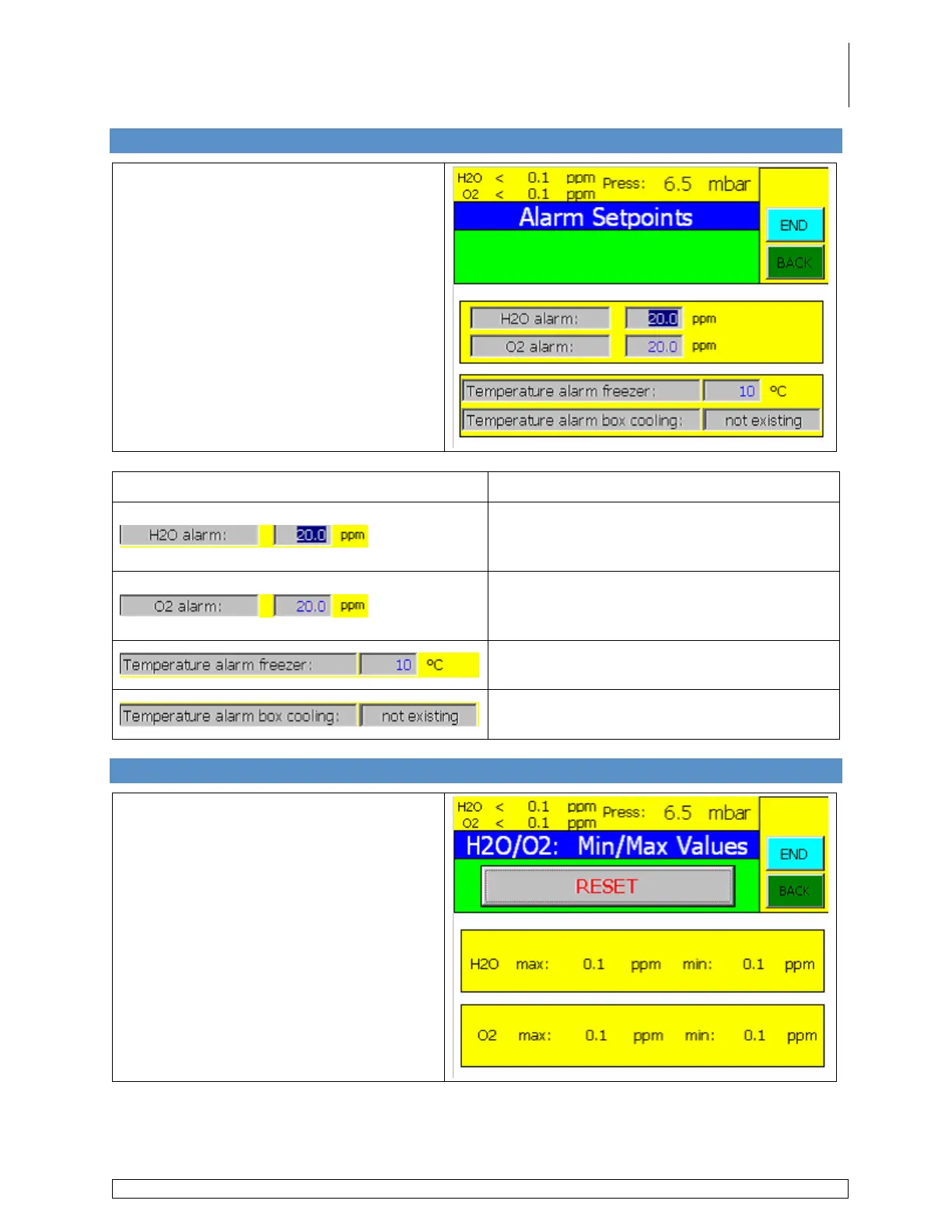
5.4 Alarm Setpoints Screen
Accessed via the Common Parameters
screen by touching the Alarm Limits
button.
Button
Description
Used to set the alarm parameter for the
moisture analyzer when present on the
system.
Used to set the alarm parameter for the
oxygen analyzer when present on the
system.
Used to set the alarm parameter for the
freezer when present on the system.
Used to set the alarm parameter for the box
cooling unit when present on the system.
5.5 Min./Max. Values Screen
Accessed via the Common Parameters
screen by touching the Min./Max. Values
button.
This screen displays the highest and
lowest oxygen and moisture levels as
detected by the analyzers.
Use the Reset button to reset the
displayed values to zero.



 To Next Page