Operating Instructions – Labmaster
©
130 and MB20G Systems
Instruction Manual
Chapter 5: System Screens
© MBraun, Inc. Edition 1/2007 Page 5-12
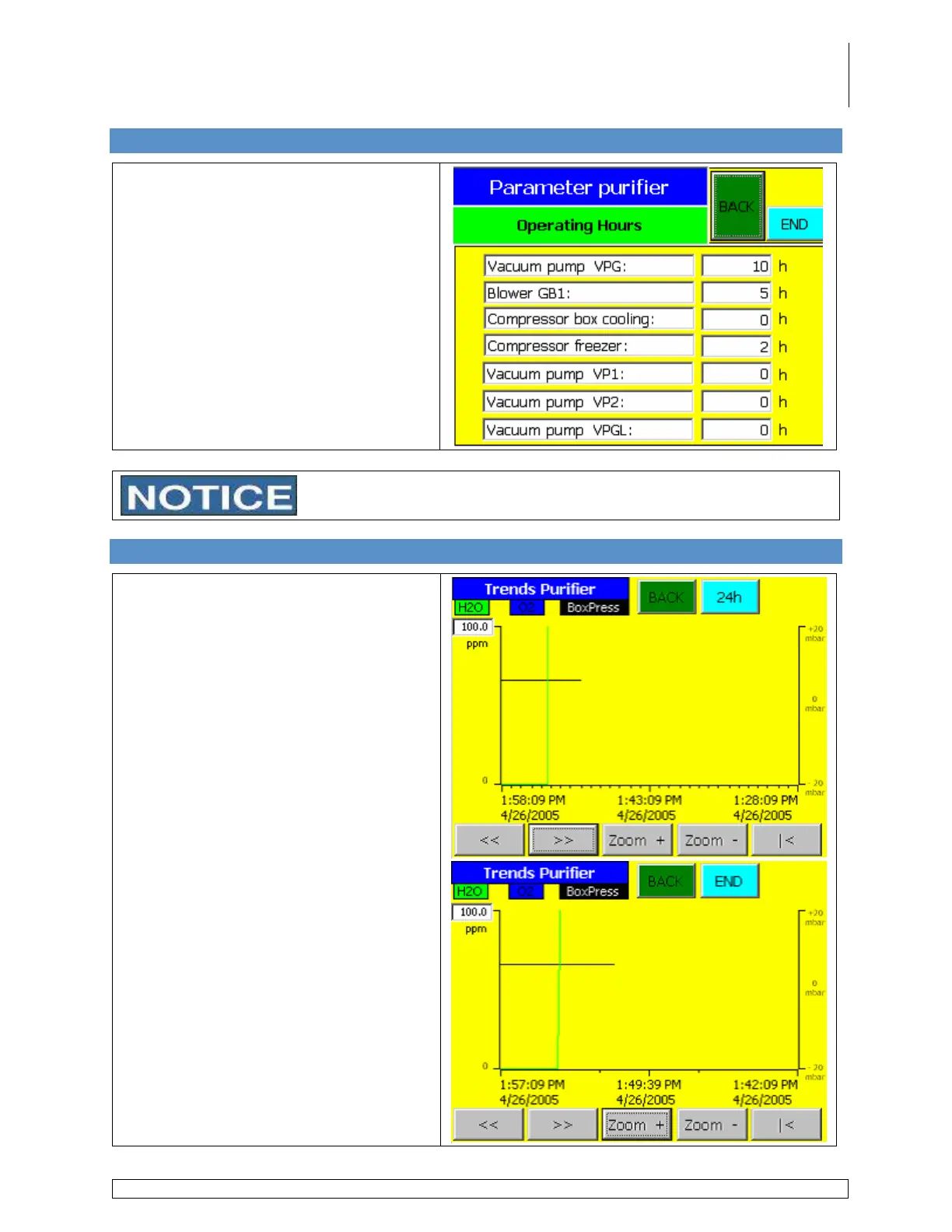
5.14 Operating Hours Screen
Accessed via the Common Parameters
screen by touching the Operating
Hours button.
Displays the number of hours which the
components have been running.
Under normal use the vacuum pump oil should be changed every
3,000 hours per the manufacturer’s recommendation.
5.15 Purifier Trends Screens
Accessed via the Common Parameters
screen by touching the Trends button.
Use the various buttons on the screen to
scroll through the designated time period
and also to zoom in on a selected range
over a 4 hour period.
Touch the 24h button to change the
display range to a 24 hour period.



 To Next Page