Operating Instructions – Labmaster
©
130 and MB20G Systems
Instruction Manual
Chapter 7: Installation
© MBraun, Inc. Edition 1/2007 Page 7-11
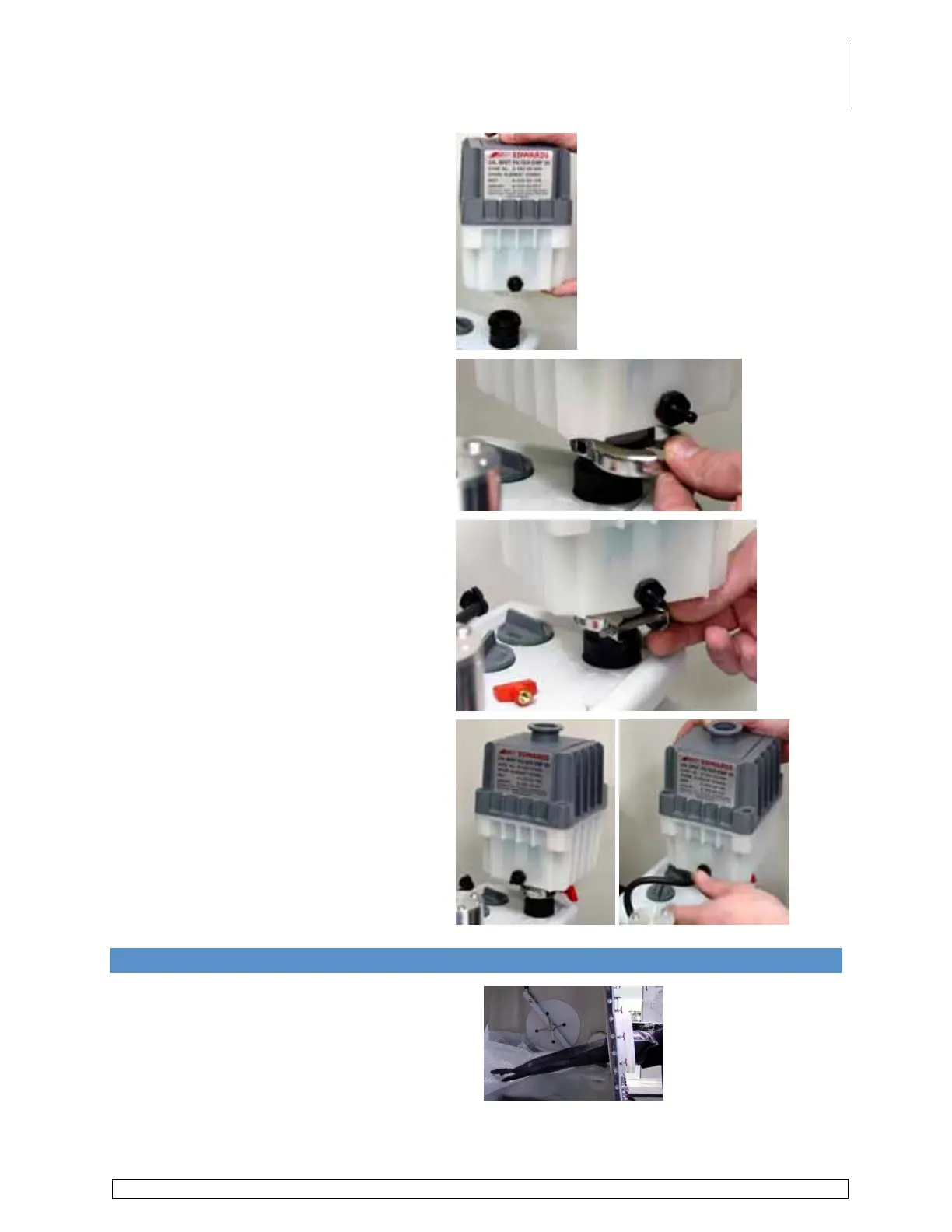
Place the oil mist filter onto the port.
Push the u-shaped clamp onto the port
making sure it covers both the port and
filter flange.
Turn the clamp so the open ends face
out.
Secure in place with the bolt and red
thumb screw. Tighten hand tight.
Turn the filter so the label faces the gas
ballast on the top of the vacuum pump.
Push the black hose from the pump onto
the port on the filter. Secure in place with
black plastic clamp.
7.9 Attaching the Gloves
Slide the glove onto hand and insert arm into
the box through the gloveport angling the
thumb to a comfortable working position.



 To Next Page