Operating Instructions – Labmaster
©
130 and MB20G Systems
Instruction Manual
Chapter 9: System Operation
© MBraun, Inc. Edition 1/2007 Page 9-15
Gently pull out the sliding tray.
Remove the materials to be used from the tray and slide the tray back into the antechamber.
Replace the cover and lock into place by turning in a clockwise motion.
Transferring Material out of the Glovebox
Follow the above steps in reverse to transfer materials out of the glovebox into room
environment.
9.6 Freezers
General Information
The actual temperature inside the freezer will always be displayed
even if the freezer is inactive.
This section applies only to systems that are equipped with freezers.
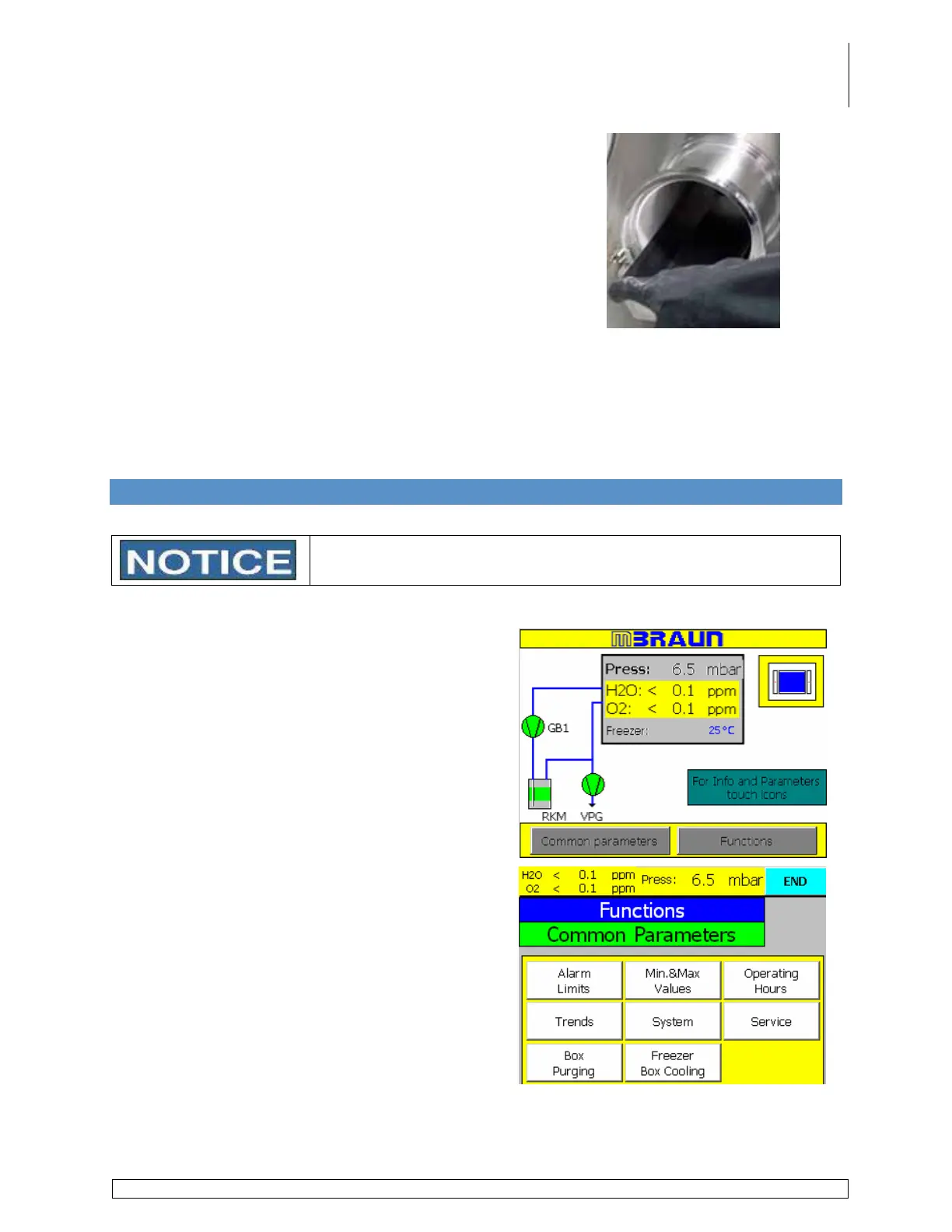
Touch the Common Parameters button on the
Start screen.
Touch the Freezer/Box Cooling button on the
parameters screen to display the Freezer/Box
Cooling parameters screen.



 To Next Page