Operating Instructions – Labmaster
©
130 and MB20G Systems
Instruction Manual
Chapter 5: System Screens
© MBraun, Inc. Edition 1/2007 Page 5-9
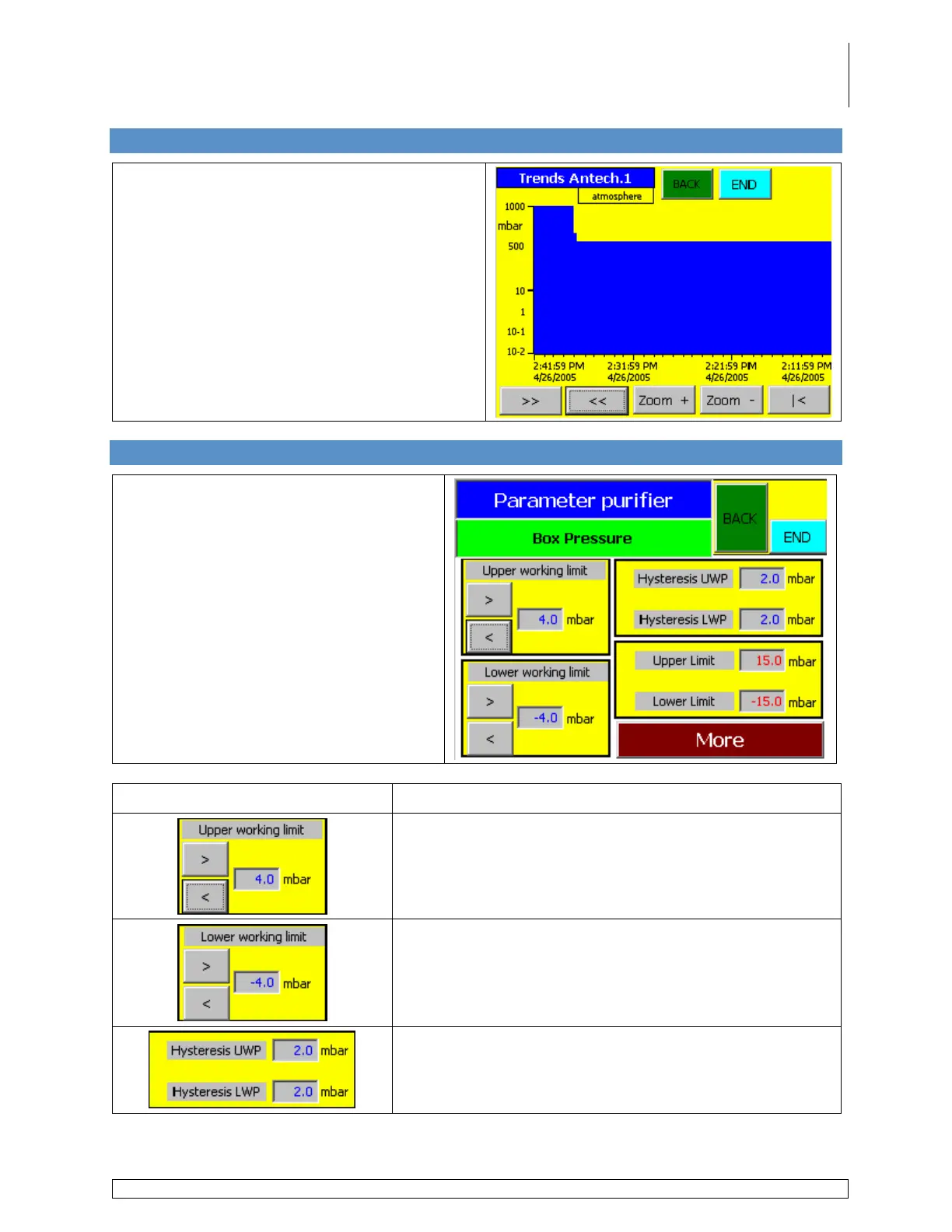
5.9 Antechamber Trends Screen
Accessed via the Antechamber Screen by
touching the Trends button.
Use the various buttons on the screen to scroll
through the designated time period and also to
zoom in on a selected range over a 24 hour
period.
5.10 Box Pressure Parameters Screen
Accessed via the Start Screen by
touching the Box Pressure and
Analyzer Details field.
Information Field Description
Used to enter the upper working box pressure setpoint.
Used to enter the lower working box pressure setpoint.
Displays the setpoint at which the box pressure will rise
or drop when the actual box pressure reaches the upper
or lower working limit.



 To Next Page