Operating Instructions – Labmaster
©
130 and MB20G Systems
Instruction Manual
Chapter 5: System Screens
© MBraun, Inc. Edition 1/2007 Page 5-11
5.12 Purifier Parameter Screen
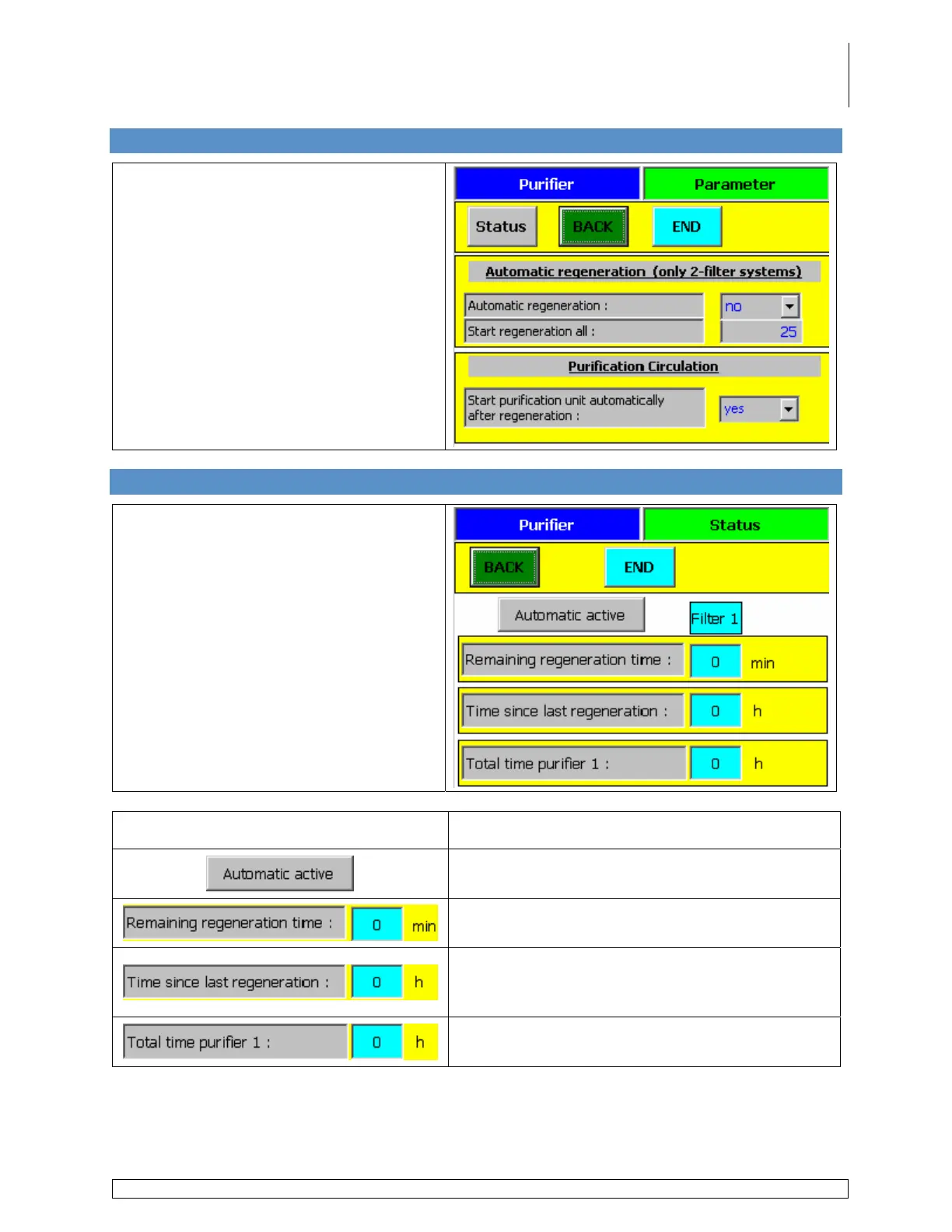
Accessed via the Purifier Layout screen
by touching the Parameters button.
Choose Yes to have circulation start
automatically after the regeneration
process is completed.
Choose No to start circulation manually
after the regeneration process is
completed.
5.13 Purifier Status Screen
Accessed via the Purifier Parameter
screen by touching the Status button.
Button / Information Field Description
Displays the current mode being used to operate
the system.
Displays the time remaining until the
regeneration process is complete.
Displays the number of hours the system has
been operating in circulation mode since the last
regeneration process was performed.
Displays the total hours the purifier has been in
operation.



 To Next Page