Operating Instructions – Labmaster
©
130 and MB20G Systems
Instruction Manual
Chapter 5: System Screens
© MBraun, Inc. Edition 1/2007 Page 5-14
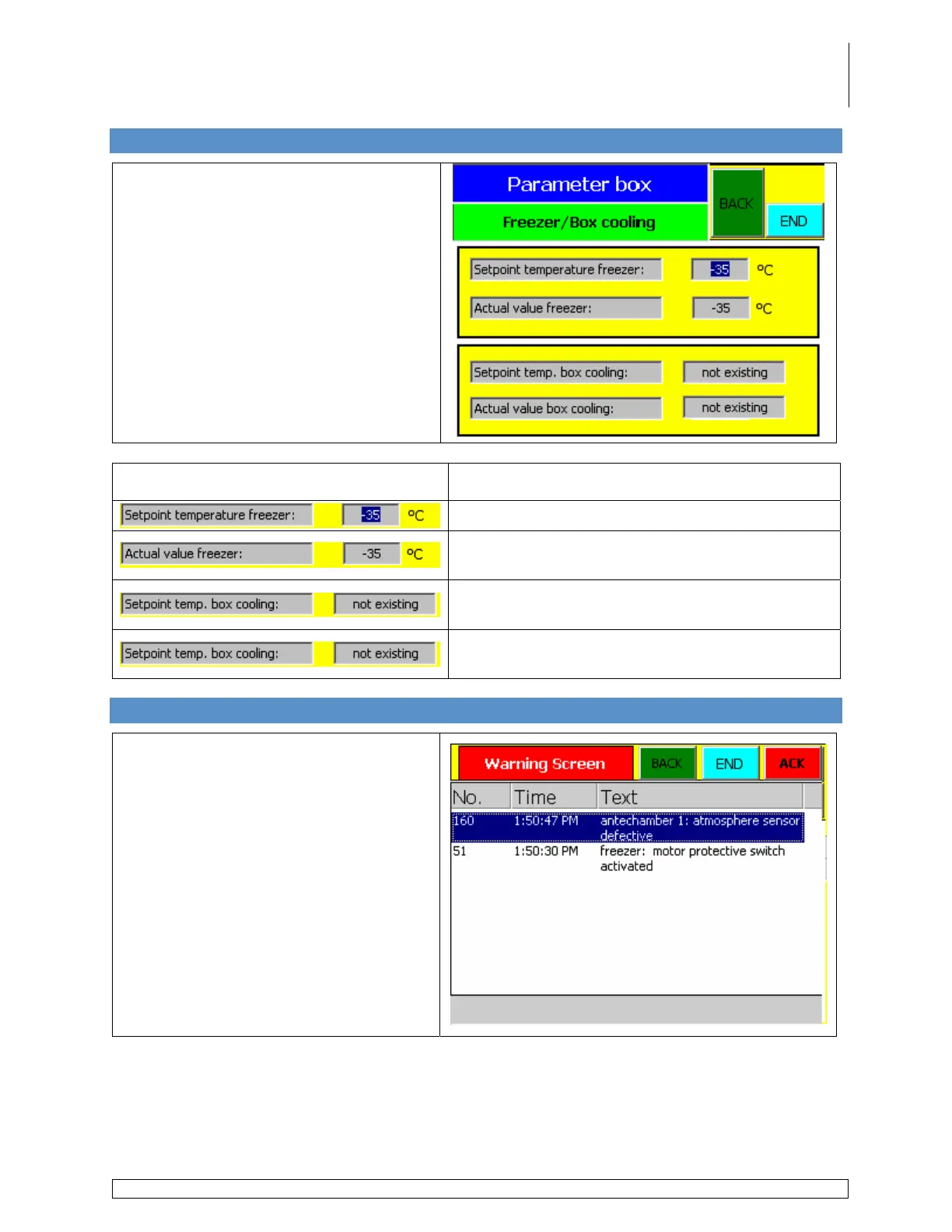
5.18 Freezer/Box Cooling Parameter Screen
Accessed via the Common Parameters
screen by touching the Freezer Box
Cooling button. This screen is also
accessed via the Box Pressure
Parameters by touching the More
button.
This screen applies only to systems with
a freezer and/or box cooling unit.
Information Field Description
Used to set the freezer operating temperature.
Displays the actual temperature inside the
freezer.
Used to set the box cooling unit operating
temperature.
Displays the actual temperature inside the
glovebox.
5.19 Warning Screen
Accessed via any screen by touching the
Alarm button when displayed.
This screen lists the:
• Warning number;
• Time the error occurred;
• Description of the error.
Depending upon the type of alarm, the
message:
• Will disappear upon fixing the error;
• Must be acknowledged by touching
the ACK button after the error has
been fixed before it will disappear.



 To Next Page