Operating Instructions – Labmaster
©
130 and MB20G Systems
Instruction Manual
Chapter 10: Maintenance & Troubleshooting
© MBraun, Inc. Edition 1/2007 Page 10-6
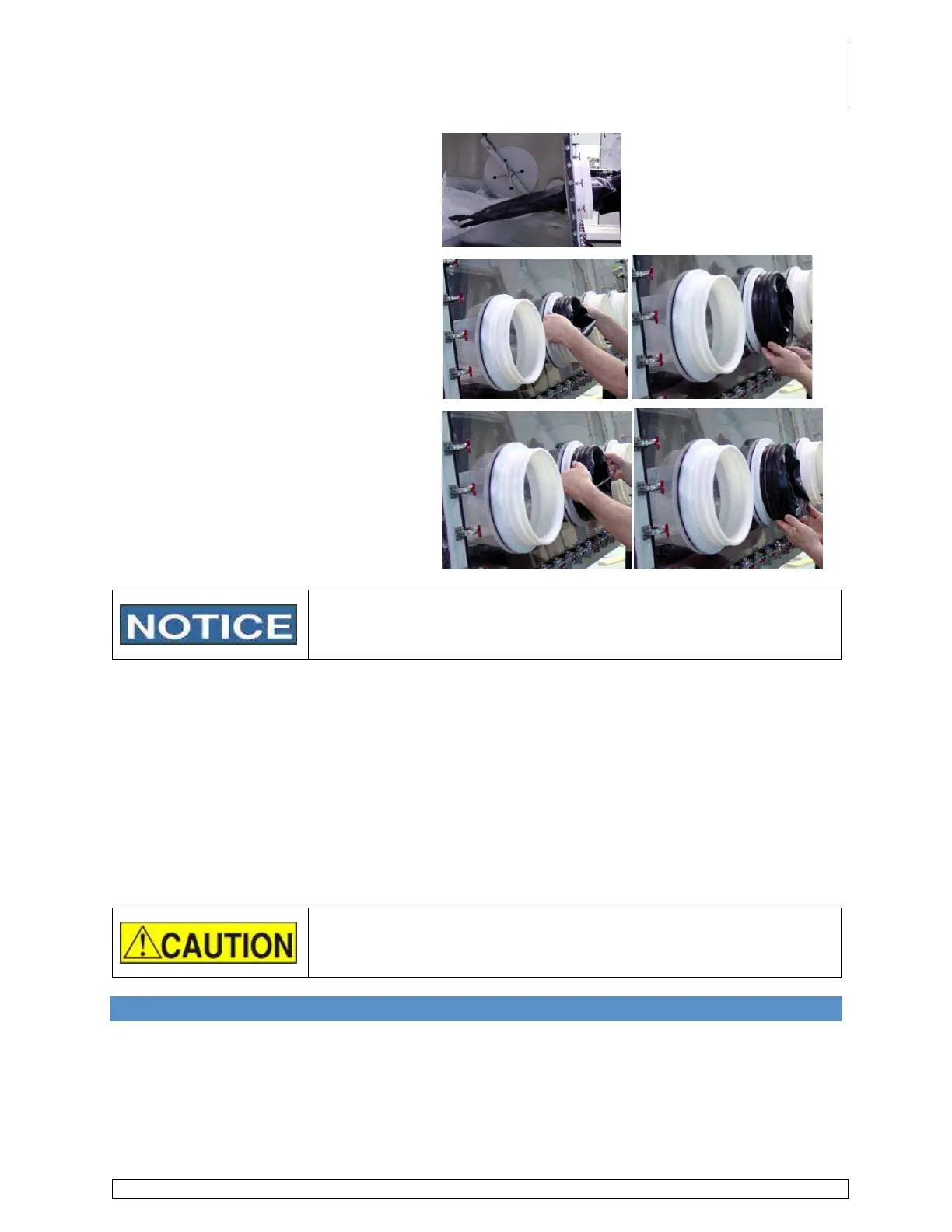
Slide the glove onto hand and insert arm
into the box through the gloveport
angling the thumb to a comfortable
working position.
Slide hand out of the glove and work the
cuff of the glove into the groove in the
gloveport closest to the glass. At this
time the thumb position can still be
adjusted by rotating the cuff of the glove.
Secure the glove with two o-rings.
Place the o-ring in the top of the
second groove from the glass and in
one smooth motion pull down across
the circumference of the gloveport.
Repeat the process for the remaining
glove(s) and o-ring(s).
After replacing gloves, purge the glovebox to remove any undesired
oxygen and/or moisture. (Refer to Chapter 8 Commissioning the
System, Section 8.4 Purging)
Gloveport Covers
M.Braun gloveport covers, which are used to assist in replacing gloves or to block off an unused
gloveport, are made for standard round glove ports and are available for either interior or
exterior use.
Internal gloveport covers allow the user to replace gloves without contaminating the glovebox
atmosphere with room air.
External gloveport covers allow the user to remove a glove(s) and continuing working within a
glovebox without contaminating the glovebox atmosphere with room air.
Contact the Service Department for further information regarding price and availability of the
gloveport covers.
Do not seal off all gloveports at the same time. Sealing off all
gloveports simultaneously could cause pressure to build up inside
the glovebox which could cause the window to crack or rupture.
10.5 Moisture Analyzer Maintenance
General Information
If it seems necessary to clean a moisture analyzer probe, follow the instructions carefully to
avoid damaging the sensor probe. Prior to cleaning the analyzer, contact the M.Braun Service
Department to determine if service by M.Braun is required or if the analyzer only requires
cleaning.



 To Next Page