Operating Instructions – Labmaster
©
130 and MB20G Systems
Instruction Manual
Chapter 9: System Operation
© MBraun, Inc. Edition 1/2007 Page 9-18
Touch the End button to return to the start screen.
Regeneration
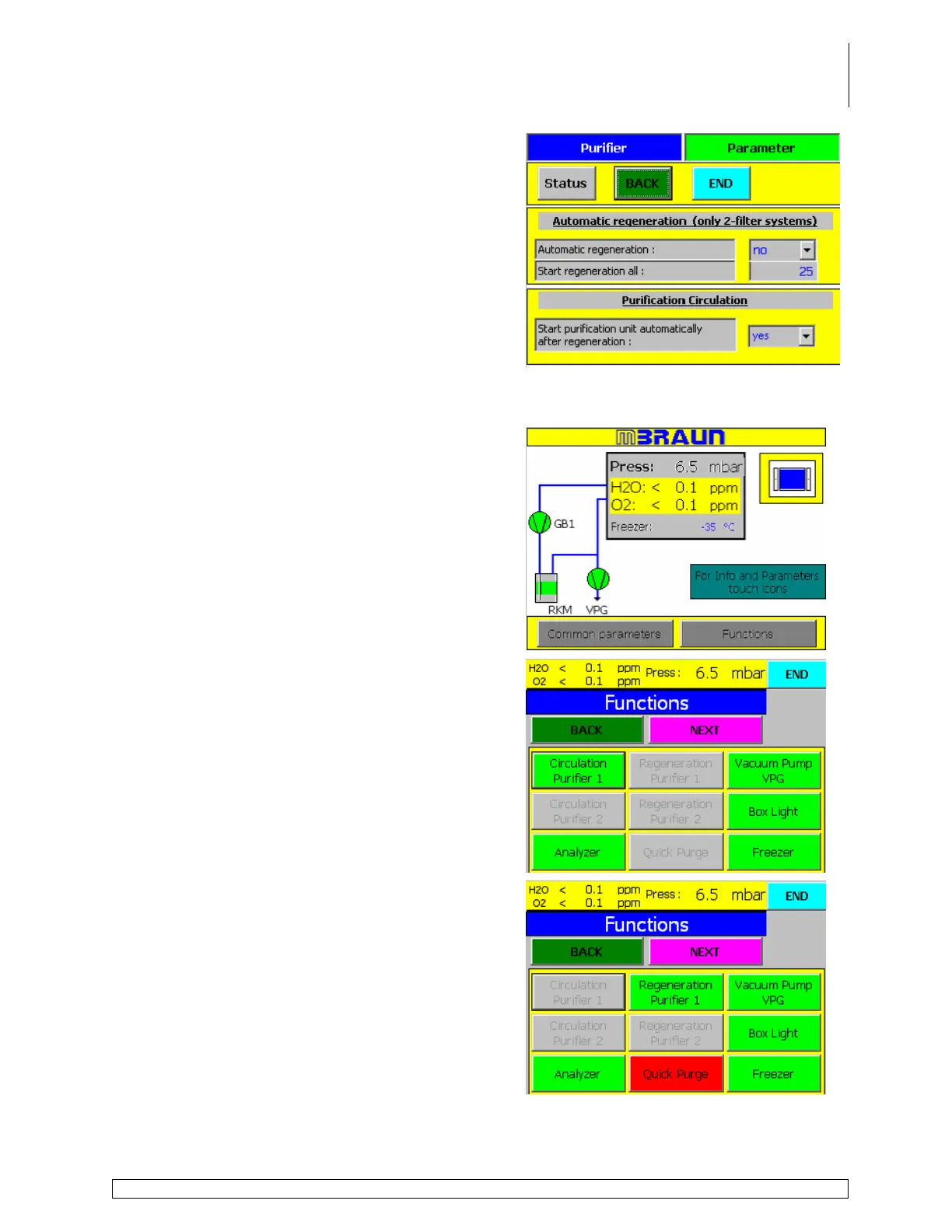
Follow the steps below to start the regeneration process.
Touch the Functions button on the start screen.
Deactivate the circulation process, if active, by
touching the Circulation Purifier button.
Touch the Regeneration Purifier button on the
functions screen.
The circulation button is blanked out as this function
is unavailable during the purging process.



 To Next Page