Operating Instructions – Labmaster
©
130 and MB20G Systems
Instruction Manual
Chapter 9: System Operation
© MBraun, Inc. Edition 1/2007 Page 9-17
9.7 Regeneration Mode
The regeneration process can only be started if the circulation
process is inactive.
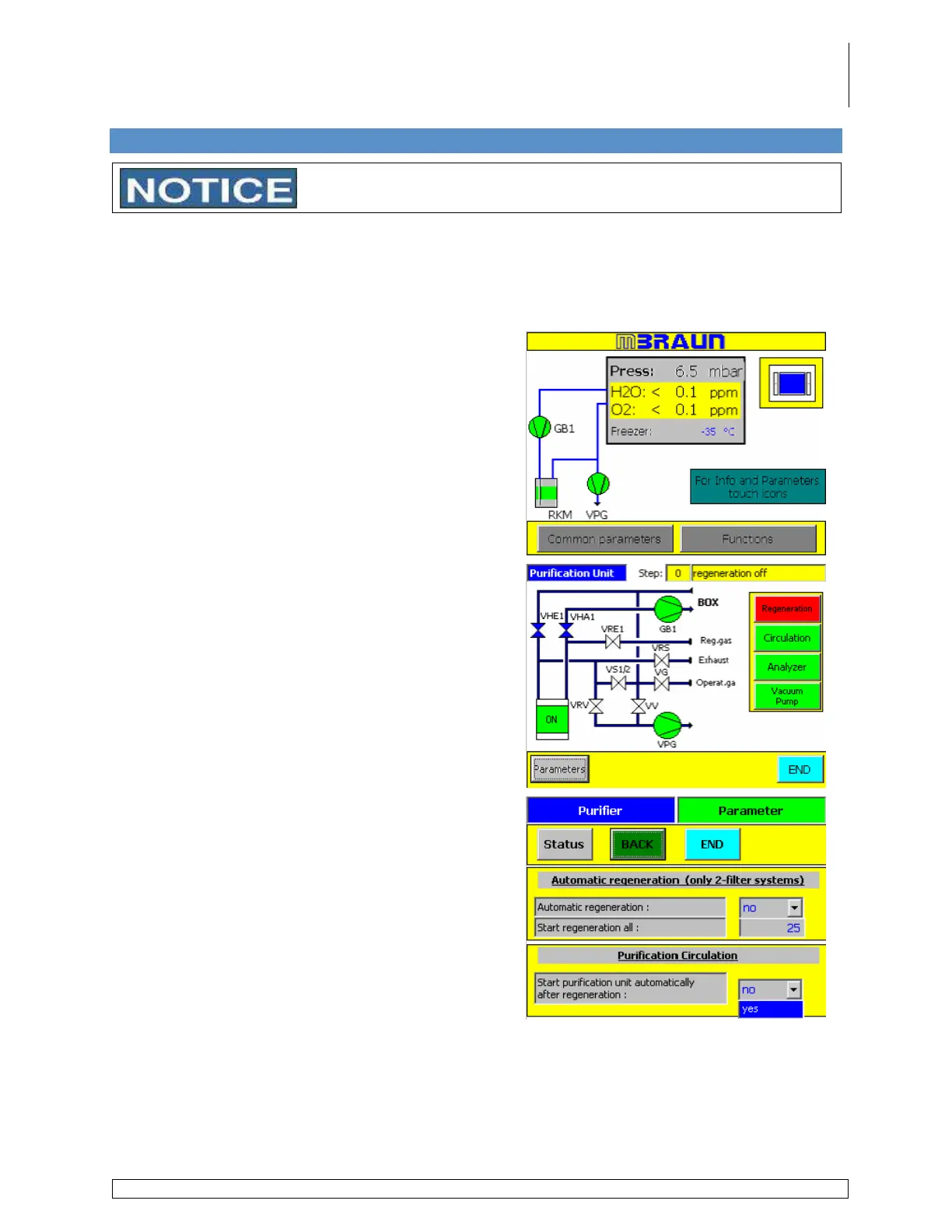
Circulation Auto Start
If desired, the circulation process can be started automatically following the end of the
regeneration procedure. Follow the steps below to have circulation start automatically after the
regeneration procedure is completed. Skip this step to restart the circulation process manually
after the regeneration procedure is completed.
Touch the RKM (Purifier) icon on the start screen.
Touch the Parameter button on the purifier layout
screen.
Select Yes from the drop down menu.



 To Next Page