Operating Instructions – Labmaster
©
130 and MB20G Systems
Instruction Manual
Chapter 8: Commissioning the System
© MBraun, Inc. Edition 1/2007 Page 8-1
CHAPTER 8: COMMISSIONING THE SYSTEM
8.1 General Information
After completing the installation, the system is ready to be activated. Gas can now be added to
the box to prepare for normal operation. The system is equipped with a foot pedal which is used
during a pressure leak test or during normal operation of the box to temporarily increase or
decrease the pressure inside the glovebox.
While a leak test has been performed during production of the system, after initial installation
and gas has been added, it is necessary to perform a static pressure test to check the system
for any possible leaks. This is done to ensure all connections made during the installation are
tight and seated properly. The static pressure test also checks other components on the system
which may have shifted during the shipping process.
After the leak test has been completed, the purge operation must be performed to rid the box of
all room air and replace it with the chosen working gas. After the purge procedure is complete,
the box can be used for normal operation in circulation mode.
8.2 System Activation
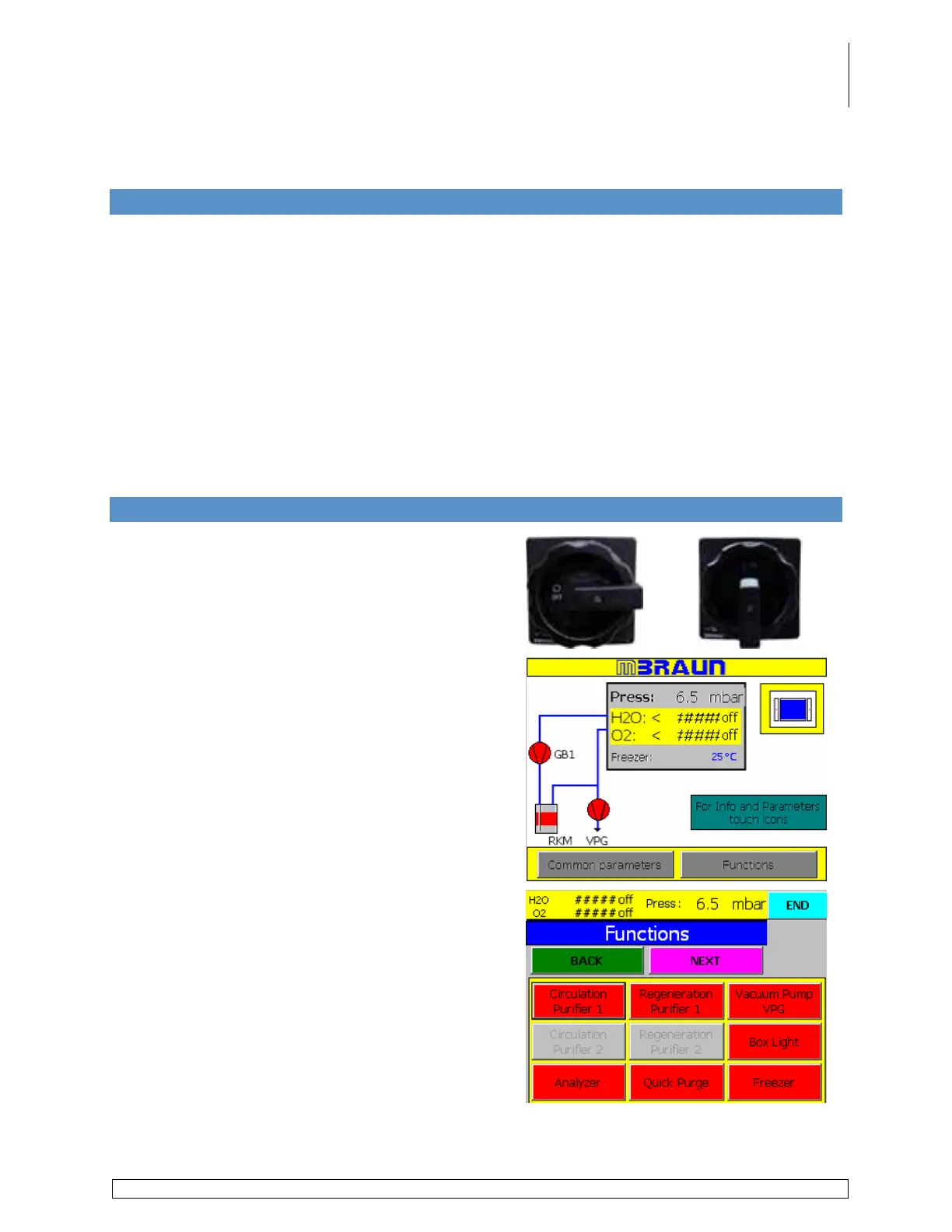
Turn the Main Power switch located on the side of
the electrical cabinet on the purifier cart from the Off
position to the On position.
The panel will display a series of screens (program
starting up) before the start screen is displayed.
Touch the Functions button on the start screen.
Touch the Vacuum Pump button to activate the
vacuum pump.
Touch the Box Light button to turn the light on.



 To Next Page