Operating Instructions – Labmaster
©
130 and MB20G Systems
Instruction Manual
Chapter 8: Commissioning the System
© MBraun, Inc. Edition 1/2007 Page 8-6
Manual Purge Method (manual purge valve present)
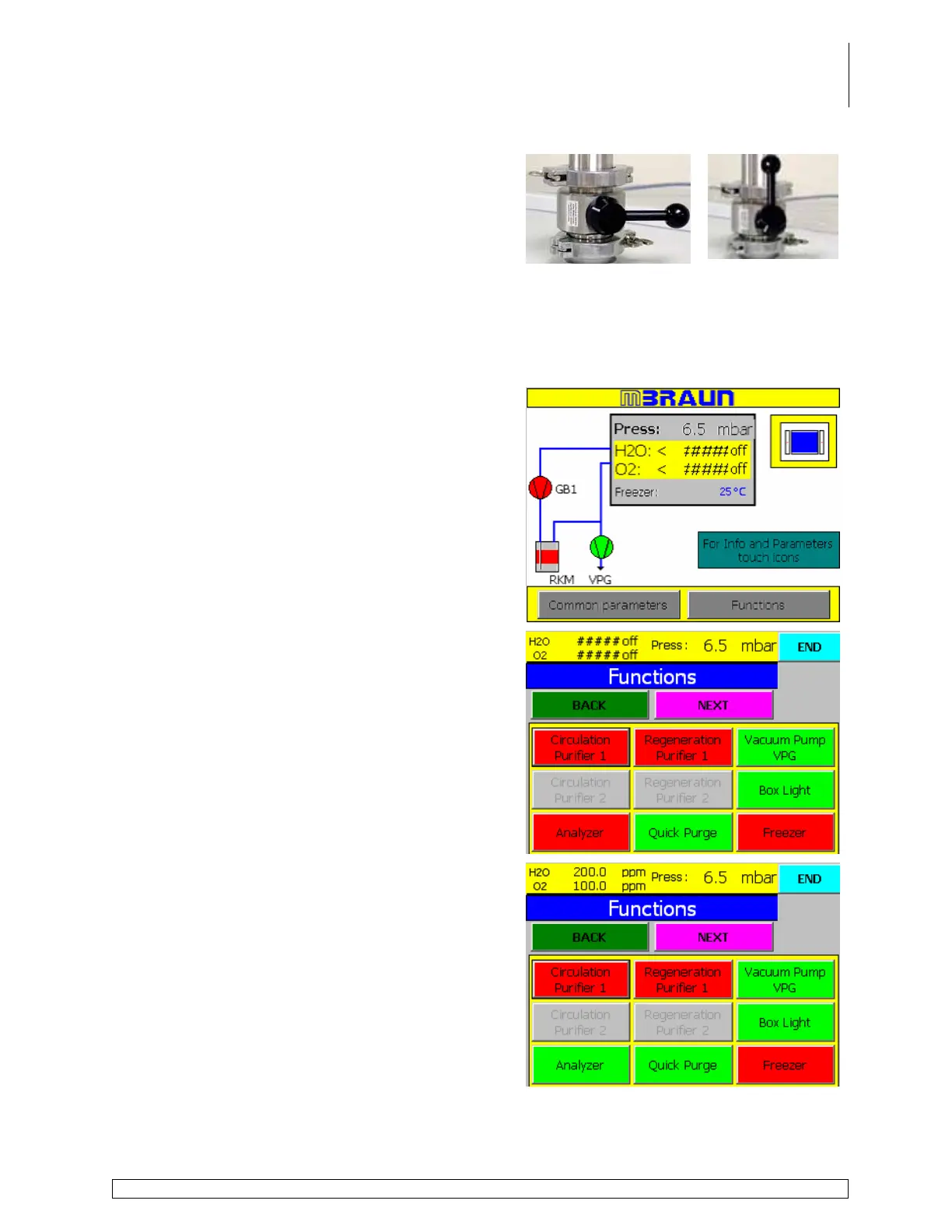
Open the manual hand valve located on the top of
the glovebox.
The VG valve will open and close to allow working gas to flow into the box. Once the pressure
inside the box drops to a level between 1.0mbar and 8.0mbar, the valve will stay open*
providing a constant flow of gas into and out of the box.
*When the valve stops clicking it is open.
Automatic Purge Method (quick purge function present)
Touch the Functions button on the start screen.
Touch the Quick Purge button on the functions
screen to activate the purging process.
The circulation button is blanked out as this function
is unavailable during the purging process.
Continue purging for 45 minutes.
Touch the Analyzer button to activate the
analyzers.
Touch the End button to return to the Start Screen.
Continue purging until the oxygen and moisture content inside the box reach the desired ppm
levels.



 To Next Page