“4069RT” Service and Parts Manual March 2014
Page 4-7
TROUBLESHOOTING -- EZ-CAL SCAN TOOL
EZ-C
AL
S
CAN
T
OOL
The EZ-Cal (MEC part # 90888; not part of the machine) is a hand-held scan tool that
interfaces with the system to provide various information and adjustments. The EZ-cal
receives its power from the GP400 when connected. The system must be powered up by
closing the Battery disconnect switch and pulling both emergency stop switches. You must
also select Base or Platform depending on the station you will operate from.
U
SING
THE
EZ-
CAL
S
CAN
T
OOL
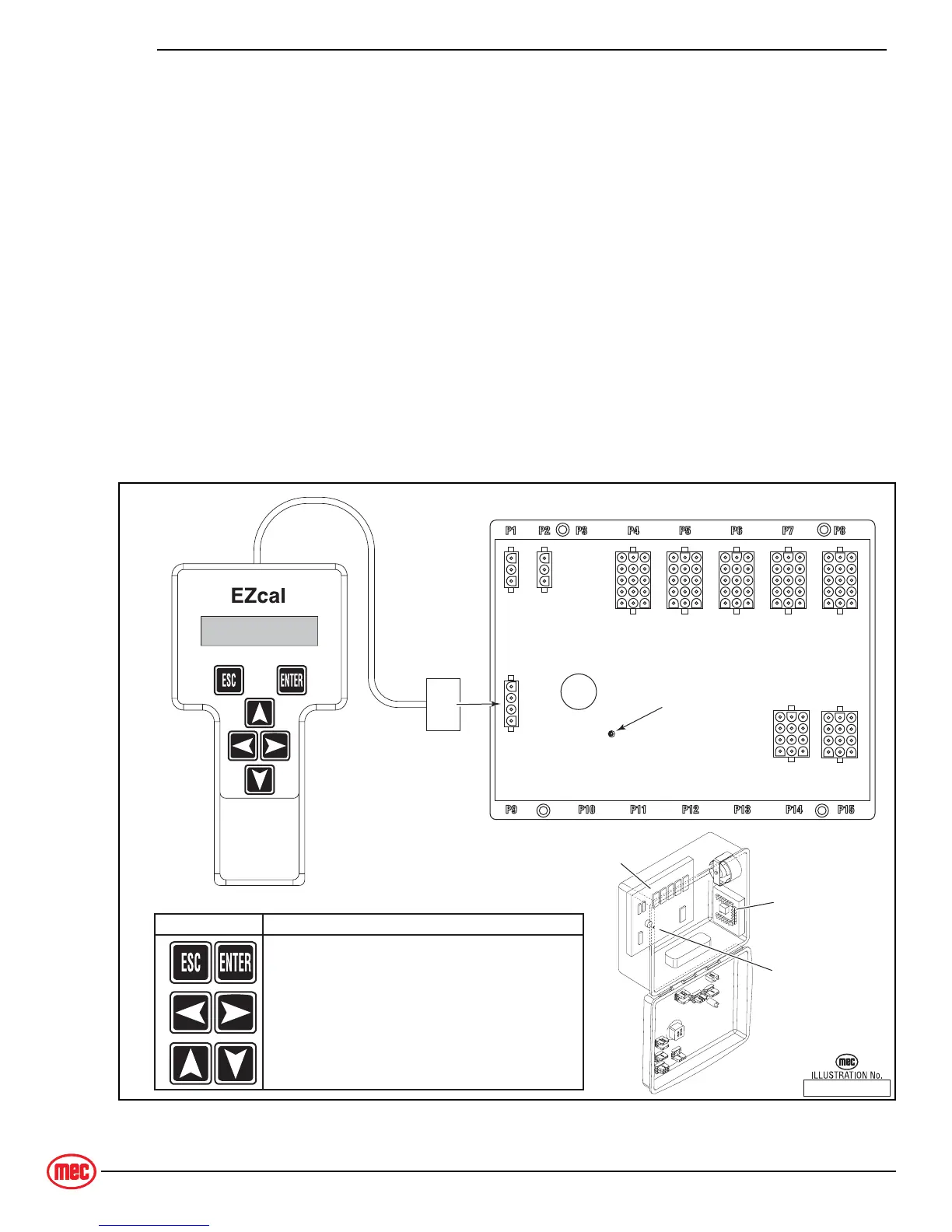
To operate the EZ-cal, plug the cable into the 4-terminal receptacle P9 on the GP400
and power the system up.
• The EZ-Cal display will illuminate and read “HELP: PRESS ENTER”. From this point, use the
right and left arrows to scroll through the base menus.
• Once the desired base menu is obtained (i.e. ADJUSTMENTS) press Enter to access sub
menus.
• Use the right and left arrows to scroll through sub menus, press Enter again.
• The up/down arrows are used to change settings only.
• Press ESC to back up one level.
Figure 4a-4: EZ-Cal Scan Tool Connections - GP400 Module
ART_3154
SYMBOL KEY FUNCTIONS
ESC/ENTER BUTTONS
To move back and forth between menu and sub-menu
LEFT/RIGHT BUTTONS
Select menus and setting to be adjusted
UP/DOWN BUTTONS
Adjust setting values
GP400 Control Module
Calibrator
MEC P/N 90888
13
13
15
13
10 12
13
10 12
13
13
15
13
13
15
13
13
15
13
1
3
1
3
1
4
13
15
LED
GP400
Module
Diagnostic LED
Lower Controls
Terminal
Block
Module



 To Next Page