“4069RT” Service and Parts ManualMarch 2014
Page 4-8
TROUBLESHOOTING -- EZ-CAL SCAN TOOL
O
PTIONAL
O
NBOARD
EZ-C
AL
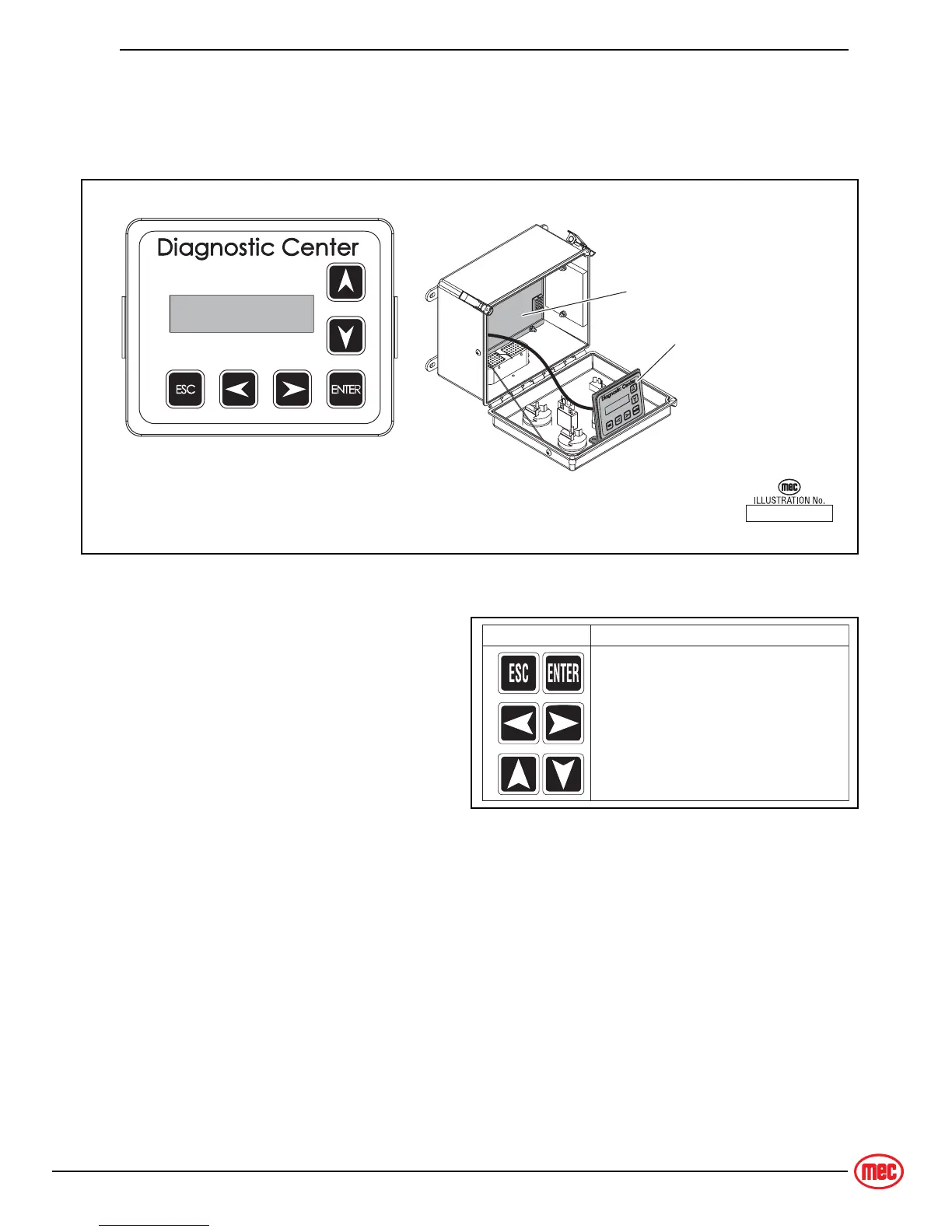
To use and operate the onboard EZ-Cal, set the Base/Platform Key switch to Base or
Platform, then open the door to the Lower Controls Box. The onboard EZ-Cal scan tool
provides the same functionality as the hand-held unit.
Figure 4-5: Onboard EZ-Cal Scan Tool & GP400 Module
U
SING
THE
EZ-C
AL
S
CAN
T
OOL
Figure 4-6: EZ-Cal Buttons
• Once, powered up, the EZ-Cal display
will illuminate and read “HELP: PRESS
ENTER”. From this point, use the right
and left arrows to scroll through the
base menus.
• Once the desired base menu is
obtained (i.e. ADJUSTMENTS) press
Enter to access sub menus.
• Use the right and left arrows to scroll
through sub menus, then press Enter again to choose a sub menu.
• The up/down arrows are used to change settings only.
Press ESC to back up one level.
ART_4164
EZ Cal Onboard Scan Tool
GP400 Module
Optional Onboard
Diagnostic Center
Ty p i cal Lower Controls Box
ART_3710
SYMBOL KEY FUNCTIONS
ESC/ENTER BUTTONS
To move back and forth between menu
and sub-menu
LEFT/RIGHT BUTTONS
Select menus and setting to be adjusted
UP/DOWN BUTTONS
Adjust setting values


 To Next Page