“4069RT” Service and Parts Manual March 2014
Page 4-9
TROUBLESHOOTING -- USING THE EZ-CAL WITH THE FLOW CHARTS
U
SING
THE
EZ-C
AL
WITH
THE
F
LOW
C
HARTS
Use the EZ-cal Flow Charts as a guide to locate diagnostic information and make adjust-
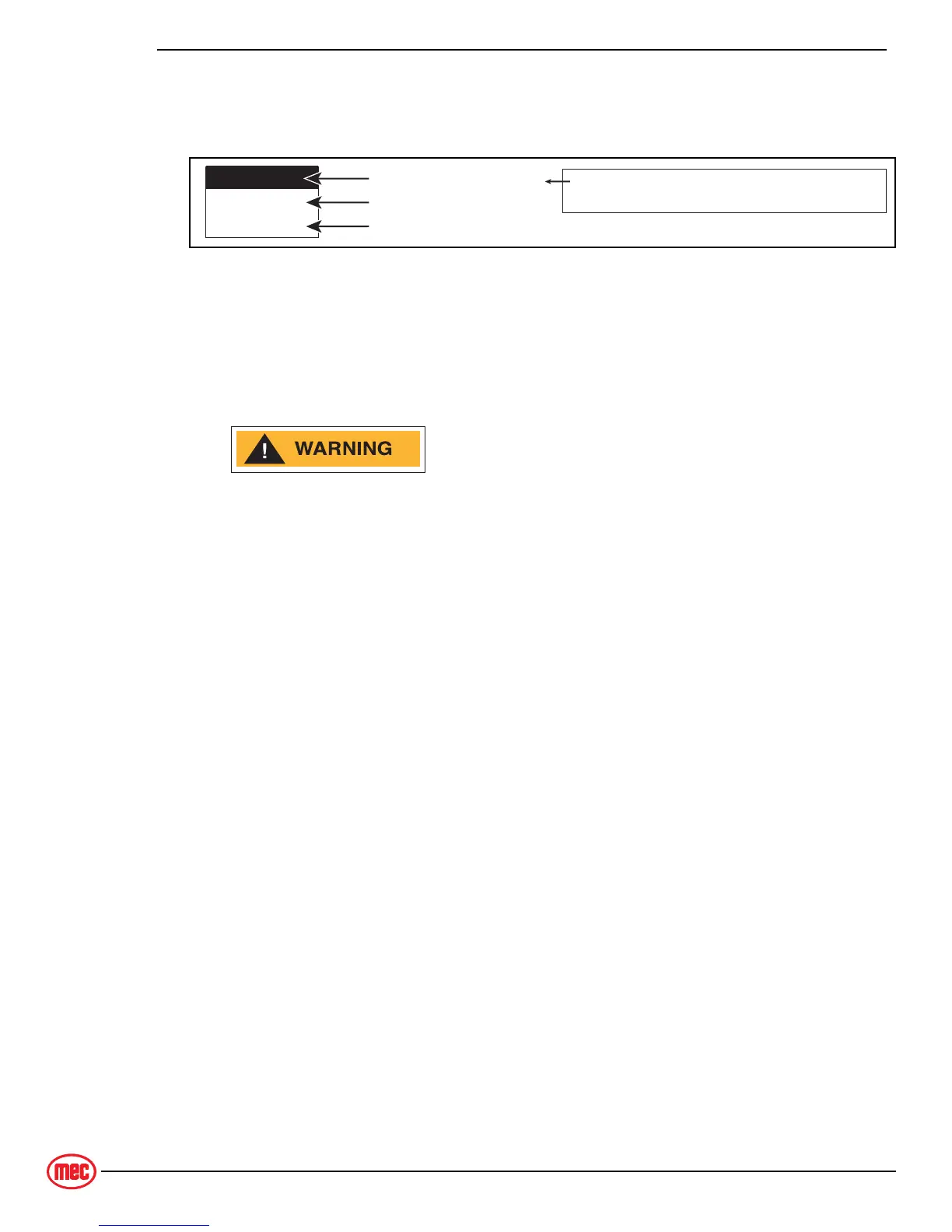
ments. Each box in the flow chart will have 3 bits of information.
Figure 4-7: EZ-Cal Display Example
The IDENTIFIER (5c2): – Used to locate this specific personality in the informational
charts. Here you can obtain specific information on the individual personalities.
The PERSONALITY (Up Max): – Identifies the individual personalities.
The DEFAULT SETTING: – The factory setting. If adjustments are made, they must be
returned to default setting.
ACCESS LEVEL 1 PROVIDES ACCESS TO CHANGE PERSONALITIES
NORMALLY PRESET AT THE FACTORY TO PROVIDE PROPER MACHINE
MOVEMENT AT SAFE SPEEDS. PERSONALITIES MUST NOT BE
CHANGED WITHOUT PRIOR AUTHORIZATION FROM MEC AND MAY ONLY
BE RETURNED TO FACTORY SPECIFICATION AS LISTED IN THE
FOLLOWING TABLES.
F
LASH
C
ODES
Flash Codes, provided from the GP400 red LED, will also assist in the event an EZ-cal
is not available. However, the EZ-cal yields considerably more relevant information.
Refer to "EZ-Cal HELP Messages" on page 4-16 for flash coded error messages.
UP MAX
75%
5C-2
Identification Number
Personality
Default Setting
to match with information tables, this number
will not appear on the EZ-Cal display
ART_3183


 To Next Page