TA80V User Manual
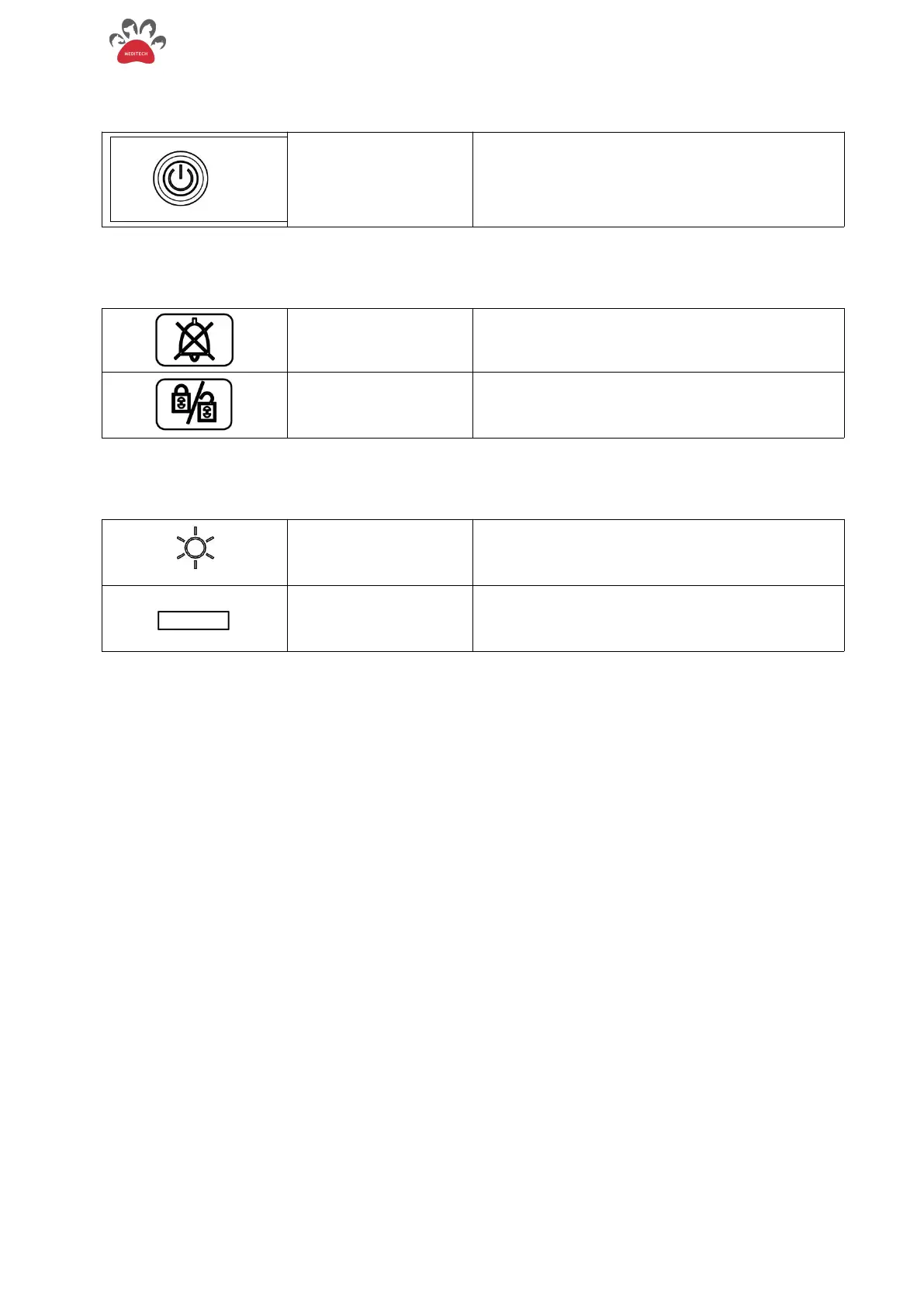
2.4.2.Switch Button
Press this button to turn on the ventilator; press
again to off and stop working.
2.4.3. Key Function and Basic Operation
Press this key to mute the alarm for 120 seconds.
Press this key to turn off screen touch; press and
hold this key again for 2 seconds to release the
ban.
2.4.4.Indicator Light
Connect the power supply, turn on the power
switch, the ventilator is powered on, and the
indicator light turns on.
Alarm indicator light
(red and yellow color)
When a high-level alarm occurs, the indicator
light flashes red; medium-level alarm occurs,
light flashes yellow.
2.4.5. Knob
The knob is used to select menu items and change settings. It can be turned clockwise or
counterclockwise and pressed like a button. Through the knob, you can operate the screen and menu
A color-changing (yellow) cursor that moves on the screen as the knob is turned. Operations can be
performed wherever the cursor can stay.
Operation:
Move the cursor to an item you want to operate
Press the knob
One of the following situations will occur in the system:
The cursor background color contrast display indicates that the content in the box can change
with the rotation of the knob;
A drop-down menu appears/closes on the screen, a dialog box pops up, or the original menu is
replaced by a new menu;
Press again to save settings.
The screen of this ventilator is a touch screen, which can be operated with the screen and the
knob.


 To Next Page