TA80V User Manual
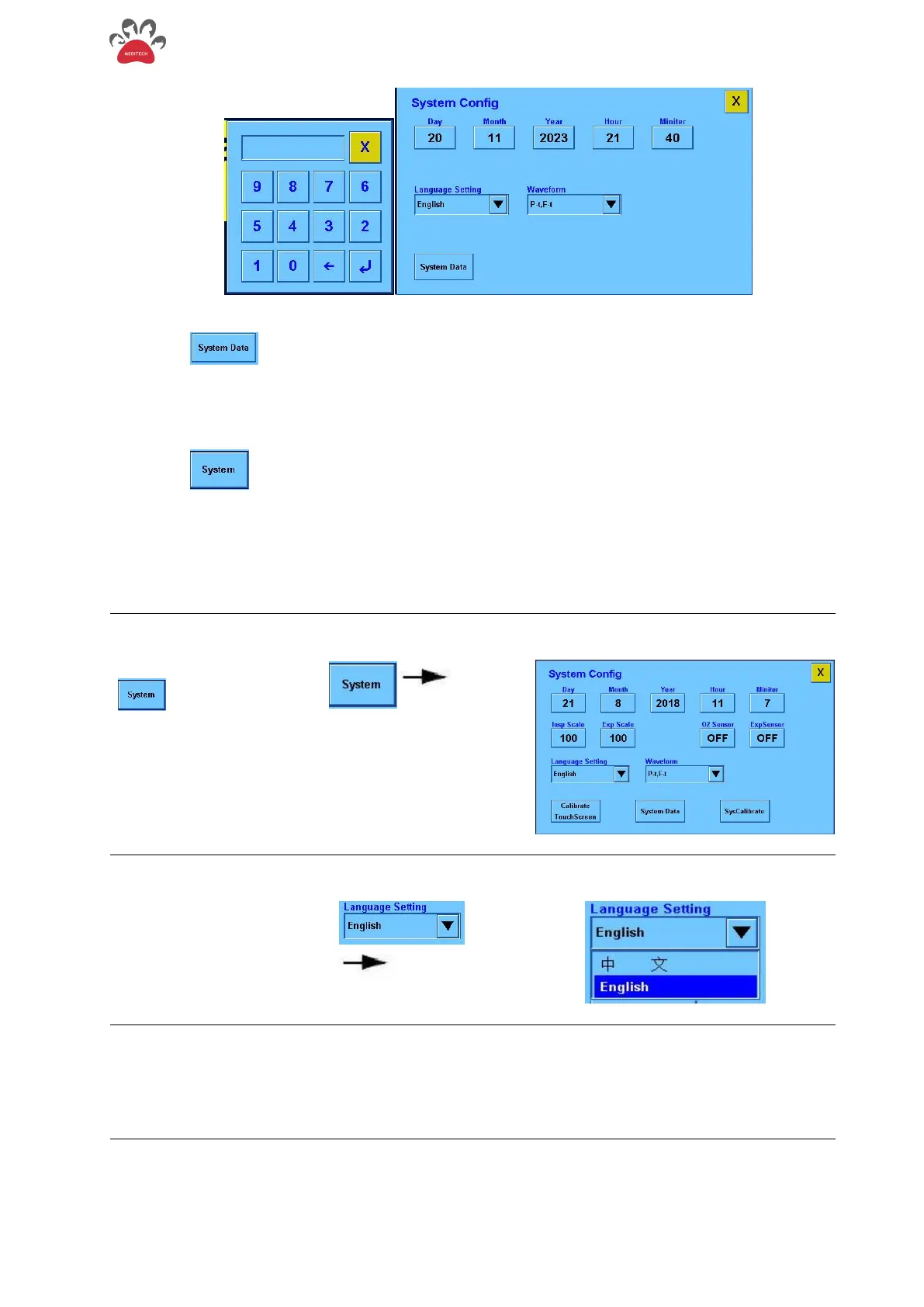
- Figure 3-5 System Setup menu
Touch the " " button to enter the system menu to view the various voltage and sensor of the
ventilator.
3.3.4 Date and Time Setting
Touch the " " to enter the system setting menu; the time can be adjusted by touching and the
knob to complete the time setting.
3.3.5 Language Setting
This system language can be set to Chinese or English.
Step 1
Step1 Touch the
" " and the system
setting menu will appear on
the screen
Step 2
Touch "Language Setting"
drop-down menu..
Step 3
Click the desired language
to complete the setting


 To Next Page